ASUS Vivobook S14 (M5406) Review: AMD’s Ryzen AI Chip Finally Gets a Laptop Worth the Silicon
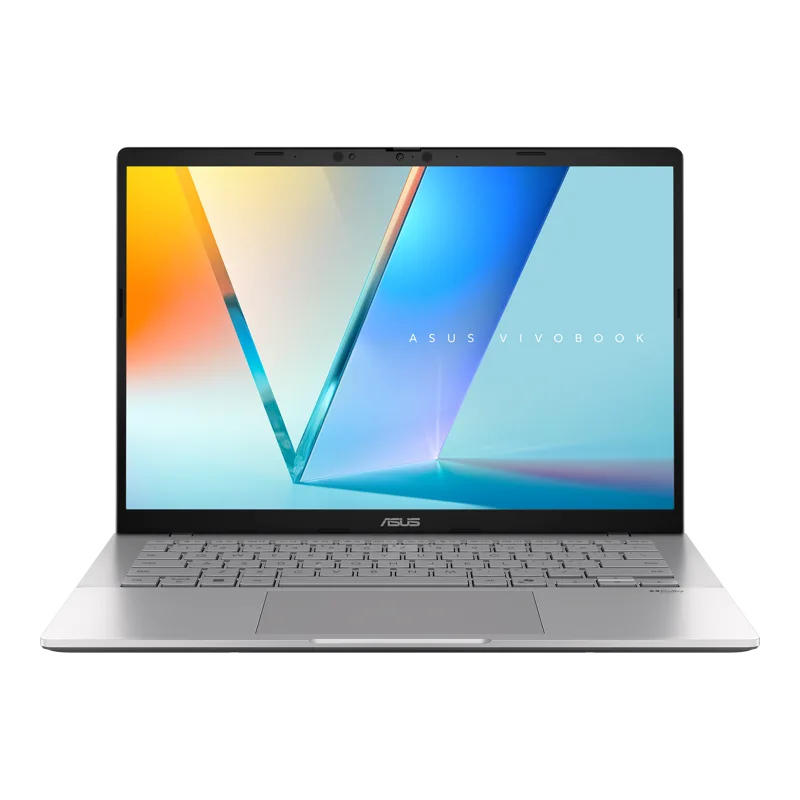
AMD's Ryzen AI 9 HX 370 has been showing up in review roundups for a while now, usually praised for its efficiency and its Radeon 890M integrated graphics that genuinely outperform Intel's equivalent silicon. The ASUS Vivobook S14 (M5406) is one of the more affordable laptops built around that chip, and it raises an interesting question: how much of the premium-Zenbook experience can you get at a lower price point if you're willing to shop the Vivobook line instead?
The "AI" branding in the chip's name is worth unpacking honestly rather than taking at face value, since every laptop manufacturer has attached "AI" to a chip name over the past two years regardless of what that actually means in practice. In this case it refers to a dedicated neural processing unit (NPU) built into the silicon, used for on-device tasks like Windows Studio Effects (background blur and eye contact correction in video calls), some local AI image-generation and upscaling tools, and increasingly, background transcription and summarization features as Windows rolls them out more broadly. It's a genuinely useful piece of silicon, though its day-to-day impact is currently smaller than the marketing around it would suggest — the CPU and GPU are still what determine most of your actual experience with this laptop.
The headline spec here is the CPU/GPU pairing. The Ryzen AI 9 HX 370 packs up to 12 cores, and it's paired with AMD's Radeon 890M integrated graphics — currently the strongest integrated GPU on the market, capable of running modern games at 1080p on medium settings, something Intel's Arc integrated graphics (as found in the Zenbook 14 OLED) still can't quite match. If your laptop needs to occasionally double as a light gaming machine without a discrete GPU, this is currently the best integrated-graphics option you can buy.
The display is a 14-inch 3K (2880x1800) OLED panel at 120Hz with HDR support — on paper, nearly identical to what you get in ASUS's own more expensive Zenbook line. That's the real story of this laptop: ASUS didn't cut the screen to hit a lower price point, which is the corner most manufacturers cut first. You still get true OLED blacks, HDR-certified brightness for streaming content, and a refresh rate high enough that the UI feels responsive rather than merely acceptable.
RAM configuration tops out at 32GB of LPDDR5x, and storage scales up to 1TB of PCIe SSD — both are configurable rather than fixed, which is worth checking carefully before buying, since a base configuration with less RAM will feel noticeably different under multitasking load than the maxed-out spec. At 1.3kg with a 75Wh battery, the Vivobook S14 sits almost exactly where you'd expect: marginally heavier than the Zenbook 14 OLED, but not by enough to matter for most people carrying it in a backpack daily.
Where the Vivobook line has historically disappointed is build quality — more plastic, less rigid chassis, a keyboard that doesn't feel quite as refined as ASUS's premium lines. That trade-off is real here too; this isn't a Zenbook wearing a cheaper badge. But for the specific combination of a genuinely excellent OLED display and the strongest integrated graphics currently available, at a price meaningfully below the Zenbook 14 OLED, the Vivobook S14 earns its spot in this catalog as the pragmatic pick rather than the aspirational one.
Who should buy this over the Zenbook? If light gaming or GPU-accelerated tasks without a discrete GPU matter to you, the Radeon 890M's advantage over Intel Arc integrated graphics is real and measurable, and it's worth the slightly less polished chassis. If build quality and a more premium feel matter more than that specific GPU advantage, the Zenbook justifies its higher price. Either way, both configurations prove that a genuinely great OLED panel no longer has to live exclusively at the top of a manufacturer's lineup — it's trickled down to the mid-tier, and that's a meaningfully good thing for anyone shopping in this price range.
Software and bloatware are worth a brief, honest mention, since it's a real part of the ownership experience even though reviews often skip it. Vivobook-line laptops have historically shipped with more preinstalled trial software and OEM utilities than the premium Zenbook line, and this model is no exception. None of it is difficult to uninstall, but budget an extra ten minutes on first setup if a clean, minimal desktop matters to you — it's a small but real difference from the comparatively lighter software footprint on ASUS's pricier laptops.
One more consideration worth flagging: because RAM and storage are configurable on this model, don't assume the review unit's specs match whatever configuration is cheapest at your retailer. Check the exact spec sheet before buying — a base 16GB configuration will feel like a genuinely different laptop under heavy multitasking than the 32GB version discussed here.
Thermals are also worth a specific mention, since integrated graphics that are actually powerful enough to matter — as the Radeon 890M genuinely is — put more sustained heat load through a thin chassis than the older generation of weaker integrated GPUs ever did. ASUS has tuned the Vivobook S14's fan curve to prioritize sustained performance over silence under heavy load, which means you will hear the fans during a longer gaming session or a video export, more so than you would on the Zenbook's more conservative tuning. That's a reasonable trade-off given the extra GPU performance on tap, but it's worth knowing going in if a completely silent laptop is a priority for you.
Connectivity follows the same pattern as the rest of the Vivobook line's value positioning: you get modern Wi-Fi 6E and a reasonable spread of USB-C and USB-A ports, though without the Thunderbolt 4 certification found on the pricier Zenbook models. For most buyers that's a non-issue — USB-C still handles charging and most peripheral connections fine — but if your workflow depends on Thunderbolt-specific docks or high-bandwidth external GPU enclosures, that's a real differentiator worth checking before you buy.