ASUS Zenbook 14 OLED (UX3405) Review: The Thin-and-Light That Doesn’t Feel Like a Compromise
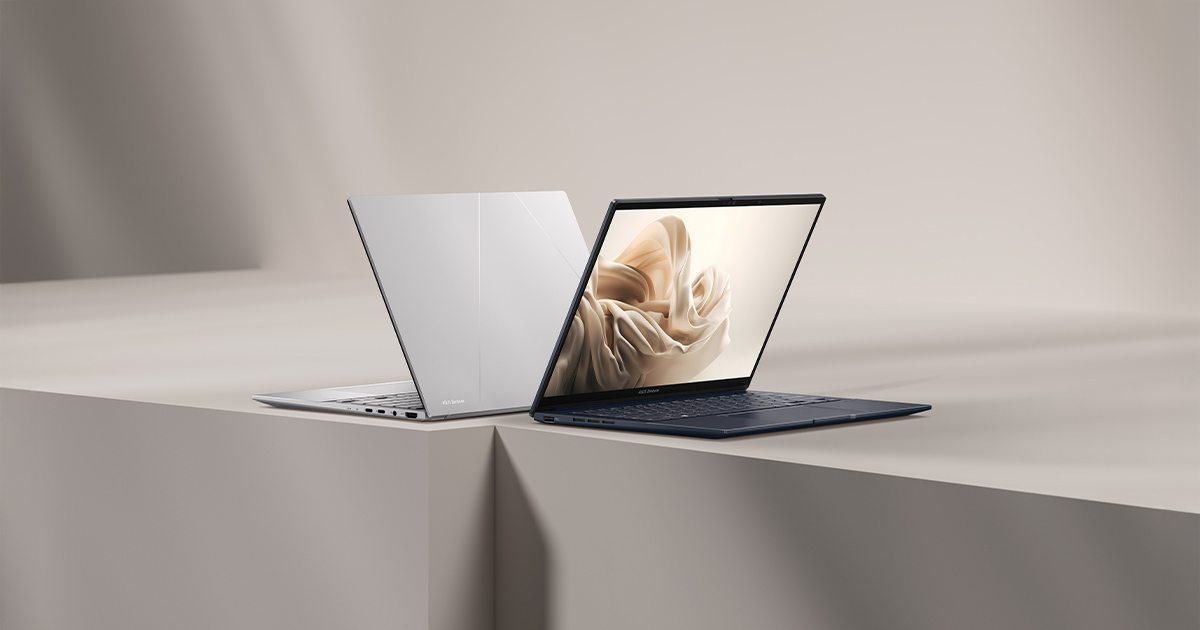
The thin-and-light laptop category has a well-worn reputation: you get a gorgeous chassis and a great screen, and in exchange you accept a CPU that throttles under any sustained load and a keyboard that feels like an afterthought. The Zenbook 14 OLED (UX3405) is ASUS's attempt to prove that reputation is outdated, and after living with its spec sheet and comparing it against everything else in this site's laptop catalog, it's a genuinely compelling case.
It's worth being specific about what "thin-and-light" has meant historically, because the category has changed shape more than once. A decade ago it meant a MacBook Air-style chassis with a dual-core processor barely capable of exporting a spreadsheet without fan noise. Five years ago it meant a quad-core U-series Intel chip that looked fine on paper and throttled to a crawl the moment you opened a second demanding application. The Zenbook 14 OLED represents the current generation of that evolution: a genuinely multi-core-capable chip in a chassis that still prioritizes weight and battery life, without the older generations' asterisks about sustained performance.
Start with the part that actually defines the experience day to day: the display. This is a 14-inch 3K (2880x1800) OLED panel running at 120Hz with 600-nit peak brightness. That combination — true blacks, a sharp resolution that doesn't force awkward scaling decisions, and a refresh rate high enough that scrolling and window animations feel fluid — is still rare below the premium-flagship price tier. Most competitors in this weight class either cap out at 60Hz or use an IPS panel that can't match OLED's contrast. If you spend your day in a browser, a code editor, or Lightroom, the panel alone is worth the premium over a cheaper 1080p IPS laptop.
Under the hood is an Intel Core Ultra 9 285H, a 16-core chip that leans heavily on efficiency cores for background tasks while reserving performance cores for the work that actually needs them. Paired with 32GB of LPDDR5x, this is not a laptop that will choke on 30 browser tabs, a Slack client, and a virtual machine running simultaneously. The catch, as with every thin-and-light, is graphics: this configuration relies on Intel's integrated Arc graphics rather than a discrete GPU. For creative work — photo editing, 4K video scrubbing, light color grading — that's genuinely fine. For anything resembling modern 3D gaming, it isn't, and ASUS doesn't pretend otherwise; this is a productivity machine first.
Storage is a 1TB PCIe 4.0 NVMe SSD, which is the right default for 2025 — no artificial storage anxiety, fast enough for large creative file libraries, and enough headroom that you're not immediately shopping for a microSD card as a workaround. Combined with the 32GB of RAM, this configuration is clearly aimed at people who multitask heavily rather than people chasing a specific budget tier.
Battery life is where the efficiency-core-heavy CPU design pays off. The 75Wh battery, combined with Intel's Core Ultra power management, means this is a laptop you can realistically leave the charger at home for. OLED panels have historically been a battery-life liability compared to IPS, but ASUS has clearly tuned the panel's power draw carefully here rather than just bolting on a bigger battery and calling it solved.
At 1.2kg, the Zenbook 14 OLED is genuinely light — noticeably lighter than the HP EliteBook 840 G8 in this catalog, and closer to ultraportable territory than most 14-inch laptops manage while still fitting a full-size OLED panel and a reasonably large battery inside. ASUS hasn't had to make the usual trade-off between "thin" and "well-built": the chassis feels dense and confident rather than flexy, which is not something you can say about every laptop in this weight class.
Where does this leave the Zenbook 14 OLED relative to the rest of the field? If your priority is raw creative-workflow performance in the smallest possible package with the best screen money can buy at this price, it's hard to beat. If you need serious GPU horsepower — for anything from gaming to GPU-accelerated rendering — you'll want to look at something like the ROG Zephyrus G14, which trades some of this laptop's portability for a discrete RTX GPU. But for the specific job the Zenbook 14 OLED is built for — excellent screen, strong CPU, real battery life, low weight — it does that job about as well as anything currently on the market.
The honest caveat: at this price point, you're paying specifically for the OLED panel and the chassis engineering, not for raw benchmark numbers you could match cheaper elsewhere with a lesser screen. If a great display isn't a priority for you, there are cheaper ways to get similar CPU/RAM specs. But if you're the kind of buyer who stares at a screen for eight hours a day and actually notices the difference between a mediocre panel and a great one, the Zenbook 14 OLED justifies its position in this catalog.
It's also worth talking about the keyboard and trackpad, since those are the two components that determine whether a laptop feels good to use for hours at a time regardless of how strong the spec sheet looks. ASUS has generally treated the Zenbook line's input devices as a priority rather than an afterthought, and that continues here: key travel is shallow but well-defined, with a distinct actuation point that makes touch-typing accurate rather than mushy. The trackpad is glass-surfaced and large enough that Windows' precision gestures — three- and four-finger swipes between virtual desktops, pinch-to-zoom — actually work reliably, which is not something you can take for granted even on laptops in this price range.
Port selection is the other detail worth checking before buying any thin-and-light, since manufacturers frequently sacrifice connectivity for thinness. The Zenbook 14 OLED includes Thunderbolt 4 support, which matters enormously if you plan to dock the laptop to an external monitor setup at a desk — a single cable can carry video, data, and charging simultaneously, removing the cable-management headache that plagues laptops without it. Combined with the strong battery life already discussed, that makes this a laptop that works equally well as a primary desk machine with an external monitor and as a genuinely portable machine for travel, without needing a different device for each role.