How Much VRAM Do You Actually Need in 2026? A GPU Buying Guide
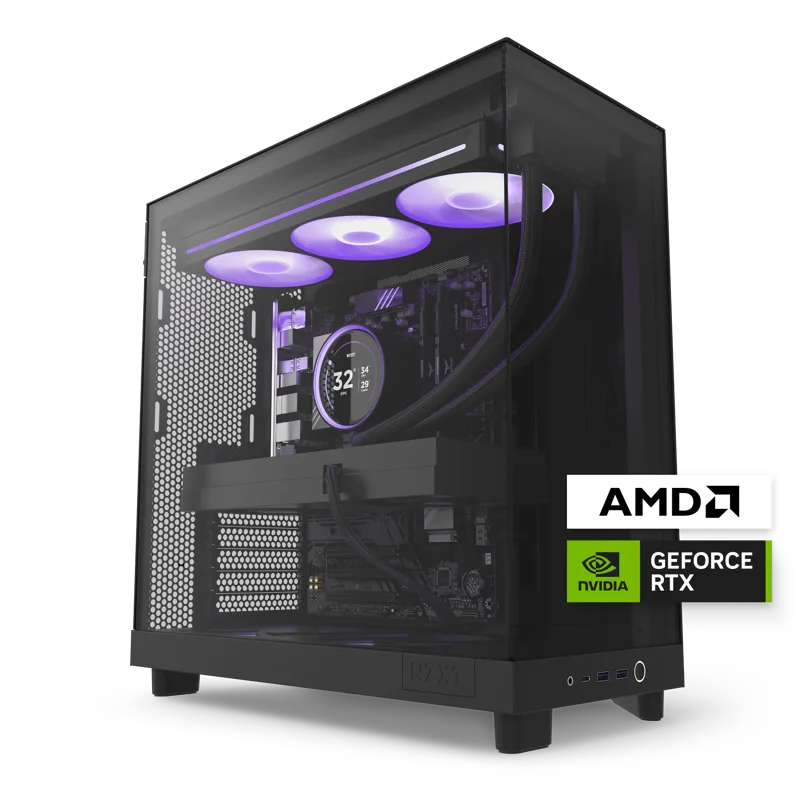
VRAM is the spec that gets argued about more than almost any other number on a graphics card spec sheet, and the argument has only gotten louder as game textures, ray tracing effects, and AI-upscaling models have all gotten hungrier for dedicated video memory. Shoppers comparing a laptop like the ROG Strix G16 against a desktop like the NZXT Player: Three often fixate on core counts and clock speeds, but the amount of video memory on board quietly decides whether a GPU keeps its performance a year or two down the line, or starts stuttering the moment a game's texture pack gets ambitious. This guide breaks down what VRAM actually does, what the real tiers look like in 2026, and how to decide how much you actually need.
What VRAM Actually Does
Video memory holds the data a GPU needs close at hand: texture maps, frame buffers, shader assets, and — increasingly — the intermediate data used by ray tracing and AI upscaling pipelines like DLSS or FSR. When a game's working set exceeds available VRAM, the system has to fall back to slower system memory or start swapping data in and out, and the result is stuttering and frame-time spikes that show up long before the average frame rate looks bad on a benchmark chart. This is why two GPUs with near-identical core specs can feel very different in practice once VRAM becomes the bottleneck instead of raw compute power.
The Current VRAM Tiers in 2026
Looking across the products in our own catalog gives a useful snapshot of where the market actually sits. The ROG Strix G16 (G614, 2025) ships an RTX 5070 with 8GB GDDR7, which is still the mainstream tier for 1600p gaming laptops. The Razer Blade 16 (2026) steps up to an RTX 5070 Ti laptop GPU with more headroom for higher settings at the same resolution. On the desktop side, the NZXT Player: Two carries a RTX 5070 12GB, while the flagship Player: Three jumps to a full 16GB on its RTX 5080 — a meaningful gap that reflects how much more thermal and power budget a desktop chassis can dedicate to memory bandwidth compared to a laptop. For a deeper look at how these specific GPU tiers stack up on price and performance, our RTX 5070 vs. 5070 Ti vs. 5080 buying guide covers the tier-by-tier tradeoffs in more detail.
Who Actually Needs More Than 8GB
For most people gaming at 1080p to 1600p with settings dialed to "high" rather than maxed-out "ultra," 8GB is still a perfectly reasonable amount of video memory in 2026, especially paired with a well-implemented upscaler. Where the extra headroom starts to matter is at higher resolutions, with texture packs set to their highest quality tier, or when running multiple heavy ray-tracing effects simultaneously — reflections, global illumination, and shadows all eat into the same VRAM pool. Creative workloads matter here too: video editing with large color-graded timelines, 3D rendering previews, and local AI image or video generation tools can all consume far more VRAM than a game would at the same resolution, which is one more reason the answer depends heavily on what you're actually doing with the machine, not just which games you play.
Laptop GPUs vs. Desktop GPUs: Why the Numbers Aren't Directly Comparable
A laptop GPU and a desktop GPU that share the same model name rarely share the same VRAM configuration or power envelope, and that gap widens the more you compare thin chassis to full-size towers. Laptop thermal and power constraints push manufacturers toward the minimum VRAM that still looks competitive on paper, while a desktop tower like the Player: Three has room for a bigger cooler, more consistent power delivery, and therefore a fuller-capacity memory configuration. That's part of why a like-for-like naming match between a laptop and desktop GPU tier doesn't guarantee like-for-like real-world headroom — the chassis around the chip matters as much as the chip's name.
Practical Recommendations by Use Case
- Esports and competitive titles at 1080p: 8GB is more than enough, and you'll likely be CPU-limited before VRAM becomes a factor.
- AAA gaming at 1600p on a gaming laptop: 8GB works today, but 12GB gives more comfortable headroom for the next two to three years of texture pack growth.
- High-refresh desktop gaming at 1440p or above: 12-16GB is the safer long-term choice, especially with ray tracing enabled.
- Creative work or local AI tools: prioritize the highest VRAM tier your budget allows, since these workloads scale with memory more aggressively than most games do.
How VRAM Interacts With Upscaling and Frame Generation
Modern upscaling technologies complicate the VRAM conversation in both directions. On one hand, rendering at a lower internal resolution and upscaling to the display's native resolution reduces the size of the frame buffers and textures the GPU has to hold, which eases pressure on a smaller VRAM pool. On the other hand, frame generation techniques that synthesize additional frames between rendered ones typically need extra buffers of their own to store motion vectors and prior frame data, which adds VRAM overhead right as the technique is trying to make a mid-range card feel faster. The net effect is that a GPU with a tight VRAM budget can still see real stuttering even while the on-screen frame counter looks healthy, because the extra buffers needed for frame generation are competing with textures and shader assets for the same limited pool of memory. This is one of the more counterintuitive lessons buyers run into: turning on the very feature meant to boost frame rates can occasionally expose a VRAM shortfall that wasn't visible with the feature turned off.
Does More VRAM Always Mean Better Performance?
Not on its own. A GPU can ship with a generous VRAM allocation and still underperform if its memory bus width and bandwidth aren't sized to match, since VRAM capacity and VRAM speed are two different specifications that only sometimes move together. Buyers sometimes fixate on the capacity number because it's the easiest one to compare at a glance, but a narrower memory bus paired with a large VRAM pool can leave that extra capacity sitting mostly idle in workloads that are bandwidth-bound rather than capacity-bound. The practical takeaway is to treat VRAM capacity as one input among several — alongside core count, clock speed, and memory bandwidth — rather than the single deciding factor, even though it's often the number that gets the most attention in marketing material and forum debates alike.
Bottom Line
VRAM capacity isn't a spec to maximize blindly, but it also isn't one to ignore in favor of core count or clock speed alone. Match the tier to your resolution, your settings preferences, and how long you plan to keep the machine before upgrading — a GPU with generous VRAM tends to age more gracefully than one that was merely fast on release day.