RTX 5070 vs. RTX 5070 Ti vs. RTX 5080 in 2026: Which GPU Tier Actually Fits Your Budget?
NVIDIA's current laptop and desktop GPU lineup spans a wide performance range, and three tiers in particular show up constantly across the machines we test: the RTX 5070, the RTX 5070 Ti, and the RTX 5080. On paper the naming makes the hierarchy look obvious, but in practice the real-world gap between these three tiers — and whether it's worth paying for — depends heavily on the resolution and refresh rate you're actually targeting, not just the model number on the box.
RTX 5070: the mainstream 1440p sweet spot
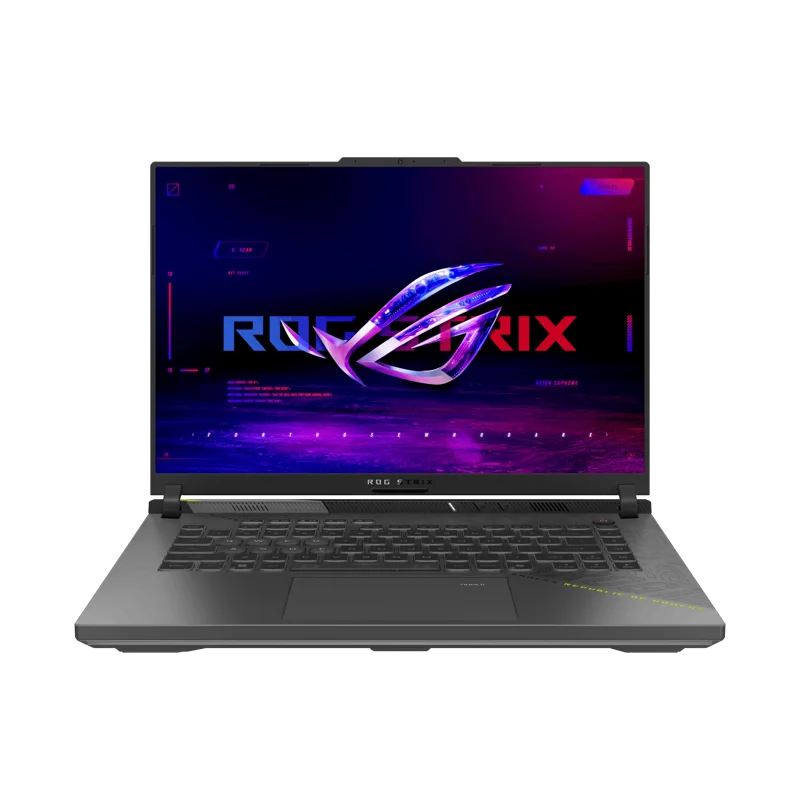
The RTX 5070 shows up in two very different machines in our catalog: the ASUS ROG Strix G16 (2025) laptop and the NZXT Player: Two desktop. In both cases, it's positioned as the tier that handles 1440p gaming at high settings comfortably without chasing the absolute highest frame rates. For most buyers whose display tops out at 1440p/144Hz or similar, this is genuinely the point of diminishing returns — spending more to move up a tier buys headroom you may never actually use unless you also upgrade your monitor.
RTX 5070 Ti: the step up that shows in OLED-heavy machines
The RTX 5070 Ti sits in the Razer Blade 16 (2026), paired with a 240Hz OLED panel — a pairing that actually makes sense of the extra GPU tier, since a higher-refresh, higher-contrast display benefits directly from more consistent frame delivery at demanding settings. If your display is the limiting factor (a 240Hz panel, or a high-resolution 1440p+ screen), the 5070 Ti's extra headroom over the 5070 is more likely to translate into a visible difference than on a standard 144Hz 1080p or 1440p setup.
RTX 5080: reserved for high-refresh 1440p and serious 4K
The RTX 5080 appears in the NZXT Player: Three desktop, and this is where the value proposition shifts from "smoother at your current settings" to "opens up a genuinely different resolution or refresh target." If 4K gaming at high settings, or 1440p at very high frame rates for competitive play, is the actual goal, the 5080 tier is where that becomes realistic without leaning heavily on upscaling. Below that target, it's meaningfully more GPU than most games will make you use.
Price-to-performance across the three tiers
Comparing list prices across our catalog is instructive: the Strix G16 with its RTX 5070 sits at $1,899, the Blade 16 with its RTX 5070 Ti jumps to $3,499, and the Player: Three desktop with its RTX 5080 lands at $3,799. Notice that the Blade 16's price increase over the Strix G16 reflects far more than just the GPU tier bump — it also includes a flagship OLED panel and premium chassis, so isolating the GPU's specific contribution to that price gap requires some care rather than assuming it's a pure GPU-tier tax.
Desktop vs. laptop GPU tiers: not a direct comparison
It's worth noting that a laptop RTX 5070 Ti and a desktop RTX 5070 Ti (if one existed in this exact configuration) would not perform identically — laptop GPUs run at lower power limits to manage heat and battery life in a much smaller chassis, so a laptop-class GPU tier generally trails its desktop namesake in raw throughput. When comparing the Player: Three's desktop RTX 5080 against laptop GPU tiers, keep in mind you're also comparing two fundamentally different thermal and power budgets, not just a tier name.
How to actually decide
Start from your display, not the GPU spec sheet. If you're gaming on a 1080p or standard 1440p/144Hz monitor, the RTX 5070 tier is very likely enough, and the money saved is better spent elsewhere in the build or laptop configuration. If you already own or plan to buy a 240Hz or higher-resolution panel, the RTX 5070 Ti becomes the more defensible upgrade. Only commit to RTX 5080-tier spending if 4K or genuinely high-refresh 1440p is a fixed requirement, not a "nice to have" — that's the point where the extra cost reliably buys a visible, usable improvement rather than headroom that goes unused.
Memory bandwidth and VRAM: the quieter differentiator
Beyond raw compute, VRAM capacity is an increasingly important differentiator between these tiers, particularly for buyers who also do creative work like video editing or 3D rendering alongside gaming. Higher VRAM configurations handle larger textures, bigger project files, and multitasking between a game and background creative applications more gracefully, which is a real consideration for anyone treating their gaming machine as a dual-purpose workstation rather than a single-purpose gaming rig.
Laptop cooling design matters as much as the GPU tier itself
Two laptops with the identical GPU model can still perform noticeably differently depending on how aggressively the manufacturer configures the power limit and cooling solution. A 16-inch chassis with a robust vapor chamber and multiple heat pipes, like the Strix G16's cooling system, can sustain higher clocks for longer under load than a thinner competitor running the same silicon at a lower power budget. When comparing GPU tiers across brands, it's worth reading full reviews rather than assuming identical model numbers guarantee identical real-world performance.
Upscaling and frame generation shift the calculus
Modern upscaling and frame-generation technology has changed how much raw GPU tier actually matters for hitting a given frame rate target. A well-implemented upscaling mode can let a lower GPU tier approach the frame rates of a higher tier running natively, though image quality tradeoffs vary by title and implementation. This doesn't eliminate the value of buying more GPU headroom, but it does mean the gap between tiers in practice is often smaller than raw specification comparisons would suggest, especially in newer titles with mature upscaling support.
Frequently asked questions
Is the RTX 5070 Ti worth the premium over the RTX 5070? Only if your display can actually take advantage of it — a high-refresh or higher-resolution panel makes the case much stronger than a standard 1440p/144Hz setup. Does a desktop RTX 5080 outperform a laptop RTX 5070 Ti? Generally yes, since desktop GPUs run at higher sustained power limits without the thermal constraints of a laptop chassis. Should I future-proof by buying a higher tier than I need today? Only if you're also planning a display upgrade in the near term — otherwise that budget is usually better spent on RAM, storage, or a better panel.