Intel vs. AMD Motherboard Chipsets in 2026: Z890, B860, X870E, and B850 Explained
Once you've decided between an Intel or AMD desktop platform, the next decision is quieter but just as consequential: which chipset tier the motherboard is built around. Our premium motherboard buying guide covers when it's worth spending more in general terms; this guide goes one level deeper and explains what actually separates the specific chipset tiers on both platforms in 2026, since the chipset — not the CPU — is what determines how many PCIe lanes, USB ports, and overclocking features a given board actually supports.
What a Chipset Actually Does
The CPU handles a fixed set of high-priority connections itself — typically the primary PCIe slot for a GPU and one or two NVMe drives — while the chipset manages everything else: additional PCIe lanes, extra M.2 slots, USB ports, SATA connections, and networking features. A higher-tier chipset generally provides more of all of these, along with support for higher-end features like faster memory overclocking headroom and more robust power delivery designs, since motherboard makers tend to pair premium chipsets with correspondingly premium board designs rather than budget components.
Intel's Current Chipset Lineup
Intel's desktop chipset stack for its current-generation Core Ultra desktop platform runs from entry-level H810 up through B860 in the mainstream tier to Intel Z890 at the top. Z890 is the only tier that unlocks CPU overclocking and typically offers the most PCIe lanes and M.2 slots, making it the natural choice for enthusiast builds. B860 trims some of that flexibility — usually fewer M.2 slots and less overclocking headroom — but still supports the same core platform features for a meaningfully lower price, and remains the more sensible choice for anyone not planning to overclock.
AMD's Current Chipset Lineup
AMD's stack for its current Ryzen desktop platform runs from budget-focused A620 through B850 in the mainstream tier up to AMD X870E at the top, with a non-E X870 tier sitting just below it. Notably, AMD allows CPU overclocking on nearly its entire current chipset lineup, including the budget A620 tier in most cases — a longstanding difference from Intel's more segmented approach, where overclocking is locked to the flagship tier. X870E's main advantages over B850 are more PCIe 5.0 lanes, more robust power delivery for higher-end CPUs, and broader support for faster memory speeds without stability issues.
Practical Differences That Actually Matter
- PCIe lane count: higher tiers generally support more simultaneous full-speed M.2 drives and add-in cards without lane-sharing compromises.
- Overclocking: unlocked across nearly all of AMD's current lineup, but restricted to the top tier on Intel's platform.
- Power delivery: premium boards built on top-tier chipsets generally have more robust VRM designs, which matters more for higher core-count or higher-wattage CPUs than for budget parts.
- Connectivity: higher tiers typically add more USB ports, additional M.2 slots, and sometimes built-in Wi-Fi 7 or faster onboard networking as standard rather than optional.
Who Actually Needs the Top Tier
Most builders running a mid-range CPU with a single GPU and one or two NVMe drives will never bump into the limitations of a mainstream-tier chipset, and the money saved by choosing B860 over Z890, or B850 over X870E, is often better spent on the GPU or additional storage instead. The top tier earns its price for builders who genuinely plan to overclock (on Intel specifically, since AMD unlocks that broadly already), who need three or more full-speed M.2 slots, or who're running a high-wattage flagship CPU that benefits from the sturdier power delivery premium boards tend to have. For a broader look at how platform choice extends beyond the desktop into laptops, our Intel vs. AMD vs. Apple Silicon laptop comparison covers the mobile side of this same platform decision.
Chipset Generation vs. CPU Generation: A Common Point of Confusion
It's worth remembering that a chipset generation and a CPU generation are related but separate specifications, and a new CPU generation doesn't always require a brand-new chipset generation — motherboard makers sometimes carry a chipset forward with a firmware update to support a new CPU, while other CPU generations require a genuinely new chipset for full feature support. Before buying a motherboard, it's worth double-checking that the specific chipset and BIOS version support the exact CPU you're planning to pair it with, since compatibility lists change with each platform refresh and a board that looks current on a shelf display might need a firmware update out of the box to boot a brand-new CPU.
How This Plays Out on a Real Desktop Build
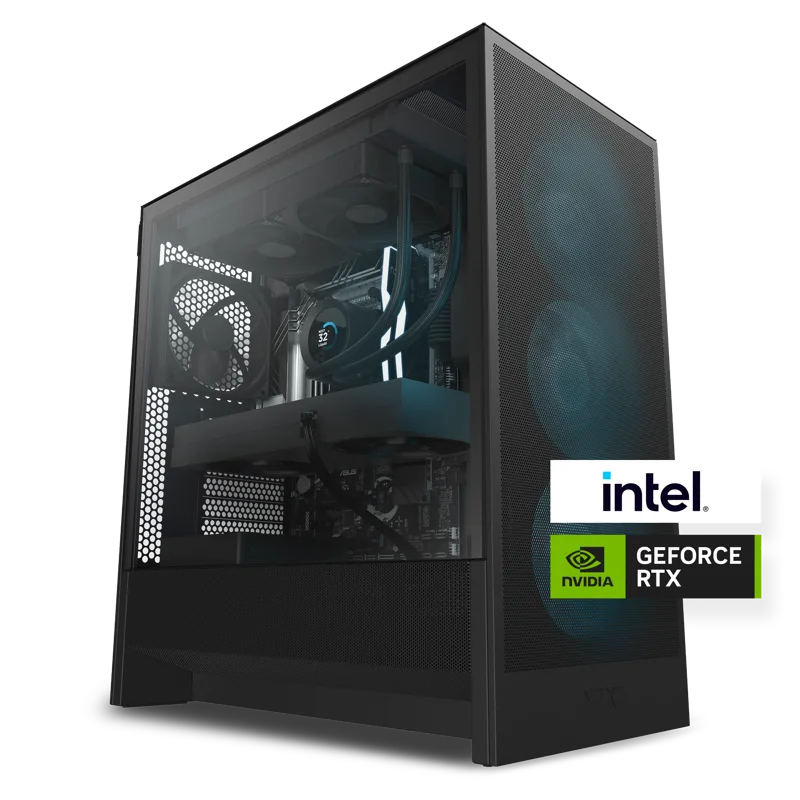
A prebuilt desktop like the NZXT Player line illustrates the practical side of this decision, since prebuilt system integrators typically select a chipset tier that matches the CPU and GPU they're pairing it with rather than defaulting to the flagship tier on every configuration. A system built around a mid-range CPU and a single high-end GPU rarely needs the full feature set of a top-tier board, and a well-matched mainstream chipset keeps the overall build cost focused on the components that actually move the performance needle — the CPU, GPU, and storage — rather than motherboard features that would go unused. This is part of why comparing two similarly priced prebuilt systems sometimes reveals very different chipset tiers under the hood, even when the CPU and GPU on the spec sheet look identical.
Firmware and Long-Term Support Differences
Chipset tier also tends to correlate with how long a motherboard keeps receiving BIOS updates, since premium boards generally stay in a manufacturer's active support lineup longer than budget boards from the same generation. This matters most for builders planning to upgrade the CPU down the line without replacing the motherboard, since a board that's fallen out of active firmware support may never gain compatibility with a newer CPU release even if the chipset would otherwise technically support it. Checking a manufacturer's BIOS update history for a specific board model before buying is a worthwhile step for anyone planning a multi-year build rather than a single-CPU system.
Bottom Line
Chipset tier is one of the more overlooked decisions in a desktop build, largely because it doesn't show up on a benchmark chart the way a GPU or CPU choice does — but it quietly determines how much room a system has to grow. For most builders, the mainstream tier on either platform, paired with the motherboards page for our full board category, delivers everything a typical build needs, while the top tier remains a legitimate upgrade for anyone pushing overclocking, storage expansion, or flagship-CPU power delivery to their limits.