Do You Need a Premium Motherboard in 2026? A Practical Buying Guide
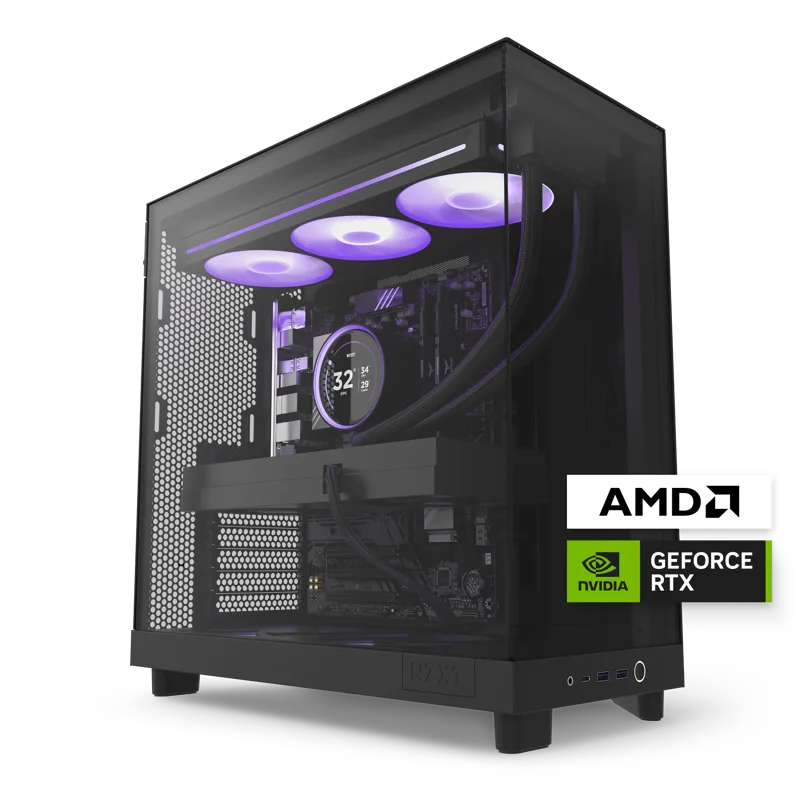
Motherboards are one of the hardest desktop components to shop for on specs alone, because most of what separates a budget board from a premium one only shows up under conditions most buyers never actually hit — sustained overclocking, high-wattage GPUs paired with power-hungry CPUs, or heavy multi-drive storage expansion. The NZXT Player: Two and Player: Three prebuilt desktops are a useful real-world case study, because both are built around standard ATX motherboards rather than proprietary parts, which is exactly the setup most buyers should be evaluating.
Why standard ATX matters more than the brand name
Both Player desktops use a standard ATX motherboard and standard power supply connectors rather than a manufacturer-specific proprietary form factor, which is arguably the single most important motherboard decision a buyer makes — more important than chipset tier or brand. A standard form factor means that when the next GPU generation lands, or the motherboard eventually needs replacing, you're not locked into buying only from the original manufacturer. Some prebuilt brands use proprietary layouts specifically to lock buyers into future purchases from the same company, and avoiding that trap is worth more in practice than most chipset-tier upgrades.
VRM quality: where the CPU headroom actually lives
The AMD Ryzen 7 9800X3D inside the Player: Three pulls meaningfully more power under sustained gaming and rendering load than a lower-tier chip like the Ryzen 5 9600X in the Player: Two, and that power has to move through the motherboard's voltage regulation module (VRM) cleanly to avoid throttling. This is genuinely one of the areas where a premium board earns its price: a well-built VRM with adequate cooling keeps a high-end CPU running at its rated boost clocks under sustained load, while an undersized VRM on a budget board can force the CPU to throttle even if the CPU itself is fully capable of higher sustained performance.
PCIe lanes and GPU bandwidth
Both Player desktops pair their motherboard with a full-length dedicated GPU — an RTX 5070 in the Player: Two, an RTX 5080 in the Player: Three — and current-generation PCIe lane bandwidth is genuinely enough for both cards to perform at their full potential. Where PCIe lane count actually starts to matter is when you add multiple NVMe drives or expansion cards competing for lanes with the GPU; budget boards sometimes limit lane allocation in ways that only show up once you start adding extra storage or expansion hardware beyond a single GPU and a single boot drive. Reading a motherboard's block diagram before buying — not just the marketing spec sheet — is the only reliable way to know exactly how lanes are shared once every slot is populated.
Comparing to the laptop side of the catalog
It's worth contrasting this with laptops, where the motherboard is fully custom and non-upgradeable by design — the ROG Strix G16's internal board is built specifically around its own CPU and GPU pairing with no PCIe-lane flexibility for the end user at all. That's precisely why desktop motherboard shopping deserves more scrutiny than laptop buyers are used to giving the equivalent internal component: on a desktop, the motherboard is a real, standalone purchasing decision with consequences for years of future upgrades, not a fixed piece of a sealed system.
Storage expansion and M.2 slots
The Player: Three ships with a single 4TB NVMe SSD, which is generous enough that most buyers won't need a second drive for years. If you do plan to add storage later, checking how many M.2 slots a motherboard actually has — and whether they're full-speed or bandwidth-limited when populated alongside a GPU — matters more for future-proofing than most other motherboard specs combined. This is exactly the kind of detail that's easy to overlook when buying a prebuilt system and only becomes relevant once you try to upgrade it yourself.
Rear I/O and everyday connectivity
Motherboard rear I/O directly determines how many USB ports, what generation of USB, and what networking options (integrated Wi-Fi, 2.5Gbps Ethernet, and so on) a desktop actually has, since none of that is negotiable after purchase the way GPU or RAM upgrades are. This is an area premium boards genuinely differentiate on, and it's worth checking specifically rather than assuming — a cheaper board can leave you short on USB ports or without faster networking in a way that's expensive and annoying to work around later.
Overclocking headroom: a real feature, but only for some buyers
NZXT's CAM software includes basic overclocking profiles on both Player desktops, which only meaningfully matter if the motherboard's VRM and cooling can actually sustain the extra power draw without throttling. If overclocking isn't something you plan to do, a chipset built specifically for extensive overclocking headroom is a feature you're paying for and won't use — money better spent on a faster GPU or more storage instead.
When a budget board is genuinely fine
If your build pairs a mid-range CPU like the Ryzen 5 9600X with a single GPU and one or two drives — essentially the Player: Two's configuration — a mid-tier motherboard with adequate VRM cooling is genuinely sufficient, and spending extra on a premium board mainly buys future flexibility rather than any performance you'd notice today. Premium boards earn their price specifically when paired with higher-wattage CPUs like the 9800X3D, when you're planning to overclock, or when you know you'll expand storage and connectivity significantly down the line.
What buying a prebuilt hides from you, for better or worse
One underrated advantage of a prebuilt system like either Player desktop is that NZXT has already made the motherboard-matching decision correctly on your behalf — the VRM, chipset, and cooling are all sized appropriately for the specific CPU and GPU combination shipped in that model. Buyers assembling their own system from scratch don't get that safety net automatically, which is exactly why understanding these tradeoffs firsthand matters more for a self-build than for a prebuilt purchase, where a reputable brand has effectively already done this homework for you.
Verdict
Whether you need a premium motherboard comes down to what you're actually pairing it with and how far you plan to expand the system later, not to chasing the highest chipset tier by default. A capable VRM matched to your CPU's real power draw, a standard ATX form factor that keeps future upgrades open, and enough M.2 slots and rear I/O for your actual needs matter far more than premium branding — the Player: Two and Player: Three both demonstrate that a well-matched standard motherboard, not necessarily the most expensive one, is usually the right call.