Laptop Battery Life vs. Thermal Throttling in 2026: Why the Two Specs Fight Each Other
Battery life and sustained performance look like two unrelated spec-sheet numbers, but they're actually the same engineering problem viewed from two different angles. A chip that wastes power as heat under load is the same chip that drains a battery fast on the go, and a laptop chassis too thin to dissipate that heat is the same chassis that has to throttle clock speeds to avoid overheating. Our test fleet spans a fanless ultraportable, two gaming laptops, and a business machine built for all-day meetings, and together they show exactly where this tradeoff shows up in real hardware.
Why efficiency and thermal headroom are the same variable
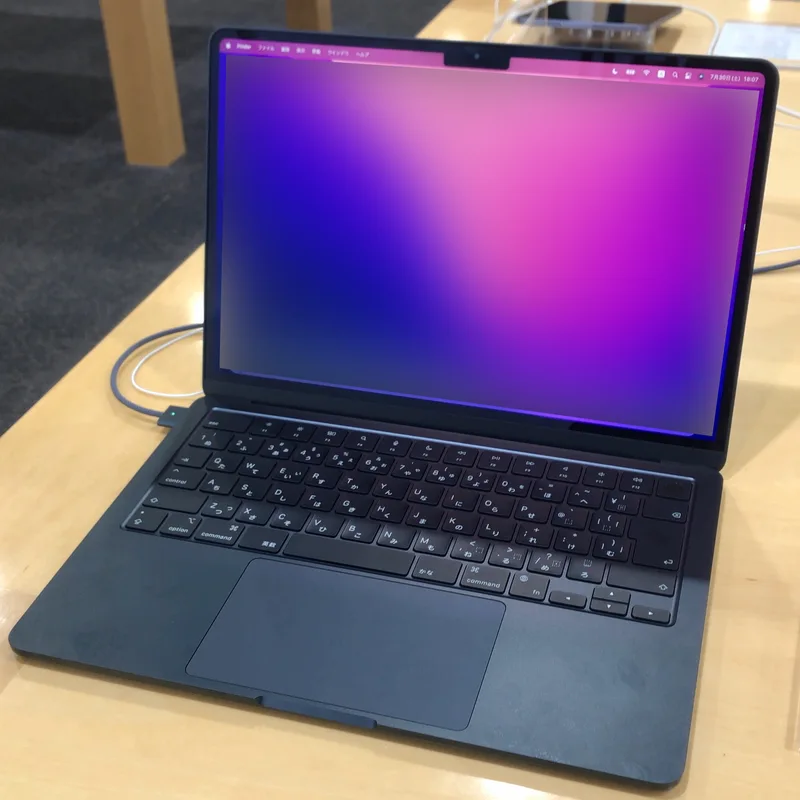
A chip's power efficiency determines two things simultaneously: how long it can run on a battery, and how much heat its cooling system has to remove per unit of performance. Apple's M2, running the MacBook Air 13-inch we tested, is the clearest illustration of getting both right at once. It's rated for 18 hours of video playback on battery, and it achieves that inside a completely fanless 1.24kg chassis — no active cooling at all, because the chip simply doesn't generate enough sustained heat to need it under typical productivity workloads. There's no throttling curve to worry about because there's no thermal ceiling being approached in the first place.
Gaming laptops: a completely different set of constraints
Gaming laptops face the opposite problem: they're built around chips and GPUs that draw far more power than any battery-efficiency target would allow, so thermal management becomes the entire design challenge rather than an afterthought. The ROG Zephyrus G14 packs an 8-core AMD Ryzen 9 8945HS and an RTX 4060 into a 1.5kg, 14-inch chassis — a genuinely tight thermal envelope for that hardware — and its cooling solution has to keep both chips fed with enough airflow to sustain boost clocks through a long gaming session without the fans becoming unbearable. On battery power alone, none of that matters: gaming laptops like this one throttle performance dramatically and predictably when unplugged, because the battery simply can't supply the wattage the GPU wants at full tilt.
Why unplugging a gaming laptop changes everything
Most gaming laptops ship with a battery-saver or "silent" power profile that automatically caps clock speeds well below what the chassis and cooling system could otherwise sustain, specifically so the battery isn't asked to deliver more current than it safely can. This is a deliberate firmware decision, not a flaw — the alternative would be a battery that drains in under an hour under full gaming load, or worse, a system that browns out mid-session. It does mean that any battery-life number quoted for a gaming laptop is almost never measured under gaming load; it's measured under light productivity use with the discrete GPU idled, which is worth remembering when comparing battery-life claims across very different laptop categories.
What throttling actually looks like in practice
Thermal throttling isn't a single dramatic event — it's a gradual clock-speed reduction that kicks in once internal temperatures approach a chip's safety limit, and it happens continuously during any sustained workload rather than as a one-time cutoff. A laptop might hit its advertised boost clock for the first few minutes of a demanding task, then settle into a lower sustained clock speed for the rest of the session as the cooling system reaches equilibrium with the heat being generated. This is why single-run benchmark numbers on a spec sheet can be misleading: the number that actually matters for a multi-hour gaming session or a long video export is the sustained clock speed after twenty or thirty minutes, not the peak number reached in the first sixty seconds.
Business laptops: efficiency as a design requirement, not a bonus
The HP EliteBook 840 G8's 11th-generation Intel Core i7-1185G7 sits in an interesting middle ground: it's not chasing the kind of raw performance that would force aggressive throttling, but it's also not as radically efficient as Apple Silicon. For the office productivity, video calls, and heavy multitasking this laptop is actually built for, that's a reasonable compromise — the chip rarely gets pushed hard enough for thermal throttling to become a real-world issue, and IT departments provisioning it in bulk care more about all-day battery life during travel than about peak sustained clock speed.
Why vPro and thermal design intersect
vPro-class business chips like the one in the EliteBook 840 G8 are tuned by both Intel and the laptop manufacturer for predictable, sustained behavior across thousands of units in a corporate fleet rather than for chasing the highest possible single-core boost number. That matters for thermal consistency: a fleet of a thousand identical business laptops all throttling in slightly different ways depending on manufacturing tolerances would be an IT support nightmare, so business-class designs tend to leave more thermal headroom unused than consumer laptops do, trading a bit of peak performance for predictability across every unit that ships.
Bigger batteries don''t fix a thermally aggressive design
It's tempting to assume a larger battery capacity solves the battery-life half of this equation on its own, but that only works up to a point. A chip that runs hot and inefficient under load will drain even a large battery quickly once it's pushed into a sustained workload, because the fundamental problem is power draw, not battery size. The laptops that genuinely balance both sides of this tradeoff — like the Zephyrus G14, which chose a more efficient Ryzen chip over a higher-wattage alternative specifically to keep its compact chassis manageable — do it through chip and cooling-system selection first, with battery capacity as a secondary lever.
What to check before buying
Spec sheets alone won't tell you how a laptop handles sustained load, since rated boost clocks and typical battery-life figures are both best-case numbers measured under favorable conditions. Independent reviews that specifically test sustained performance over 20-30 minutes, rather than quoting a single benchmark run, are the only reliable signal. Our laptop CPU buying guide goes deeper into matching chip class to your actual workload, which is the single biggest lever you have over this tradeoff before you even get to chassis and cooling design.
The practical takeaway
If all-day battery life away from a charger is the priority, a fanless or near-fanless efficient design like the MacBook Air's M2 platform avoids the throttling question almost entirely by never generating enough heat to trigger it. If sustained performance under heavy load is the priority — video export, long gaming sessions, compilation work — pay closer attention to chassis thickness, fan count, and vent placement than to the peak clock speed printed on the spec sheet, since that peak number is rarely what you'll actually experience once the chassis has been running hard for half an hour.