Best Thin-and-Light Laptops 2026: A 5-Way Comparison
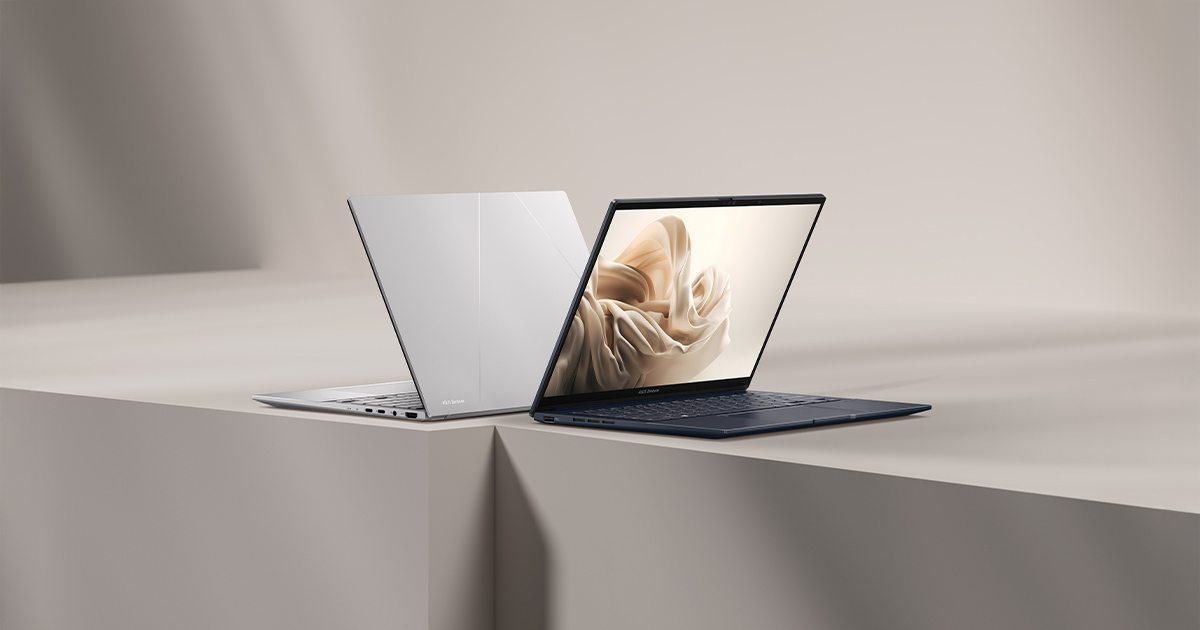
"Thin and light" covers a much wider range of laptops than shoppers usually assume, and the differences between them matter more than the shared marketing label suggests. To show the real spread, we're comparing five very different takes on the category that we've each spent real time with: the ASUS Zenbook 14 OLED (UX3405), the MacBook Air 13-inch (M2, 2022), the Dell XPS 13 (9300, 2020), the ASUS Vivobook S14 (M5406), and the Lenovo ThinkPad X1 Carbon (2nd Gen, 2014). Weights range from 1.2kg to 1.32kg, price points span from budget-friendly to premium, and the use cases they're actually built for are more different than a quick spec comparison suggests.
Weight and chassis: closer than expected, except one outlier
The MacBook Air leads at 1.24kg, with the Zenbook 14 OLED right behind at 1.2kg — genuinely the lightest of the group. The XPS 13 and Vivobook S14 both land around 1.27-1.3kg, still comfortably light for daily carry. The ThinkPad X1 Carbon, despite being over a decade old, weighed a genuinely impressive 1.28kg when it launched in 2014, which tells you how far ahead of its era Lenovo's carbon-fiber chassis actually was — most contemporaries from that period were considerably heavier.
Display quality: OLED dominates this generation
The Zenbook 14 OLED and the Vivobook S14 both run 3K OLED panels at 120Hz, delivering true blacks and wide color coverage that neither the MacBook Air's Liquid Retina IPS panel nor the XPS 13's UHD+ IPS panel can fully match on contrast, even though both of those displays are genuinely sharp and color-accurate in their own right. The ThinkPad X1 Carbon's 2560x1440 IPS panel was impressive for a 2014 business laptop, but by current standards it's the dimmest and least color-rich screen in this comparison — a reminder of just how much display technology has moved in a decade.
CPU performance: four very different platforms
The Zenbook 14 OLED runs a 16-core Intel Core Ultra 9 285H, currently the strongest CPU in this group for multi-threaded work like compiling or video encoding. The MacBook Air's 8-core Apple M2 trades raw multi-core throughput for efficiency and near-silent fanless operation, which matters more than benchmark numbers for most actual day-to-day tasks. The Vivobook S14's Ryzen AI 9 HX 370 sits between the two, adding a dedicated NPU for local AI features. The XPS 13's decade-old Core i7-1065G7 is noticeably the weakest performer of the group today, though it still handles browsing and office work without real complaint.
Battery life: architecture matters more than capacity
Battery capacity alone is a poor predictor here. The MacBook Air's 52.6Wh battery, paired with the M2's efficiency, delivers up to 18 hours of video playback — more than the Zenbook's larger 75Wh battery manages despite the bigger cell, simply because Apple silicon draws meaningfully less power at idle and light load. The Vivobook S14's 75Wh cell performs similarly well thanks to AMD's efficiency-focused Ryzen AI architecture. The ThinkPad X1 Carbon's 45Wh battery was solid in 2014 but is the clear laggard here today, both due to age and a fundamentally less efficient CPU generation.
Build quality and keyboard feel
All five laptops use metal or metal-alloy chassis, but they land differently in the hand. The MacBook Air's unibody aluminum remains a benchmark for rigidity at this weight. The ThinkPad X1 Carbon's carbon-fiber-reinforced chassis passed military-grade durability testing back in 2014 and still feels notably solid today, with a keyboard that ThinkPad loyalists still reference as a high point of the lineup. The Zenbook and Vivobook both use more conventional aluminum chassis that feel premium without quite matching the MacBook Air's fit and finish, while the XPS 13's InfinityEdge design still looks distinctive even five years after launch.
Ports and expandability
Modern thin-and-light laptops have largely converged on USB-C-heavy port selections, and this group is no exception — the Zenbook, Vivobook, and MacBook Air all lean on USB-C for charging and most connectivity, trading legacy ports for slimmer chassis. The XPS 13 and ThinkPad X1 Carbon, being older designs, include a slightly wider mix of legacy connectivity, which is genuinely convenient if you still rely on older peripherals or docks that haven't been replaced.
Who should buy which one
Buyers who want the best current-generation display and multi-core CPU performance should look at the Zenbook 14 OLED. Anyone prioritizing battery life and fanless silent operation above all else should choose the MacBook Air. The Vivobook S14 is the value pick among the current-generation options, trading a bit of build polish for a meaningfully lower price while keeping the same excellent OLED panel. The XPS 13 remains a solid choice for anyone who specifically wants that ultra-sharp InfinityEdge display and doesn't mind slightly dated CPU performance. The ThinkPad X1 Carbon (2014), meanwhile, is really only a sensible pick today for collectors or as a genuinely lightweight secondary machine — its CPU generation is too far behind for demanding modern software.
The bigger picture across five years of "thin and light"
Lining these five laptops up side by side makes something clear that spec sheets alone don't: "thin and light" hasn't just gotten thinner and lighter over the past decade, it's gotten dramatically more capable at the same weight class. The 2014 ThinkPad had to sacrifice raw performance to hit 1.28kg; today's Zenbook hits 1.2kg without sacrificing much of anything. That's the real story of this comparison — not which single laptop wins, but how much the entire category has matured.
Price positioning across the group
Price spread across this group is wide enough that it shapes the decision almost as much as the specs do. The Vivobook S14 sits at the affordable end while still delivering the same OLED panel technology as the pricier Zenbook, which is exactly why it's the value pick here rather than an also-ran. The MacBook Air and Zenbook 14 OLED occupy the premium middle, charging for build quality, display calibration, and platform polish rather than raw core count. The XPS 13, when it launched, was priced as a flagship ultraportable, and even today used or refurbished units trade at a premium relative to their now-dated CPU performance simply because the InfinityEdge design still has a following. The ThinkPad X1 Carbon (2014) is really only a bargain today in absolute dollar terms, since its actual usability for modern software is the most limited of the five.
How daily use actually differs, not just the spec sheet
Spec comparisons tend to flatten differences that are actually quite noticeable once you use these laptops day to day. The Zenbook and Vivobook's OLED panels make a genuinely visible difference watching video or editing photos, not just in a lab chart. The MacBook Air's silence under normal use — no fan noise at all for the vast majority of tasks — is something you stop noticing consciously but would immediately miss if you switched to a laptop that spins up fans regularly. The ThinkPad's keyboard, even eleven years on, still gets referenced by longtime ThinkPad users as one of the better typing experiences in the category, which says more about how good it was originally than about it aging particularly well.
Verdict
There's genuinely no single best thin-and-light laptop in 2026 — only the best one for a specific priority. Display and CPU performance point to the Zenbook 14 OLED, battery life and fanless operation point to the MacBook Air, value points to the Vivobook S14, and a specific display preference points to the XPS 13. The ThinkPad X1 Carbon earns its place here as a reminder of how far the category has come, not as a genuine daily-driver recommendation in 2026.