Desktop Case Airflow in 2026: A Practical Guide to Positive Pressure, Fan Placement, and Real-World Cooling
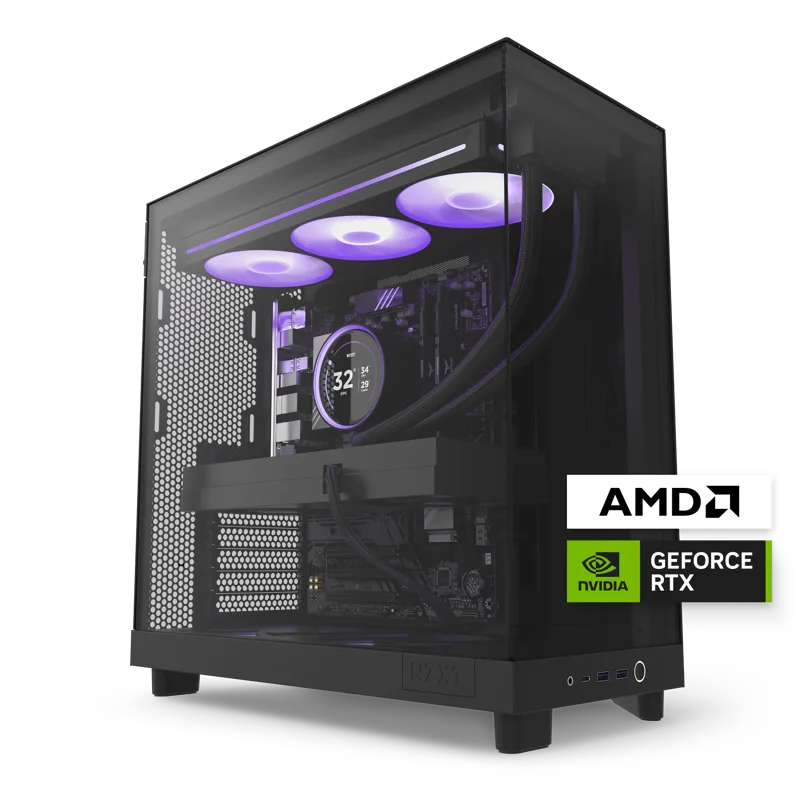
Case airflow is one of the most misunderstood parts of desktop PC building, mostly because it's invisible — you can't see moving air the way you can see a spec sheet number, so it's easy to underrate until a system starts throttling under load or filling up with dust. Both of our NZXT Player: Two and Player: Three prebuilt desktops give a useful real-world reference point, since NZXT designs its H-series cases specifically around airflow rather than pure aesthetics.
Positive vs. negative pressure: the core concept
A case is running positive air pressure when more air is being pushed in by intake fans than is being pulled out by exhaust fans, and negative pressure when the reverse is true. Positive pressure has one major practical advantage most builders don't think about until they own the system for a year: air is forced out through deliberate exhaust vents and seams rather than being pulled in through every unfiltered gap in the case, which means dust collects mostly on the intake fan filters — where it's easy to clean — rather than settling deep inside the system on the motherboard and GPU heatsinks.
Fan placement: intake low and front, exhaust high and rear
The standard, well-tested layout for a mid-tower ATX case is intake fans at the front and bottom pulling in cool room-temperature air, with exhaust fans at the rear and top pushing hot air out — hot air naturally rises, so top exhaust works with physics rather than against it. This is the layout both NZXT Player systems use, and it's why liquid CPU cooling in a case like this performs consistently: the radiator sits in a position where it's fed with cool intake air rather than air that's already been warmed by the GPU.
GPU airflow is the part most builders underestimate
A high-wattage graphics card like the 16GB RTX 5080 in the Player: Three generates more heat than almost any other single component in a modern gaming desktop, and it sits directly in the path of front-to-back airflow in most case designs — which is exactly why front intake fan placement matters so much. A case with weak or poorly positioned intake fans can starve a powerful GPU of fresh air, causing it to recirculate its own exhaust heat and throttle under sustained load even though the card itself is perfectly capable of higher sustained clocks in a well-ventilated case.
Why the CPU cooler and GPU sometimes compete for the same air
In a mid-tower case, the front intake fans are doing double duty: feeding both the CPU's liquid-cooling radiator and the GPU with cool air from the same limited intake volume. When a case is undersized relative to the hardware inside it, these two components effectively compete for the same incoming airflow, and whichever one is positioned further from the intake fans tends to run warmer as a result. This is one of the less obvious reasons a case marketed as compatible with a given GPU length can still underperform thermally — physical clearance and adequate airflow volume are two different specifications, and a case can satisfy one without truly satisfying the other.
Tempered glass panels: a real airflow tradeoff, not just aesthetics
Solid glass side panels look great and are standard on cases like NZXT's H-series, but they're also inherently worse for airflow than a mesh panel would be, since glass can't pull in intake air the way a perforated front panel can. NZXT compensates by keeping the front panel mesh or vented while using glass only on the side, which is the right compromise — cool air still enters through the front, and the glass panel simply shows off the build rather than acting as an intake surface.
Dust filters and long-term maintenance
Every intake fan should sit behind a removable, washable dust filter, since that's the single easiest maintenance task that meaningfully extends a system's clean operating life — a filter takes thirty seconds to pull out and rinse, while cleaning dust off a motherboard and GPU heatsink after it's already built up requires a full teardown. Systems running positive pressure with good filters, like both Player desktops, typically need this kind of light maintenance only every few months rather than a deep clean every few weeks.
How many fans do you actually need?
More fans isn't automatically better once a case has reached a reasonable baseline of two or three intake and one or two exhaust — beyond that point, additional fans mostly add noise without meaningfully improving temperatures, because the bottleneck shifts to how effectively heat is being carried away from the components themselves rather than how much total air is moving through the case. A well-designed five- or six-fan configuration, paired with liquid cooling for the CPU as both Player systems use, comfortably handles even RTX 5080-class heat output without needing to run loud.
Case size and future upgrades
A case bought slightly larger than your current hardware strictly requires tends to age better than one sized as tightly as possible, since extra internal volume translates directly into more airflow headroom for whatever GPU or cooler you upgrade to later. This is a similar logic to buying a power supply with some spare wattage capacity: a mid-tower case with room to spare doesn't cost meaningfully more than a tightly sized one, but it removes airflow as a constraint on your next upgrade, which a case bought at the exact minimum size for today's components cannot promise.
Noise as a side effect of airflow decisions
A case with generous airflow paths generally runs quieter for a given thermal target than a restrictive one, because fans working against unobstructed airflow can spin slower while still moving the same volume of air, and slower fan speeds are the single biggest lever over perceived noise. This is part of why both Player desktops stay close to silent at idle and settle into an even hum rather than a whine under load — the airflow path is doing part of the cooling work that would otherwise require higher, noisier fan speeds to compensate for.
Putting it together
Good case airflow isn't about buying the most expensive case or the most fans — it's about intake and exhaust fans working together in a coherent front-to-back or bottom-to-top path, positive pressure to keep dust manageable, and enough clearance around the GPU for it to breathe. Buyers weighing a prebuilt against a self-built system should read our prebuilt vs. custom desktop guide for how much of this airflow engineering you inherit for free versus how much you'd need to get right yourself on a self-built case.