Prebuilt vs. Custom Desktop PC in 2026: What NZXT's Player Line Teaches Us About the Real Tradeoffs
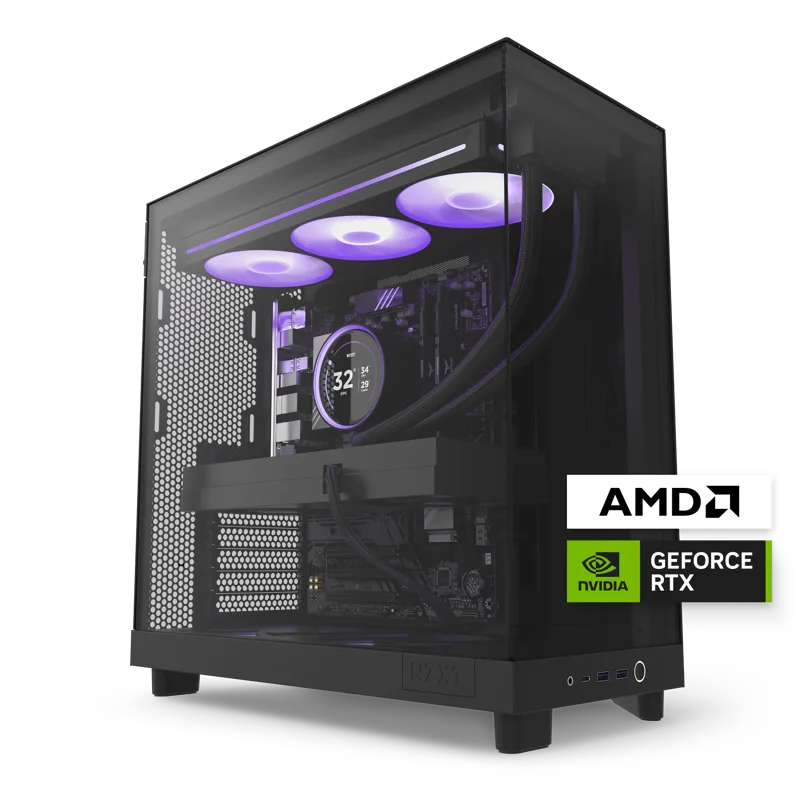
Every year, the gap between a prebuilt desktop PC and a custom-built equivalent gets discussed as though it's purely a price question — build it yourself and save money, buy prebuilt and pay a premium for convenience. That framing is true as far as it goes, but it undersells what buyers actually get for that premium, and NZXT's Player: Two and Player: Three prebuilts are a useful case study for where the real tradeoffs sit in 2026.
What the prebuilt premium actually buys
NZXT's premium over a self-sourced parts list buys assembly, cable management, burn-in testing, a single point of warranty contact, and a case chosen specifically around thermals for that exact build rather than a generic enclosure picked separately. For buyers who don't want to research individual component compatibility, handle BIOS configuration, or troubleshoot a system that doesn't post on first boot, that's a genuinely reasonable trade, not just a markup for the sake of it.
Where custom building still wins decisively
Experienced builders comfortable sourcing their own parts can typically assemble an equivalent specification for meaningfully less than either Player price, and they gain far more granular control over case choice, cooling style (air versus liquid, and which liquid cooling brand), and aesthetic details that a boutique prebuilt line locks in as fixed options. If component-level customization matters to you — a specific case aesthetic, a particular cooler brand, or unusual storage configurations — custom building remains the only path to exactly what you want.
The single-warranty advantage is easy to underrate
One prebuilt advantage that's genuinely hard to quantify but very real in practice: NZXT backs the complete Player: Two and Player: Three systems as a single warrantied unit, rather than requiring the owner to file separate claims with a motherboard maker, a GPU maker, and a power supply maker the way a self-built PC effectively does when something fails. For less experienced owners who don't want to diagnose whether a crash stems from drivers, power delivery, or cooling, that single point of contact does real work that a component-by-component warranty never quite replicates.
Both approaches share the same upgrade path — with one caveat
Because the Player: Two and Player: Three use standard ATX-compatible internals inside NZXT's own cases, future upgrades — a bigger GPU down the line, additional storage, more RAM — remain genuinely possible using standard PC parts, unlike a laptop or a fully proprietary prebuilt from some competing brands. That's a meaningful structural advantage over prebuilts that use proprietary motherboard or power-supply form factors, where the upgrade path effectively dead-ends at whatever the manufacturer originally chose.
When the math tips toward prebuilt
The calculus shifts firmly toward prebuilt for first-time PC buyers, buyers upgrading from console who have never assembled a system before, and buyers whose time is worth more than the savings from self-sourcing parts. It also shifts toward prebuilt for buyers who specifically value the burn-in testing NZXT performs before shipping — catching a defective component before it reaches your desk is worth something, even if it's hard to put an exact dollar figure on it.
When the math tips toward custom building
Custom building makes more sense for buyers with prior assembly experience, buyers on a tight budget who can absorb some troubleshooting risk in exchange for real savings, and buyers who want a specific aesthetic or component combination that no prebuilt line currently offers. It also makes sense for buyers who enjoy the process itself — for a meaningful segment of PC enthusiasts, building is part of the appeal, not just a means to an end.
The role of burn-in testing in reliability
Before shipping, NZXT runs completed systems under sustained load for an extended period specifically to catch early component failures — a defective RAM stick, a marginal power supply, or a cooling issue — before the machine ever reaches a customer. A self-built PC skips this step entirely unless the builder deliberately stress-tests their own system after assembly, which many first-time builders don't think to do, leaving early failures to surface during actual use instead of before delivery.
Cable management and long-term thermal performance
It's easy to dismiss cable management as a purely cosmetic detail, but poorly routed cables can meaningfully restrict airflow inside a case over time, especially as dust accumulates around tangled cable runs near intake and exhaust fans. NZXT's factory-standard cable routing on the Player line is optimized specifically for that case's airflow path, a level of fit-and-finish that's achievable in a custom build but requires the builder to actually prioritize it rather than just getting the system running.
Frequently asked questions
How much more expensive is a prebuilt versus the same parts list? It varies by brand and configuration, but a boutique prebuilt like NZXT's Player line typically carries a moderate premium over sourcing identical components yourself, reflecting assembly, testing, and warranty consolidation rather than marked-up parts pricing. Can I still upgrade a prebuilt like the Player: Two later? Yes — because it uses standard ATX-compatible components, GPU, RAM, and storage upgrades remain straightforward, unlike laptops or fully proprietary systems. Is custom building risky for a first-time builder? Modern components and extensive online guides have made it far more approachable than a decade ago, but first-timers should budget extra time for troubleshooting compared to a prebuilt that arrives tested and ready to use.
Laptops complicate the comparison further
It's worth remembering that this entire prebuilt-versus-custom debate is specific to desktops — there's no "custom build" equivalent for laptops like the ASUS ROG Strix G16, since laptop manufacturing requires proprietary chassis engineering that individual buyers simply can't replicate at home. For buyers weighing a gaming desktop against a gaming laptop rather than prebuilt against custom, the prebuilt-versus-custom savings argument doesn't really apply in quite the same way, since even a self-built desktop remains dramatically cheaper than a comparably specced laptop at the same performance tier overall.