Desktop CPU Core Count in 2026: How Many Cores Do You Actually Need?
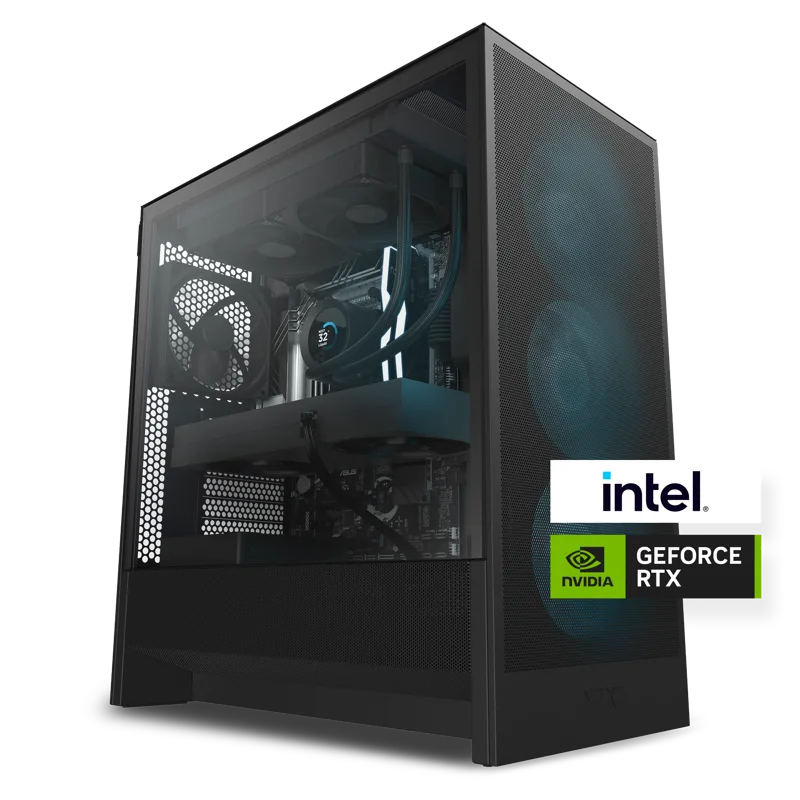
Core counts have crept upward for over a decade, and it is genuinely confusing to know how many of them a modern desktop actually needs. Marketing tends to push toward "more is always better," but the honest answer depends entirely on what the PC is for. This guide breaks down real-world core requirements by use case, using actual desktop CPUs currently in the market as reference points, so you can stop overpaying for cores you will never touch — or worse, underbuying and bottlenecking a fast GPU with too few of them.
Why core count alone is a misleading number
A CPU's total performance is a function of core count, per-core clock speed and architecture, and cache size — not core count in isolation. A six-core chip with strong single-thread performance and generous cache can outrun an eight-core chip in games, while the eight-core chip pulls ahead in tasks that actually spread work across every core, like video encoding or 3D rendering. Games in particular are still mostly bound by single-thread performance and cache size rather than raw core count, which is why some of the fastest gaming CPUs on the market are not the ones with the most cores.
Gaming-first builds: 6 to 8 cores is the sweet spot
For a desktop built primarily for gaming, six to eight cores with strong single-thread performance is the practical sweet spot in 2026. NZXT's Player Two prebuilt desktop pairs a AMD Ryzen 5 9600X (6-core) processor with a 12GB RTX 5070 GPU specifically because, at 1440p and below, the GPU is the limiting factor in almost every game — extra CPU cores beyond six deliver diminishing frame-rate returns while adding cost that would be better spent on the graphics card. Stepping up, NZXT's Player Three pairs an AMD Ryzen 7 9800X3D (8-core) with a 16GB RTX 5080, and that extra 3D V-Cache stacking on the 9800X3D — rather than the two additional cores themselves — is what delivers the measurable frame-rate advantage in demanding titles. The lesson: for gaming, cache and clock speed usually matter more than the eighth, tenth, or twelfth core.
Content creation and multitasking: where extra cores pay off
Workloads that actually spread across every available thread are a different story entirely. Video encoding, 3D rendering, large batch photo processing, and compiling code all scale close to linearly with core count, because the software can split the work into independent chunks and run them simultaneously. Someone exporting long 4K timelines in a video editor, rendering complex 3D scenes, or running multiple virtual machines at once will see real, measurable time savings moving from 6 to 8, 8 to 12, or higher core counts — the return on extra cores here is direct and easy to feel, unlike gaming.
The practical test is simple: open a task manager or activity monitor during your heaviest real workload. If CPU utilization is pegged near 100% across every core for minutes at a time, more cores will shorten that wait. If usage stays well under 50% even under load, the bottleneck lies elsewhere — usually the GPU, storage speed, or RAM — and paying for more cores will not move the needle.
Efficiency cores and hybrid architectures
Modern desktop and laptop CPUs increasingly mix full-power "performance" cores with smaller, more efficient cores meant for background tasks. This hybrid approach, seen across current-generation Intel and AMD lineups, lets a chip advertise a high total core count while reserving the fastest cores for the task actually in focus. It is worth checking whether a CPU's advertised core count is a uniform set of full-power cores or a mix of performance and efficiency cores, since the two configurations behave differently under sustained heavy multi-core loads — a chip with eight strong cores can outperform one advertising twelve or sixteen mixed cores on workloads that need consistent full-power threads throughout.
Don't forget cooling and power delivery
Higher core counts under sustained full load draw meaningfully more power and generate more heat, which has knock-on effects for the rest of the build. A chip that spends its life running every core near 100% needs a case and cooler chosen for that reality, and a power supply sized with real headroom rather than the bare minimum. If a build is going to lean on many cores for hours at a stretch — encoding, rendering, compiling — it is worth reading up on cooler sizing and case airflow before finalizing the parts list, since undersized cooling is the most common reason a many-core CPU underperforms its rated boost clocks in practice.
How many cores does software actually use?
It's worth being specific about which programs scale and which don't, because the gap between marketing claims and real behavior is where most wasted upgrade budget goes. Web browsers, office suites, and most everyday desktop software rarely touch more than two or three cores at once, no matter how many are installed. Games have improved their multi-core usage over the years but the vast majority still lean heavily on one or two "primary" threads for the game logic and render pipeline, with the remaining cores handling background tasks like audio, physics, and asset streaming — which is why going from six cores to sixteen rarely doubles a frame rate the way it would double a video export time. Creative and productivity software is the opposite: modern video encoders, ray-traced 3D renderers, and code compilers are specifically written to split work into as many parallel chunks as there are cores available, which is why professionals doing those jobs for a living consistently buy the highest core-count chips they can afford, while gaming-focused builders are usually better served chasing clock speed and cache first.
There is also a practical upgrade-timing angle. Software's ability to use additional cores tends to improve gradually over a CPU's lifespan as developers optimize for wider availability of many-core chips, so a core count that looks like "more than you need" today can age better than a lower core count that felt perfectly matched to today's software. That is part of why the PC upgrade path matters: a chip bought with a couple of cores of headroom beyond current needs will often still feel relevant several years later, while a chip bought at the exact minimum for today's workload can start to show its limits sooner as software catches up to what multi-core hardware can do.
The bottom line
Buy cores for the workload you actually run, not the one you might run someday. A gaming-focused desktop rarely benefits from going past eight strong cores, and the money saved is almost always better spent on the GPU or a faster SSD. A desktop built around video editing, 3D rendering, or heavy multitasking is exactly where paying for more cores delivers a direct, measurable return. Check your own CPU utilization under real workloads before assuming you need more — or fewer — cores than you currently have.
For related buying advice, see our guides on choosing a laptop CPU and air vs. liquid CPU cooling, or read the full NZXT Player Three review to see an 8-core gaming build in action.