1080p vs. 1600p vs. 3K: Choosing the Right Gaming Laptop Display Resolution in 2026
Panel technology gets most of the attention in gaming laptop display debates — we've covered the OLED-versus-IPS side of that question in our OLED vs. IPS gaming laptop displays guide — but resolution is the other half of the decision, and it interacts with GPU performance in ways that panel technology alone doesn't. Choosing between 1080p, 1600p-class, and 3K panels isn't just about sharpness; it's about matching pixel count to the GPU that has to render every frame at that resolution. This guide walks through the real tradeoffs using resolutions that actually ship in our current laptop catalog.
Why Resolution Is a GPU Decision, Not Just a Display Decision
Every additional pixel a display has is a pixel the GPU has to render every single frame, so resolution and GPU horsepower are locked together in a way that display quality specs like contrast or color gamut simply aren't. A GPU that comfortably drives high frame rates at 1080p can struggle to sustain the same frame rate at a higher resolution with identical settings, which is why the "right" resolution for a gaming laptop depends heavily on which GPU is paired with that panel, not on personal preference for sharpness alone.
The Resolution Tiers in Our Current Catalog
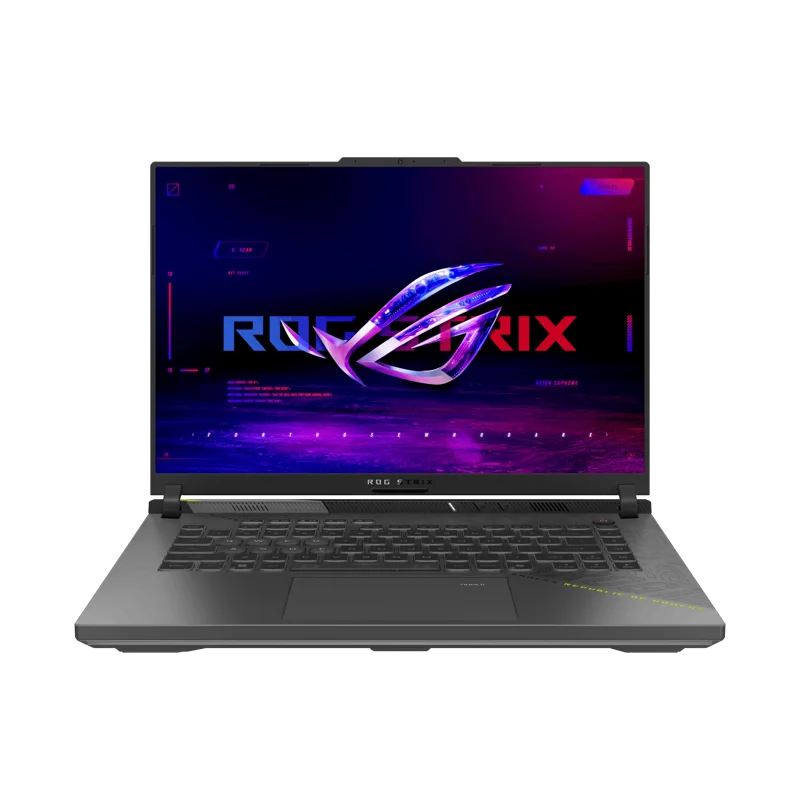
The ROG Strix G16 (G614, 2025) pairs its RTX 5070 with a 2560x1600 240Hz IPS display, a resolution tier sometimes called "1600p-class" that sits meaningfully above 1080p in sharpness while remaining lighter to render than a true 4K panel. The ROG Zephyrus G14 (GA403, 2024) goes further with a 2880x1800 OLED 120Hz panel, often referred to as "3K," trading some maximum frame rate headroom for higher pixel density and OLED contrast. Both approaches are deliberate: the Strix G16 prioritizes frame rate at a high-but-not-maximal resolution, while the Zephyrus G14 leans toward image quality and accepts a lower frame rate ceiling in exchange.
When 1080p Still Makes Sense
For competitive, high-refresh esports gaming, 1080p remains a legitimate and often preferable choice, since it's the resolution where a mid-range GPU can most easily sustain very high frame rates — 240Hz and beyond — without the GPU becoming the limiting factor before the display's refresh rate does. Competitive players chasing frame rate over visual fidelity are often better served by pairing a modest GPU with a 1080p high-refresh panel than by stretching that same GPU across more pixels at a higher resolution.
When 1600p-Class Resolution Hits the Sweet Spot
For the broad middle ground of gaming laptop buyers who want meaningfully sharper text and image detail without needing the absolute highest frame rates, a 1600p-class panel like the one on the ROG Strix G16 is often the more balanced choice: sharp enough to look clearly better than 1080p at typical laptop viewing distances, while still light enough for a mid-to-high-end GPU to drive comfortably at high settings.
When 3K or Higher Is Worth the GPU Cost
Higher-resolution panels like the Zephyrus G14's 2880x1800 OLED make the most sense for buyers who value image quality and color accuracy as much as or more than raw frame rate — content creators, buyers who split time between gaming and creative work, or anyone who simply prioritizes a sharper, richer-looking screen over maximizing competitive frame rates. Pairing this resolution tier with a GPU that isn't powerful enough to drive it comfortably is the most common mistake buyers make, since a gorgeous panel running well below its potential frame rate erases much of the benefit of the extra resolution in fast-moving games.
Practical Recommendations
- Competitive esports focus: 1080p high-refresh, paired with a GPU that can sustain very high frame rates at that resolution.
- General gaming and everyday use: a 1600p-class panel like the Strix G16's balances sharpness and achievable frame rates well.
- Creative work and visual quality priority: a 3K OLED panel like the Zephyrus G14's rewards buyers who value image quality, provided the paired GPU can keep up.
- Whichever tier you choose, check GPU benchmarks at that specific resolution rather than assuming a fast GPU automatically handles any panel well.
How Upscaling Changes the Resolution Calculation
Modern upscaling technology complicates the old rule of thumb that higher resolution always means a proportionally heavier GPU load. Rendering internally at a lower resolution and upscaling to the panel's native resolution lets a GPU that might otherwise struggle at native 3K deliver a respectable frame rate on a high-resolution panel, which has genuinely shifted how much GPU horsepower a given resolution tier actually requires compared to a few years ago. That said, upscaling quality varies by implementation and by how aggressively the internal render resolution is dropped, so a panel's native resolution still matters for image clarity even when upscaling is doing some of the heavy lifting on frame rate — it's a tool that expands the practical range of a given GPU rather than one that makes resolution choice irrelevant.
Text Sharpness and Everyday Use Matter Too
Gaming performance tends to dominate resolution discussions, but a gaming laptop is rarely used exclusively for gaming, and higher-resolution panels have real, immediately noticeable benefits for everyday tasks like reading text, browsing, and productivity work. A 2880x1800 panel renders text and UI elements noticeably more crisply than a 1920x1080 panel of the same physical size, and that difference is visible in every single use of the laptop, not just during the fraction of time spent gaming. For buyers who split their time between gaming and general computer use, this everyday sharpness benefit is worth weighing alongside the more commonly discussed frame-rate tradeoffs, since it's a benefit you experience constantly rather than only in specific game titles.
Scaling Settings: The Detail Many Buyers Overlook
A higher-resolution panel also requires operating system display scaling to keep text and UI elements at a readable physical size, and how well an application handles that scaling varies significantly. Most modern software scales cleanly, but some older applications or games render blurry or oddly sized on a high-resolution, scaled display, which is worth checking for anyone who relies on specific legacy software. This is a minor consideration for most buyers in 2026 given how mature scaling support has become, but it's still worth a quick check for anyone whose daily workflow depends on niche or older applications.
Bottom Line
There's no universally "correct" resolution for a gaming laptop — the right choice depends on whether frame rate or image quality matters more for how you actually use the machine, and on whether the GPU underneath the panel can comfortably drive that resolution at the settings you want. The ROG Strix G16 and ROG Zephyrus G14 make an instructive pair precisely because they represent two thoughtfully different answers to the same underlying question, rather than one being simply better than the other.