How Much RAM Do You Actually Need in a Laptop in 2026?
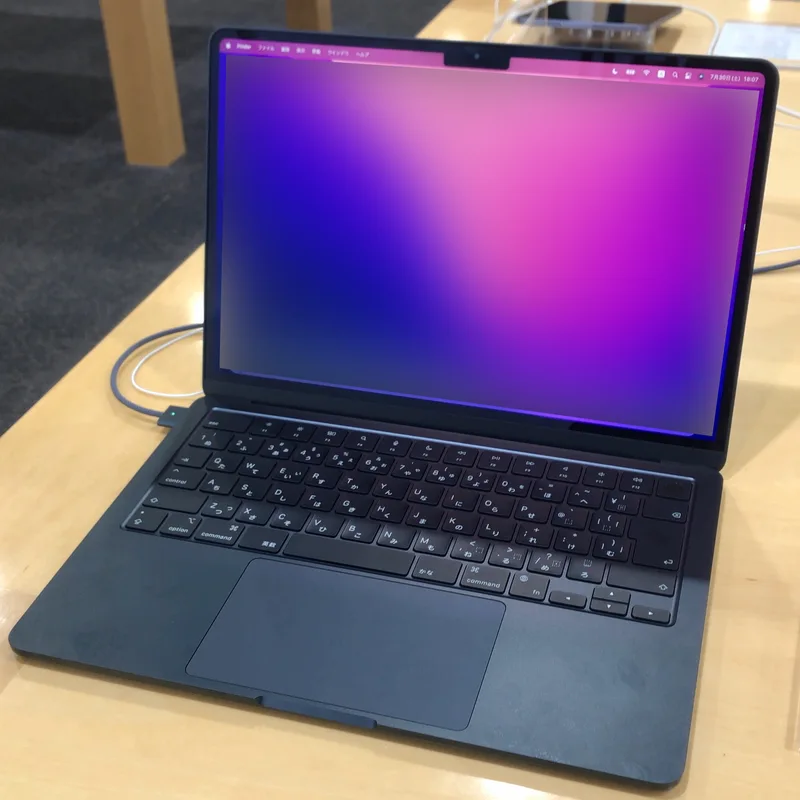
RAM capacity is one of the easiest specs to overspend on, mostly because "more RAM" sounds like an unambiguously good upgrade with no real downside except price. In practice, how much RAM you actually need depends heavily on your workload, and the real laptops we've tested — ranging from an 8GB base MacBook Air configuration to a 64GB-expandable gaming laptop — make a much better case study than generic advice.
8-16GB: fine for basic use, tight for anything else
The base MacBook Air (M2, 2022) configuration starts at 8GB of unified memory, which is genuinely enough for web browsing, documents, and video calls thanks to how efficiently macOS and Apple silicon manage memory. The base ROG Strix G16 configuration ships with 16GB of DDR5-5600. For gaming and general use, 16GB is a reasonable starting point today, but it leaves little headroom if you're also running background applications like Discord, a browser with dozens of tabs, and a capture utility simultaneously — a completely normal scenario for a lot of gamers and streamers, and one where 16GB starts to feel genuinely tight rather than comfortable.
24-32GB: the current sweet spot for most buyers
Most of the ultrabooks we've reviewed — the Zenbook 14 OLED, the Vivobook S14, the Razer Blade 14 — ship with 32GB as standard, and that's not a coincidence. It's enough headroom for heavier multitasking, moderate photo editing, and running a handful of memory-hungry applications simultaneously without needing to close things to free up space. The higher-end MacBook Air configuration bumps up to 24GB, which on Apple's unified memory architecture behaves noticeably better than a raw number comparison to Windows laptops would suggest, since macOS handles memory compression and management differently.
64GB and beyond: only for specific, real workloads
The Strix G16 can be configured up to 64GB, but that capacity mostly matters for specific heavy workloads: large-scale video editing with multiple 4K streams, 3D rendering with big scene files, running local large-language models, or heavy virtual machine use. For pure gaming, 64GB provides essentially no measurable benefit over 32GB today — game engines simply aren't built to use that much memory, and the extra capacity sits idle. Buy 64GB because a specific real workload needs it, not because more RAM sounds inherently safer.
Soldered versus upgradeable: why capacity choice matters more now
Many current ultrabooks, including the Zenbook 14 OLED and the Vivobook S14, ship with LPDDR5X memory soldered directly to the motherboard for space and power efficiency, which means the RAM capacity you buy at checkout is the RAM capacity you're stuck with for the laptop's entire lifespan. The Strix G16, by contrast, uses socketed DDR5 that's expandable up to 64GB after purchase. If you're buying a laptop with soldered memory, it's worth deliberately overbuying capacity slightly versus a laptop with upgradeable RAM, where you can reasonably start smaller and add more later if your needs grow.
RAM speed matters too, not just capacity
Capacity gets most of the attention, but memory speed and type matter as well. The Razer Blade 16 (2026)'s 32GB of LPDDR5X-9600 runs meaningfully faster than the older DDR4 configurations found in laptops like the HP EliteBook 840 G8, and faster memory genuinely helps integrated-graphics performance in particular, since integrated GPUs share system memory bandwidth rather than having dedicated VRAM. If you're comparing two laptops with identical RAM capacity, the faster memory standard is a real, if secondary, advantage.
What happens when you actually run out of RAM
Running low on RAM doesn't usually crash an application outright — instead, the operating system starts swapping data out to the SSD to free up memory, which is dramatically slower than RAM itself and shows up as sudden stutters, slow app-switching, and browser tabs reloading themselves after being left in the background for a while. This is exactly the kind of intermittent slowdown that's easy to blame on a slow CPU or a "buggy" laptop when the actual cause is simply insufficient memory for the number of things running at once. If a laptop feels randomly sluggish specifically when you have many applications or browser tabs open simultaneously, and feels fine with just one or two, that pattern is a strong signal the RAM capacity is the bottleneck, not the processor.
Desktop RAM: fewer constraints, easier upgrades
Desktop systems like the NZXT Player: Two's 16GB of DDR5-4800 and the Player: Three's 32GB configuration benefit from the same general logic as laptops, but with an important difference: desktop RAM is almost always socketed and easy to add to later, removing much of the pressure to overbuy at purchase time that soldered-memory laptops create. If you're building or buying a desktop, it's usually safe to start at a comfortable middle capacity and upgrade later if you actually run into a bottleneck.
How to actually decide
Match your RAM purchase to your heaviest realistic workload, not your theoretical maximum one. Basic browsing and office work rarely need more than 16GB. Gaming and general creative work are comfortable at 32GB. Only buy 64GB or more if you can point to a specific, recurring task — large-scale editing, local AI models, heavy virtualization — that genuinely needs it. And if you're choosing between two otherwise similar laptops, treat upgradeable memory as a real advantage worth paying a little extra for, since it removes the guesswork entirely.
A simple test before you check out
Before finalizing any RAM configuration, it helps to actually count your realistic simultaneous workload rather than guessing: a browser with dozens of tabs open, a chat app, an email client, a document editor, and a background sync tool is an entirely normal combination for plenty of people, and each of those adds up faster than most buyers expect. If you can honestly picture running two or three demanding applications at once — a video call plus a spreadsheet plus a browser full of research tabs, for instance — that's already enough to justify 32GB over 16GB for most people, even without touching anything as demanding as video editing or local AI workloads.
Verdict
There's no universal "right" RAM amount in 2026 — the MacBook Air's 8GB base and the Strix G16's 64GB ceiling both make sense for the workloads they're built around. Buy based on what you actually do with your laptop day to day, pay attention to whether the memory is soldered or upgradeable, and resist the pull to buy more capacity than your real workload will ever touch.