Laptop GPU vs. Desktop GPU in 2026: Why the Same Name Doesn't Mean the Same Performance
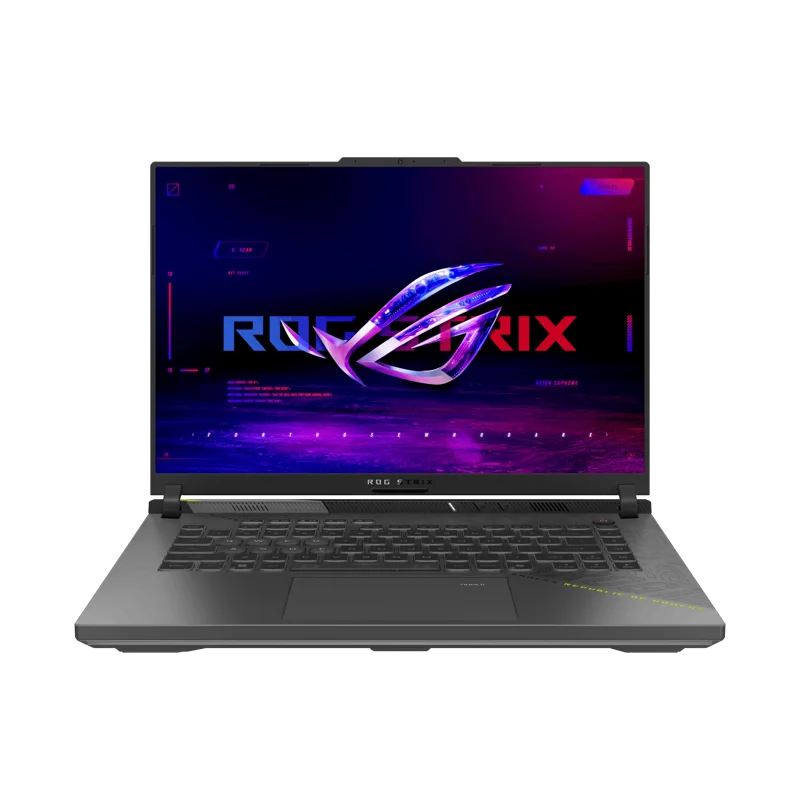
Buyers comparing a gaming laptop to a desktop are regularly confused by GPU naming, and it's a reasonable source of confusion: NVIDIA uses the same model numbers — RTX 5070, RTX 5080, and so on — across both mobile and desktop lineups, but the chip inside a laptop labeled "RTX 5070" is not the same physical silicon running at the same performance as the desktop card with an identical name. Our own catalog makes this concrete: the ASUS ROG Strix G16 ships a mobile NVIDIA GeForce RTX 5070 with 8GB of GDDR7, while the NZXT Player: Three desktop ships a desktop RTX 5080 with 16GB. Even setting the tier difference aside, mobile and desktop GPUs of the exact same name behave differently, and understanding why will save you from a disappointing purchase.
The real culprit: power limits, not architecture
Desktop and laptop GPUs sharing a model name generally do share the same underlying chip architecture, but they are not configured to run at the same power draw. A desktop card has a full-size case with strong airflow and a power supply that can feed it 200-300+ watts without a second thought. A laptop chassis has a fraction of that thermal and electrical budget to work with, shared with the CPU, and still has to stay quiet and portable. Manufacturers respond by setting a much lower power limit (TGP, or Total Graphics Power) on the mobile version of a given chip — sometimes 100-140 watts versus 250+ watts on the desktop equivalent. Lower power means lower clock speeds, and lower clock speeds mean meaningfully lower real-world frame rates, even when the chip's core count and architecture on paper look identical.
How big is the actual performance gap?
As a rough rule of thumb, a mobile GPU delivers somewhere between 65% and 85% of its desktop namesake's performance, depending on how aggressively a given laptop's cooling system lets it run and how each manufacturer tunes the power limit. A well-cooled, higher-wattage gaming laptop config will land toward the top of that range; a thin, power-constrained chassis will land toward the bottom. This is why two laptops both advertised with "RTX 5070" branding can deliver noticeably different frame rates in the same game — the chip name tells you the architecture family, not the actual power budget it's allowed to use.
VRAM capacity: often a bigger real-world factor than clock speed
Beyond raw clock speed, memory capacity is frequently the more consequential difference. The mobile RTX 5070 in the Strix G16 carries 8GB of GDDR7, which is comfortable for 1440p gaming at high settings today but can become a limiting factor in newer titles with high-resolution texture packs and ray tracing enabled simultaneously. Desktop configurations, including the RTX 5080 16GB in the Player: Three, generally get more generous VRAM allocations because a desktop card doesn't face the same board-space and power constraints a laptop module does. For anyone planning to keep a machine for four or five years, VRAM headroom often matters more day-to-day than the last 10-15% of raw clock-speed performance.
Why this matters for laptop shoppers specifically
If you're comparing gaming laptops purely by GPU model name, you're missing the variable that actually determines performance. Two laptops with an "identical" GPU model can differ by 15-20% in real benchmarks purely because one manufacturer allows a higher TGP and cools it more aggressively. When shopping, look past the model number to the actual wattage the manufacturer specifies for that configuration, and check independent benchmark reviews of that exact laptop model rather than assuming the desktop card's reputation transfers directly. Our GPU tier buying guide covers desktop-tier performance expectations in more depth if you're deciding between tiers rather than form factors.
Why this matters for desktop shoppers too
The flip side matters just as much for anyone deciding between a gaming laptop and a desktop for the same budget. A desktop like the Player: Three running a true desktop-class RTX 5080 will outperform almost any laptop carrying the same-tier GPU name by a wide margin, simply because it isn't power-limited the way a mobile chip is. If raw performance per dollar is the priority and portability genuinely isn't a requirement, a desktop nearly always wins that comparison — we go into the broader form-factor tradeoff, including price, upgrade path, and noise, in our desktop vs. laptop gaming comparison.
Cooling design is the variable that actually separates good laptops from bad ones
Because the power limit is the deciding factor, laptop cooling design effectively is the performance spec that matters most within the mobile category. Two chassis using the identical GPU chip can be tuned to wildly different sustained wattages depending on heatsink size, fan count, and vapor-chamber quality — a thin 14-inch chassis simply cannot dissipate as much heat as a thicker 16-inch gaming laptop, so manufacturers set the power limit accordingly. This is exactly why gaming laptops tend to be thicker and heavier than ultraportables even when they're nominally in the same weight class as a business laptop: the extra bulk is buying thermal headroom that translates directly into a higher sustainable GPU power limit and, in turn, higher real frame rates.
Does DLSS and frame generation change the math?
Upscaling and frame-generation technology narrows the visible gap between a power-limited mobile GPU and its desktop namesake, since both benefit proportionally from the same rendering shortcuts. But it doesn't eliminate the underlying difference — a mobile GPU running DLSS still has less raw rendering headroom to start from than a desktop GPU running the same upscaling technology, so the desktop card still ends up with a higher final frame rate in most side-by-side tests. Think of DLSS as raising both boats on the same tide rather than closing the gap between them; it makes a power-limited laptop GPU look much better than its raw specs suggest, but it doesn't make it equivalent to the desktop part sharing its name.
The bottom line
A GPU model name tells you the architecture generation, not the actual performance you'll get. Mobile GPUs are meaningfully power-limited compared to their desktop namesakes, VRAM capacity often matters as much as clock speed for long-term use, and the laptop's cooling design — not just the chip inside it — ultimately decides how much of that chip's potential you actually get to use. When comparing a gaming laptop to a desktop, or two gaming laptops to each other, look past the model number on the spec sheet and check the actual wattage and independent benchmarks for that specific configuration.