Laptop Hinge and Chassis Build Quality in 2026: What Actually Makes a Laptop Durable
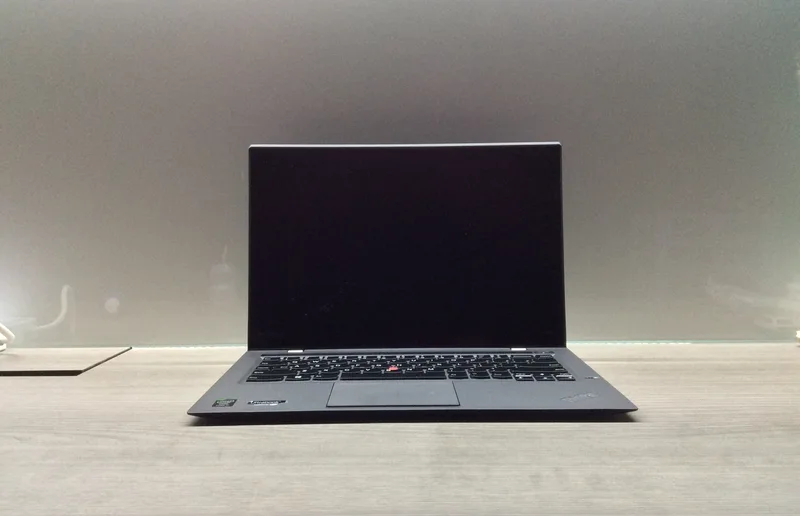
Spec sheets list CPU, RAM, and display resolution in exhaustive detail, but almost never say anything about how well a laptop will survive being opened and closed ten times a day, tossed into a backpack, or set down a little too hard on a desk. Build quality is the spec nobody markets clearly, yet it's the one that determines whether a laptop still feels solid in year three or has started creaking, flexing, and loosening at the hinge. This guide walks through what actually separates a durable laptop chassis from a fragile one, using real machines on the market as reference points.
Chassis material: aluminum, magnesium, carbon fiber, and plastic
The lid and base of a laptop are usually made from one of four material families, and they are not interchangeable in how they behave under stress. CNC-machined aluminum unibody construction — the approach Razer uses on the Blade 14 and Blade 16, and Apple uses on the MacBook Air's recycled aluminum unibody — resists flex extremely well because the chassis is milled from a single block rather than assembled from stamped panels, eliminating the seams that tend to loosen over time. Magnesium-alloy chassis, common in business laptops, trade a small amount of rigidity for significantly lower weight per unit of stiffness, which is why so many travel-focused machines use it. Woven carbon fiber, used on the palm rest of the Dell XPS 13 9300 and famously on the lid of the Lenovo ThinkPad X1 Carbon, is lighter still and highly resistant to cracking under flex, though it can be more vulnerable to sharp impact than metal. Plastic chassis, typically found on budget machines, are the most vulnerable to long-term flex fatigue and the most likely to develop visible wear at stress points like the palm rest and hinge covers.
Hinge design: the part that fails first
Ask any laptop repair technician which component wears out first on an otherwise healthy laptop, and the answer is almost always the hinge. A hinge has to support the full weight of the display through thousands of open-close cycles, hold the screen at any angle without drooping, and resist the twisting force applied when someone opens the lid from one corner instead of the center. Premium hinges use dual-cam or torque-adjustable mechanisms with metal-reinforced mounting points that anchor deep into the chassis rather than just the plastic lid bezel — this is why a laptop with a genuinely solid hinge feels like it has resistance and weight to it when you open it, rather than swinging open loosely. A weak hinge shows up as a screen that flops forward or backward on its own, visible gaps that open up between the lid and base when closed, or cracking around the hinge covers after a year or two of daily use.
Durability testing: what MIL-STD-810H actually means
Business laptops frequently advertise MIL-STD-810H testing, a US military standard covering a battery of environmental and mechanical stress tests — drops, vibration, temperature extremes, dust, humidity. Lenovo applies this testing standard across the ThinkPad line, and HP does the same with the EliteBook 840 G8, both marketing it as proof of engineering rigor rather than a guarantee the specific unit you buy has been individually tested. It's worth understanding what the certification actually covers: passing MIL-STD-810H means a representative sample survived a defined set of lab tests, not that the laptop is literally indestructible. Still, laptops built to meet that standard consistently use more metal in structural areas, thicker hinge mounting brackets, and more robust port reinforcement than laptops that were never tested against it, so the certification is a reasonably reliable proxy for overall build quality even for buyers who will never intentionally drop their machine.
Keyboard and trackpad flex: an early warning sign
Before a chassis develops visible cracks, it usually shows warning signs in how the keyboard deck and trackpad behave. Press firmly in the center of the keyboard on a well-built laptop and there should be little to no perceptible flex or clicking sound from underneath; on a weaker chassis, the same press produces a noticeable give, sometimes enough to make the keys underneath register unintended presses. The same logic applies to the trackpad surface and its surrounding deck — a trackpad mounted to a rigid internal frame stays flat and consistent in click feel across its entire surface, while one mounted to a thin, unsupported panel will feel mushier toward the edges than in the center. This is one of the few durability signals a buyer can actually check in a store before purchasing, since it doesn't require months of ownership to observe.
Weight-to-rigidity trade-offs across real laptops
Every material choice discussed above is really a trade-off against weight, and the products on the market today span that trade-off clearly. The ThinkPad X1 Carbon's carbon-fiber-weave lid and magnesium-alloy base deliver a 1.28 kg chassis that resists flex about as well as much heavier machines, which is precisely the engineering goal of a business ultrabook aimed at frequent travelers. The Zenbook 14 OLED, at 1.2 kg with an aluminum chassis, achieves a similarly light build through thinner but still rigid aluminum panels. Gaming laptops like the ROG Strix G16, at 2.5 kg, generally accept more weight in exchange for the extra chassis material needed to support a larger cooling system and a bigger battery, and that additional material often produces a chassis that flexes less in absolute terms simply because there's more of it. None of these approaches is universally "better" — they represent different engineering priorities for different use cases.
What to check before buying
Since durability doesn't show up on a spec sheet, the most reliable approach is to physically test a unit in a store: open and close the lid from one corner and check for wobble, press the keyboard deck firmly and listen for flex or clicking, and try to twist the chassis gently along its diagonal axis to feel for give. If in-person testing isn't possible, look for explicit military-standard testing claims, check whether the chassis is described as aluminum, magnesium alloy, or carbon fiber rather than simply "metal" (a term manufacturers sometimes use loosely on lower-cost models with thin aluminum-colored plastic), and read owner reviews from people who have used the laptop for a year or more rather than relying on day-one impressions, since hinge wear and chassis fatigue are cumulative problems that don't show up in a brief hands-on review.
The bottom line
Build quality is invisible on a spec sheet but obvious after eighteen months of daily use, and it's worth weighing as seriously as CPU or RAM for anyone who keeps a laptop for three-plus years or travels with it constantly. A laptop with a genuinely rigid chassis and a well-engineered hinge costs more upfront in almost every case, but that premium buys years of avoided repairs, avoided replacement, and a machine that still feels tight and solid long after cheaper competitors have started to creak.
For more on how specific laptops in this category compare, see our ThinkPad X1 Carbon review, our business laptop showdown comparing EliteBook, ThinkPad, and XPS 13, and our Dell XPS 13 review.