Laptop Keyboard and Trackpad Quality in 2026: The Spec That Never Makes the Spec Sheet
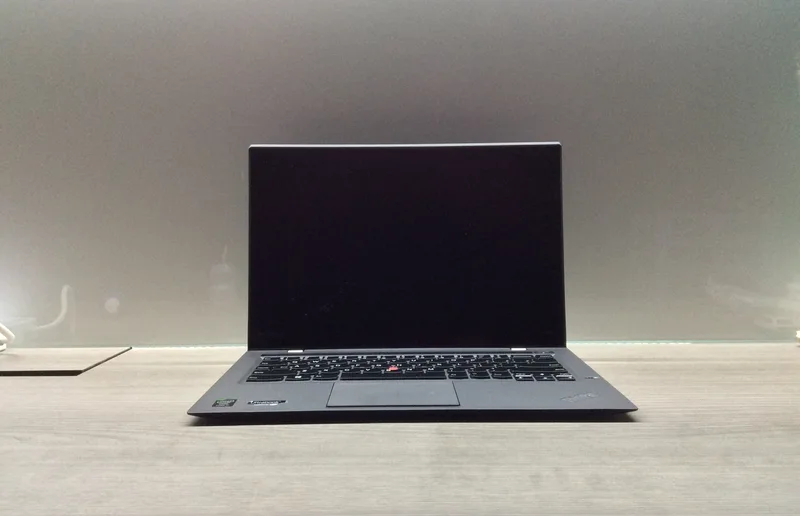
Spec sheets tell you clock speeds, panel resolution, and battery capacity down to the watt-hour, but almost none of them say anything meaningful about what it actually feels like to type on a laptop for eight hours a day. Keyboard and trackpad quality is one of the most consistently under-documented specs in the entire industry, which is strange given that for most buyers, the keyboard and trackpad are the two components they physically touch more than any other part of the machine. We've already covered chassis durability and webcam and audio quality as spec-sheet blind spots — input quality belongs in that same category, and it's worth understanding what actually separates a great keyboard from a mediocre one.
Key Travel Isn't Listed, But It Changes Everything
Key travel — how far a key physically depresses before registering — is rarely printed on a spec sheet, yet it's one of the single biggest factors in how a keyboard feels over a long typing session. Business-focused laptops have historically prioritized deeper key travel because their buyers spend disproportionately more time typing documents and emails than gaming or watching video. The ThinkPad X1 Carbon line built its reputation partly on this exact detail: Lenovo's keyboards are consistently cited as some of the best in the industry specifically because of generous key travel and a distinct, satisfying tactile bump at the bottom of each keystroke, a design philosophy that traces back to Lenovo's IBM ThinkPad heritage. Thinner ultrabooks and gaming laptops chasing minimal chassis height often sacrifice travel to hit a thickness target, which is a real tradeoff worth knowing about before you buy based on thinness alone.
Business Laptops vs. Gaming Laptops: Different Priorities, Different Feel
It's not a coincidence that business-oriented machines like the ThinkPad X1 Carbon and HP EliteBook 840 G8 tend to have the most refined keyboards in any given catalog — their target buyers are IT departments and professionals who type constantly and will complain loudly if the keyboard feels mushy or imprecise. Gaming laptops optimize differently: many prioritize per-key RGB lighting and a lower-profile, faster-actuating switch feel suited to gaming inputs over the deep, cushioned travel favored by typists. Neither approach is objectively wrong, but they produce genuinely different typing experiences, and a buyer who spends most of their day writing documents will likely be happier on a business laptop's keyboard than a gaming laptop's, regardless of how much more powerful the gaming machine's other specs are.
Trackpad Glass, Precision Drivers, and Why Apple Still Sets the Bar
Trackpad quality depends on more than just physical size, though size matters too. The two biggest factors are surface material — glass trackpads track more smoothly and resist wear better than plastic ones — and driver-level palm rejection and gesture precision, which is software as much as hardware. The MacBook Air is still widely regarded as the benchmark trackpad in the industry, thanks to Apple's combination of a large glass surface, haptic force-feedback clicking instead of a physical hinge, and tightly tuned gesture drivers that Windows OEMs have spent years trying to match. Windows laptops have closed much of that gap through Microsoft's Precision Touchpad driver standard, but glass-surfaced trackpads with genuinely accurate palm rejection are still inconsistently distributed across the Windows laptop market, and it remains one of the areas where checking real reviews before buying matters more than checking a spec sheet.
Switch Type and Long-Term Durability
Underneath the keycaps, the actual switch mechanism affects both feel and longevity. Scissor-switch keyboards, common in thin ultrabooks, offer shorter travel but tend to be reliable over years of use. Butterfly and other ultra-thin mechanisms that briefly appeared across the industry in the mid-2010s prioritized thinness so aggressively that reliability suffered, a cautionary tale the industry has broadly moved past. Business laptops in particular tend to spec more durable switch mechanisms rated for tens of millions of keystrokes, reflecting their target buyers' multi-year ownership cycles rather than a two-to-three-year upgrade habit more common among gaming laptop buyers.
What to Actually Check Before Buying
Since none of this shows up cleanly on a spec sheet, the most reliable way to evaluate keyboard and trackpad quality before buying is to physically test the laptop in a store if at all possible, or failing that, read hands-on reviews that specifically discuss key travel, tactile feel, and trackpad tracking accuracy rather than reviews that only summarize benchmark numbers. Pay particular attention to whether a review mentions key travel distance and whether the trackpad surface is glass or plastic — both details are consistently absent from manufacturer spec sheets but consistently present in genuine hands-on impressions, and both meaningfully affect daily comfort in a way raw CPU or GPU performance never will for typing-heavy workflows.
Keyboard Layout Quirks Are Easy to Miss Until You Own the Laptop
Beyond travel and switch feel, layout decisions can quietly undermine an otherwise excellent keyboard. Compact 14-inch chassis sometimes shrink or relocate the arrow-key cluster, shift the Ctrl and Fn keys relative to where a buyer's muscle memory expects them, or omit a dedicated column of function keys entirely to save chassis width. None of these show up in a spec sheet or even in most static product photos, but they're the kind of thing that causes daily friction for weeks after a purchase until muscle memory adapts — or, in the worst cases, never fully does. It's worth specifically looking at close-up keyboard photos or unboxing videos before buying a laptop you haven't tried in person, particularly for anyone who relies on keyboard shortcuts heavily for productivity or software development work, since a relocated Ctrl key can meaningfully slow down years of built-up muscle memory.
Trackpad Size Also Matters, Not Just Surface Quality
Physical trackpad dimensions vary more than buyers expect across otherwise similar-sized laptops. Larger trackpads make multi-finger gestures — three-finger app switching, pinch-to-zoom, edge swipes — noticeably easier to execute accurately, while smaller trackpads on compact gaming laptops sometimes feel cramped even when the surface material itself is high quality. This is partly a chassis-size tradeoff, since a 13-inch ultrabook simply has less palm-rest area to work with than a 16-inch desktop-replacement laptop, but it's also a deliberate design choice some manufacturers make to leave more room for cooling vents or a numeric keypad instead. If gesture-heavy workflows are part of your daily routine, physically testing trackpad size and gesture responsiveness matters just as much as checking that the surface is glass rather than plastic.
The Bottom Line
If your laptop spends most of its life running demanding software and games, keyboard feel is a nice-to-have rather than a dealbreaker. But if you spend hours a day writing, emailing, or coding, keyboard and trackpad quality deserve at least as much weight in your buying decision as display resolution or battery life — and unlike those specs, you won't find the real answer printed anywhere on the box. Business laptops like the ThinkPad X1 Carbon and EliteBook 840 G8 remain strong reference points for keyboard feel specifically because their buyers have never let manufacturers get away with compromising on it, a dynamic worth keeping in mind the next time a laptop's spec sheet looks impressive everywhere except the one line item that isn't printed on it at all.