Laptop Webcam, Microphone, and Speaker Quality in 2026: The Spec Sheet Doesn't Tell You Everything
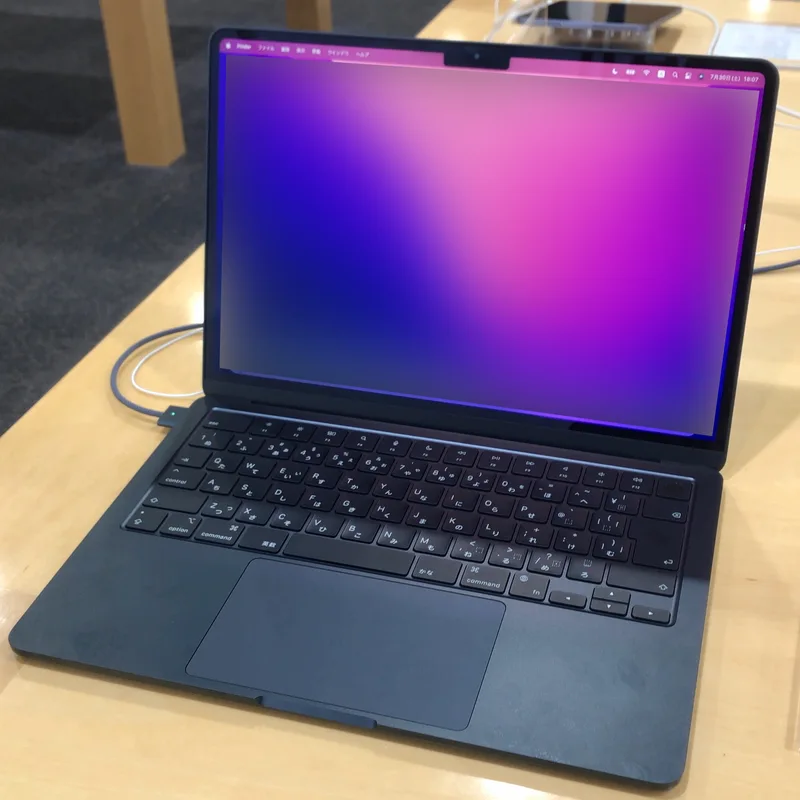
Video calls have become one of the most common ways people actually use a laptop, yet webcam, microphone, and speaker quality are consistently the least-documented specs on any product page. A gaming laptop can ship with a class-leading 240Hz display and a genuinely mediocre 720p webcam, because the marketing budget and engineering attention went almost entirely toward the parts buyers compare on a spreadsheet. This guide covers what actually separates good video-call hardware from bad, and which categories of laptop tend to get it right.
Webcam resolution isn't the whole story
A 1080p webcam sounds like an obvious upgrade over 720p, and in good lighting it usually is, but resolution alone doesn't determine how a webcam performs in the mixed and low lighting most people actually work in. Sensor size and the quality of the image signal processor behind it matter just as much: a small, low-cost 1080p sensor can look noisier and less accurate in color than a well-tuned 720p sensor from a manufacturer that invested more in the supporting hardware. Apple is a useful reference point here — the MacBook Air's 1080p FaceTime HD camera pairs its sensor with computational processing that keeps skin tones accurate and noise low even in dim rooms, which is why it's frequently cited as one of the better webcams in its weight class despite competing against laptops with similar or even higher nominal resolution.
Why thin laptops often have worse webcams than expected
Webcam quality correlates surprisingly strongly with how much a laptop's designers prioritized thinness. A larger camera sensor needs physical depth in the lid to fit, and ultra-thin bezels leave very little room for anything beyond the smallest, cheapest sensor a manufacturer can source. This is part of why gaming laptops — which tend to have thicker lids to accommodate stronger hinges and sometimes RGB lighting elements — don't automatically have better webcams despite spending far more on the GPU and display; the webcam is simply not a design priority in either category, and the ROG Strix G16's included camera reflects that, offering serviceable but unremarkable quality typical of the segment. Business laptops occupy a different position: since video calls are core to their use case, manufacturers like Lenovo and HP invest more deliberately here, even when the chassis is thin.
Microphone arrays: more microphones, smarter processing
A single built-in microphone struggles with background noise, room echo, and picking up a voice evenly regardless of head position. Multi-microphone arrays solve this through beamforming — using the slight timing difference between when a sound reaches each microphone to computationally focus on the speaker's voice and suppress everything else. The MacBook Air's three-microphone array is a widely cited example of this done well, delivering studio-quality voice capture that noticeably outperforms typical two-microphone laptop setups in noisy environments like cafes or open offices. Business-oriented machines increasingly pair microphone arrays with AI-driven noise suppression running on the laptop's NPU, filtering out keyboard clatter, fan noise, and background conversation in real time without needing separate call software to do the work — a capability closely related to the AI acceleration features covered in our NPU explainer.
Speakers: an even more overlooked spec
Built-in laptop speakers are held back by the same physical constraint as webcams — a good speaker driver needs volume of air behind it to produce full sound, and thin chassis designs leave little room for that. Down-firing speakers mounted along the bottom edge of a laptop are common on thin ultrabooks because they fit the space available, but they tend to sound thin and can be muffled entirely when used on a soft surface like a bed or a lap. Laptops that dedicate more internal volume to acoustic chambers — Apple's four-speaker system with dedicated force-cancelling woofers on the MacBook Air being a well-documented example — produce noticeably fuller sound with more low-end presence, which matters for video calls, media playback, and any laptop being used as a primary computer rather than a secondary travel machine.
Privacy hardware: shutters and mute switches
Physical camera shutters and hardware mute switches for the microphone have become common on business laptops, and they solve a real problem software toggles don't: certainty. A physical shutter sliding over the lens, a feature Lenovo brands as ThinkShutter across much of the ThinkPad line, removes any doubt about whether the camera is actually covered, regardless of what an operating system indicator claims. The same logic applies to hardware mute switches that cut the microphone's electrical connection rather than muting it in software, which is a meaningfully different guarantee for anyone regularly handling sensitive calls. These features rarely show up prominently in marketing but are worth specifically checking for on any laptop that will be used for confidential video meetings.
What to prioritize based on how you'll actually use the laptop
Someone who takes frequent video calls for work should weight webcam and microphone quality nearly as heavily as display and keyboard quality when comparing laptops, since it directly affects how they're perceived in every meeting. Someone buying primarily for gaming or content creation, where an external webcam and microphone are common accessories anyway, can reasonably deprioritize built-in camera and mic quality in favor of the display and GPU specs that matter more for that use case. Built-in speaker quality matters most for anyone who doesn't pair the laptop with headphones or an external speaker regularly — for road warriors and remote workers, it's worth an in-person test before buying wherever possible.
The bottom line
Webcam, microphone, and speaker quality rarely appear as headline specs, but they shape the daily experience of using a laptop just as much as the display or keyboard do for anyone who spends real time on video calls. Thin, display-focused laptops and gaming laptops both tend to underinvest here relative to their price, while business ultrabooks and Apple's laptop lineup consistently treat these components as first-class features rather than afterthoughts.
For more on related buying considerations, see our best laptops for remote work guide, our NPU and AI acceleration explainer, and our MacBook Air M2 review.