NVMe Gen4 vs. Gen5 SSDs in 2026: Do You Actually Need the Faster Drive?
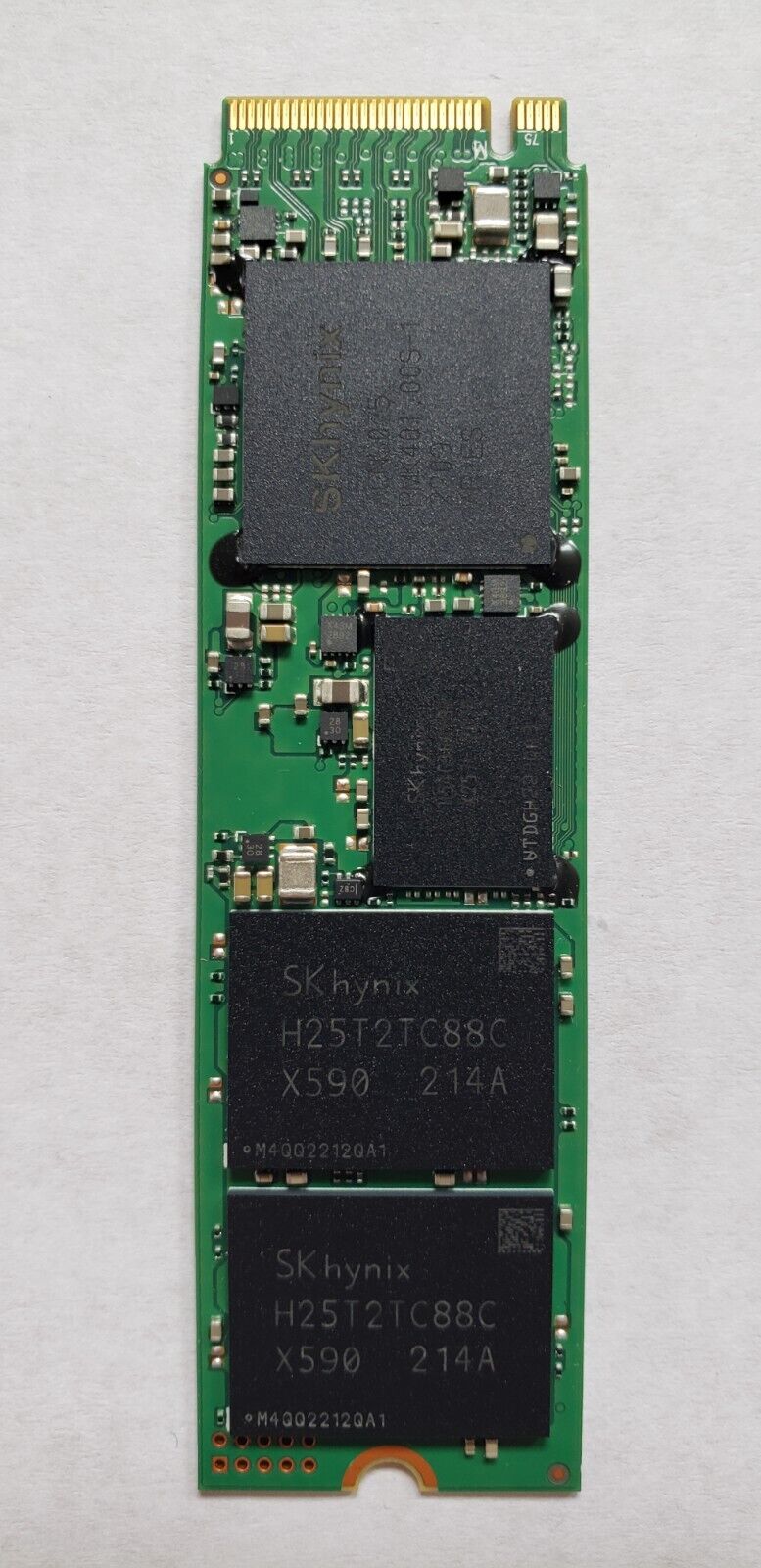
PCIe Gen5 NVMe drives now advertise sequential read speeds roughly double what Gen4 drives offer, and it's tempting to assume that number translates directly into a noticeably snappier PC. For most buyers, it doesn't — and understanding exactly why is the difference between spending extra money on a genuine upgrade versus a benchmark number that won't change how your system actually feels day to day.
What the sequential speed number actually measures
Gen5 NVMe drives can hit sequential read speeds well beyond 10,000 MB/s, roughly double what a good Gen4 drive delivers. But sequential speed — reading or writing one large, continuous file — is the least representative real-world workload for a typical desktop or laptop. Booting Windows, launching applications, and loading game levels are dominated by random small-file reads and queue depth, not sustained sequential throughput, which is exactly the metric Gen5's headline number is best at and exactly the metric that matters least for how snappy your everyday computer feels.
Where Gen5 speed actually shows up
The workloads that genuinely benefit from Gen5's extra bandwidth are narrower than the marketing suggests: video editors working with large, high-bitrate 4K or 8K footage scrubbing directly off the drive, professionals moving genuinely massive files (tens or hundreds of gigabytes) repeatedly, and a small number of newer games that support direct storage streaming of assets. The NZXT Player: Three's 4TB NVMe configuration is a good example of a build where that capacity and speed genuinely gets used, given its positioning toward content creators doing video work alongside gaming.
Where the difference is invisible in practice
For general productivity, web browsing, document work, and most gaming — including loading levels in the large majority of current titles that don't yet support direct storage streaming — a good Gen4 drive and a good Gen5 drive perform close enough to identically that a blind test would be genuinely difficult to pass. Windows boot time, application launch time, and level-load time in most games are far more dependent on random-access performance and CPU/RAM speed than on sequential throughput, and Gen4 drives have plenty of random-access performance for these tasks already.
Heat and power draw: Gen5's real tradeoff
Gen5 drives run meaningfully hotter than Gen4 under sustained load, to the point where many Gen5 drives ship with a dedicated heatsink as standard rather than optional, and some can throttle their speed under extended heavy writes if cooling is inadequate — genuinely undermining the speed advantage you paid extra for in exactly the sustained-write scenarios where Gen5 should theoretically shine. In a laptop specifically, where thermal headroom is far more limited than a desktop case, this tradeoff matters more, and it's part of why laptop manufacturers have been slower to adopt Gen5 drives than desktop builders.
Price per gigabyte: still a real gap
Gen5 drives currently carry a meaningful price premium per gigabyte over equivalent-capacity Gen4 drives, and that gap hasn't closed as quickly as earlier PCIe generation transitions did. For a given storage budget, that often means choosing between a smaller Gen5 drive or a larger Gen4 drive at the same price — and for most buyers, particularly anyone storing a large game library or media collection, the extra capacity of a Gen4 drive at the same price is the more practical upgrade than Gen5's speed ceiling you likely won't fully use.
Motherboard and platform compatibility
Gen5 NVMe support also depends on having a motherboard and CPU platform that actually exposes Gen5 lanes to your M.2 slots, which isn't universal even on relatively recent hardware — some boards only route Gen5 bandwidth to a single primary slot, with secondary slots falling back to Gen4 speeds regardless of the drive installed. Check your specific motherboard's M.2 slot documentation before buying a Gen5 drive expecting to use it in a secondary slot; installing a Gen5 drive in a Gen4-limited slot means you've paid the Gen5 premium for Gen4 real-world performance.
What we'd actually recommend
For most builders and laptop buyers, a quality Gen4 NVMe drive remains the better value in 2026 — you get effectively all of the real-world responsiveness, considerably better price per gigabyte, less heat to manage, and full compatibility with a wider range of motherboards and laptops. Gen5 is worth the premium specifically for video professionals working with large footage libraries, or anyone future-proofing a high-end build around next-generation direct storage game streaming — a genuinely narrow but real use case, not the default recommendation for a typical gaming or productivity build.
Upgrading an existing laptop's storage
If you're upgrading storage on an existing laptop rather than building a new desktop, capacity and upgrade path matter more than raw drive generation in most cases. Laptops like the ROG Strix G16 ship with a single M.2 slot populated at 1TB from the factory but leave room for a second drive, meaning a capacity upgrade is often the more meaningful improvement than chasing a faster drive generation the laptop's own motherboard may not even fully support at Gen5 speeds. Always check your specific laptop's supported PCIe generation before buying — a Gen5 drive in a Gen4-limited laptop slot simply runs at Gen4 speeds, wasting the price premium entirely.
How this compares to the RAM upgrade conversation
This mirrors a similar buying-guide conversation we've covered around soldered vs. upgradeable memory: in both cases, the headline spec that looks most impressive on a spec sheet — RAM speed, or drive sequential throughput — often matters less in practice than more mundane factors like total capacity and whether the component is upgradeable at all down the line. Buyers chasing the biggest number on a spec sheet frequently end up paying for performance headroom they'll never actually use, while underspending on the capacity or upgradeability that actually determines how long the machine stays comfortable to use.
Benchmarks vs. real-world feel: a quick sanity check
If you're still unsure whether Gen5 is worth it for your specific use case, a useful sanity check is to look past the headline sequential number in any drive review and specifically toward random 4K read/write performance and real application load-time benchmarks, which correlate far more closely with how a system actually feels in daily use than the marketing-friendly sequential figure ever does. Reviewers who test actual game-level load times and application launch times side by side between a Gen4 and Gen5 drive consistently find the difference measured in fractions of a second, not the dramatic gap the sequential numbers alone would suggest.
The bottom line
Don't buy Gen5 storage purely because the sequential speed number on the box is double Gen4's — check whether your actual workload is sequential-throughput-bound before paying the premium, since for the large majority of buyers it isn't, and a Gen4 drive at a larger capacity for the same money is the more practical choice.