NZXT Player: Three vs. DIY: What a $3,799 Prebuilt Actually Costs to Build Yourself
Our prebuilt vs. custom philosophy piece covers the general tradeoffs between buying a system and building your own. This article does something narrower and more useful if you're actually deciding right now: it prices out the specific components inside the NZXT Player: Three at $3,799 and estimates what assembling the equivalent hardware yourself would actually cost, so you can see exactly what that premium buys rather than taking "prebuilts cost more" as an abstract given.
What's actually inside the Player: Three
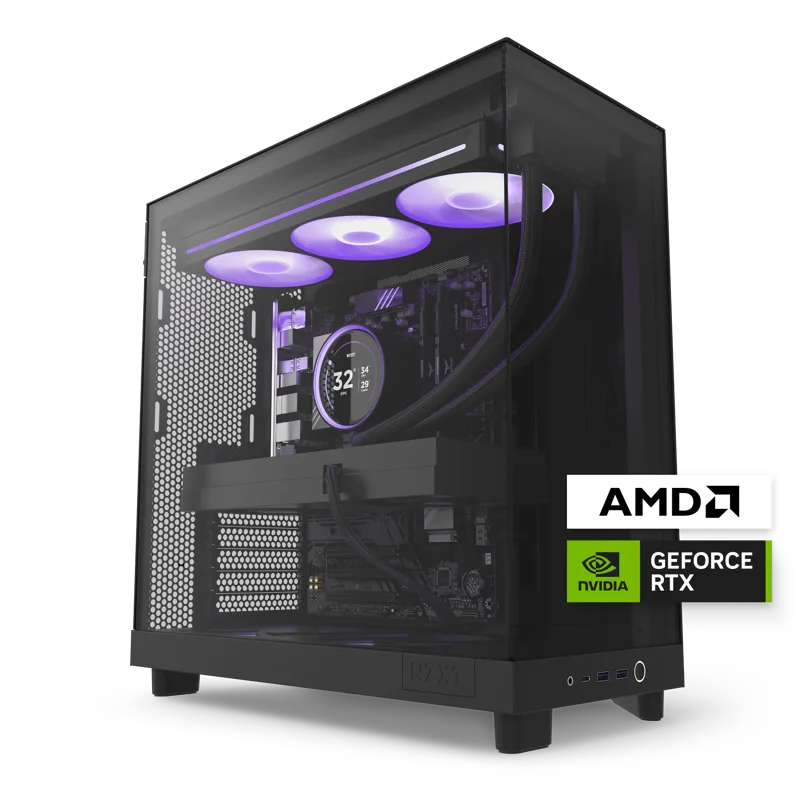
The configuration under review pairs an AMD Ryzen 7 9800X3D 8-core CPU with an NVIDIA GeForce RTX 5080 carrying 16GB of VRAM, 32GB of DDR5 memory, and a 4TB NVMe SSD, all housed in an NZXT H-series case with liquid CPU cooling built and tested in-house. That's a genuinely high-end enthusiast spec, not a mid-range build wearing a premium price tag — which matters when you're estimating what the equivalent parts would cost on the open market.
Pricing out the equivalent parts yourself
Shopping current retail pricing for equivalent components — the 9800X3D CPU, an RTX 5080 16GB card, 32GB of DDR5-6000, a 4TB NVMe Gen4 SSD, a case comparable to NZXT's H-series, a quality 850W+ power supply, a capable liquid CPU cooler, and a motherboard with the right chipset — typically lands somewhere in the $3,100-$3,400 range depending on retailer pricing and current GPU availability, which fluctuates more than any other component in this list. Compared to the Player: Three's $3,799, that's roughly a $400-$700 premium for the prebuilt, or somewhere in the 12-20% range over component cost — meaningfully less than the markup people often assume prebuilt systems carry.
What that premium actually buys you
That gap isn't pure margin — it pays for real things. NZXT builds and stress-tests every system before shipping, meaning dead-on-arrival component failures and compatibility surprises are NZXT's problem to catch, not yours. You get a single-point warranty covering the whole system rather than juggling separate RMA processes with a motherboard vendor, a GPU vendor, and a PSU vendor individually if something fails. And you get professional cable management and airflow tuning that even experienced DIY builders often don't replicate as cleanly on a first attempt, since NZXT's technicians build the same case configuration repeatedly and have tuned the process accordingly.
Where the real savings show up if you self-build
The savings from self-building aren't primarily about markup — they're about labor and troubleshooting time, which don't show up on a parts list but are real costs. Sourcing every component individually, verifying compatibility across the motherboard, RAM, and cooler, physically assembling the system, and troubleshooting any boot issues or driver conflicts easily takes several hours even for someone experienced, and considerably longer for a first-time builder. If you value that time at any reasonable hourly rate, the "savings" from self-building shrink further, sometimes to the point of being close to a wash once you account for the hours spent.
The risk side of the equation
Self-building also carries a real risk most cost comparisons ignore: a DOA component, an incompatible RAM kit, or a botched CPU cooler installation can cost real money and time to diagnose and resolve, especially without a single manufacturer to call for support. NZXT's pre-build testing exists specifically to catch these problems before the system ever reaches a customer, which is a genuine value even though it's difficult to put an exact dollar figure on it.
When self-building is clearly the better call
If you've built PCs before, enjoy the process, and have a support network of forums or friends to troubleshoot with, self-building the Player: Three's equivalent spec is a legitimate way to save several hundred dollars and end up with a system you understand fully, down to every component. It's also the better path if you want to deviate from NZXT's exact spec — a different case aesthetic, a slightly different GPU tier, or more storage than the 4TB configuration offers.
When paying the prebuilt premium makes more sense
If this is your first high-end build, if your time is genuinely scarce, or if you specifically value a single warranty and guaranteed-working system over saving a few hundred dollars, the Player: Three's premium is a reasonable price for removing risk and labor from the equation entirely. For a system at this price point already, a sub-20% premium for guaranteed compatibility and single-point support is a smaller ask than it might sound going in.
How the smaller Player: Two changes the math
The same cost logic applies at a lower price tier with the Player: Two, which pairs an AMD Ryzen 5 9600X with an RTX 5070 12GB for $1,899. Pricing out that equivalent build — a 6-core Ryzen 5, an RTX 5070 12GB card, 16GB of DDR5, a 1TB NVMe drive, case, cooler, and PSU — typically lands around $1,550-$1,700 on current retail pricing, putting the prebuilt premium in a similar 12-20% band as the Player: Three. That consistency across two very different price tiers suggests NZXT's pricing philosophy is genuinely systematic rather than opportunistic at the high end specifically.
Warranty math: what a system-wide warranty is actually worth
A self-built system's warranty is only as strong as its weakest individual component warranty, and coordinating a claim across multiple manufacturers when you're not sure which part actually failed is a genuinely frustrating process many first-time builders underestimate. NZXT's single-point system warranty means one phone call or support ticket regardless of which component is at fault, and NZXT's own technicians diagnosing the failure rather than you needing to isolate it yourself first. For buyers without a strong technical background, that alone can be worth a meaningful fraction of the prebuilt premium, independent of the raw parts-cost math.
Factoring in GPU price volatility
One wrinkle worth flagging: GPU pricing swings more than any other component category, sometimes by hundreds of dollars within a few months depending on supply and demand. The parts-cost estimates here reflect pricing at the time of writing, and a self-build's apparent savings can shrink or grow significantly if you're pricing components during a period of tight GPU supply. This is a genuine argument in favor of a prebuilt's fixed price if you're buying during a volatile stretch of the GPU market, since NZXT absorbs some of that sourcing risk rather than passing all of it directly to you at checkout.
The bottom line
The gap between building the Player: Three's spec yourself and buying it prebuilt is real but smaller than the reputation prebuilt systems have for being dramatically overpriced — you're paying roughly 12-20% for testing, warranty consolidation, and saved assembly time, not for an arbitrary markup. Whether that premium is worth it comes down to how much you value your own time and risk tolerance, not which option is objectively "correct."