The PC Upgrade Path: Which Components Actually Age Best in 2026?
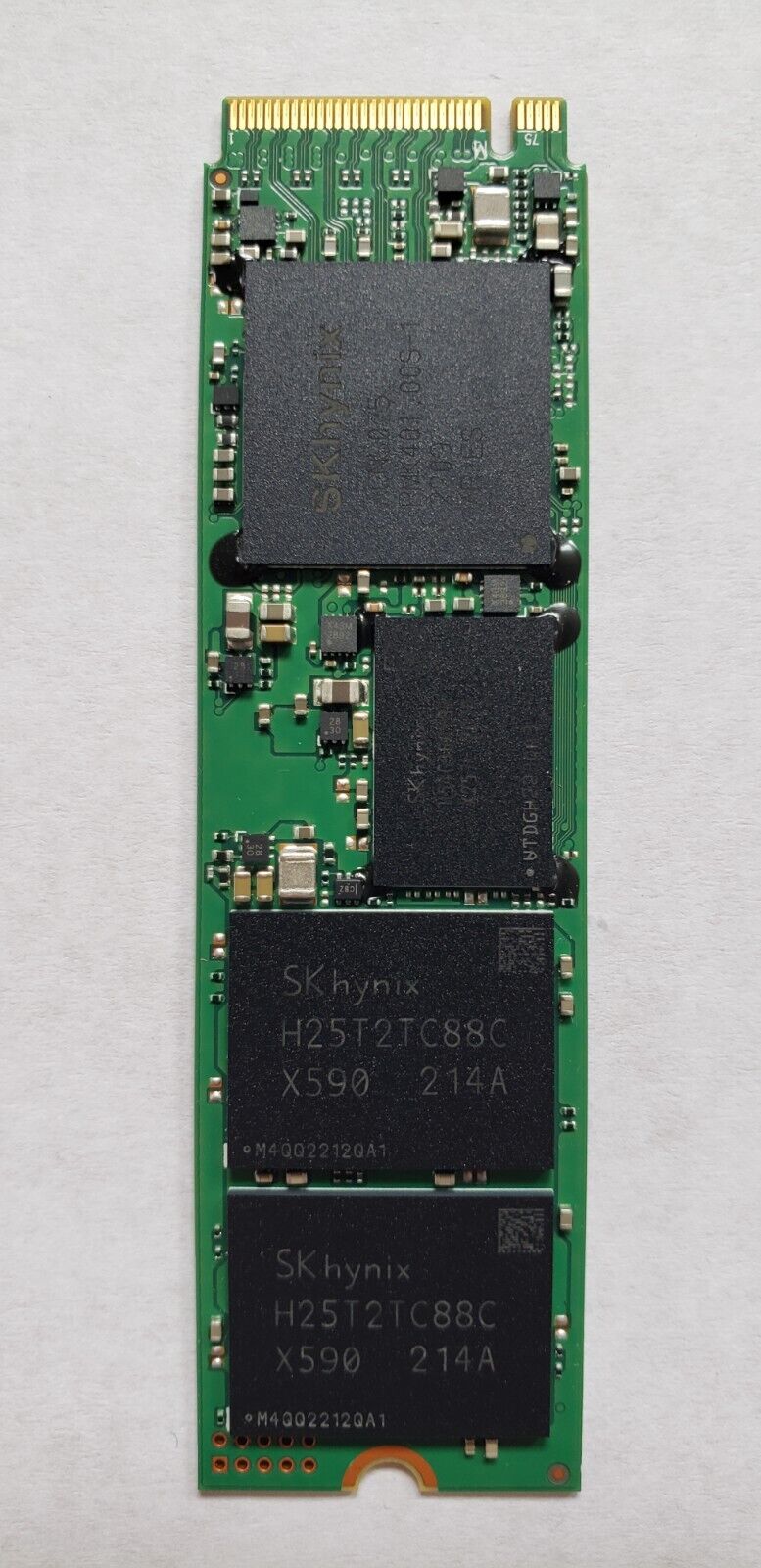
Not every component in a desktop PC ages at the same rate, and knowing which ones tend to stay relevant longest changes how you should budget when building or buying a new system. Some parts are worth spending extra on up front because they're expensive or disruptive to replace later; others are cheap and easy to upgrade whenever needed, so there's little reason to overspend on them today.
GPUs age fastest, and that''s by design
Graphics cards see the most frequent generational leaps of any PC component, with meaningful performance and efficiency gains roughly every one to two years, which means a GPU bought today is the component most likely to feel dated first. This isn't necessarily a reason to buy the absolute top tier — our GPU buying guide covers matching tier to budget — but it is a reason to treat the GPU as the component you'll most likely replace again before anything else in the system, and to make sure your case and power supply can accommodate a bigger card down the line.
CPUs age more gracefully than most buyers expect
A well-chosen CPU tends to remain genuinely competent for considerably longer than a GPU, since most everyday and even many gaming workloads are more GPU-bound than CPU-bound. A chip like the AMD Ryzen 9 9955HX3D found in the ROG Strix G16, with its 3D V-Cache advantage in games, is a good example of a CPU purchase that should stay relevant well past the point where its paired GPU needs replacing. The exception is heavily multi-threaded productivity work — video encoding, compilation, 3D rendering — where raw core count and generational IPC gains matter more and CPUs age somewhat faster.
Why the CPU-GPU aging gap matters for upgrade timing
Because CPUs and GPUs age at such different rates, a common and often cost-effective upgrade pattern is replacing the GPU alone one or even two times before the CPU and motherboard genuinely need replacing. This only works if the original CPU choice had enough headroom to avoid becoming a bottleneck for the upgraded GPU — pairing a modest, budget-tier CPU with a flagship GPU purchased two years later frequently means the CPU can't feed the new GPU fast enough to let it show its full performance, an imbalance worth avoiding by choosing a slightly stronger CPU than strictly necessary on day one.
RAM: cheap to future-proof, expensive to regret
Memory is one of the least expensive components to over-provision relative to the cost of being wrong later, and it's also one of the more disruptive things to have to upgrade if a board only has two slots already filled. Our RAM buying guide goes deeper into sizing, but the short version for a desktop build is: buying slightly more than you currently need is cheap insurance, since RAM prices are a small fraction of total system cost while the inconvenience of running short later is real.
Storage: the component that ages best of all
NVMe SSDs age remarkably well relative to almost everything else in a desktop — a fast drive bought two or three years ago is still a fast drive today for the vast majority of everyday tasks, since real-world file-transfer and load-time gains between recent NVMe generations are far less dramatic than the raw sequential-speed numbers on a spec sheet suggest. Storage capacity is the more common reason to upgrade a drive, not raw speed, which is a very different upgrade calculus from a GPU or CPU.
When storage actually does need replacing
The scenarios where an older SSD genuinely becomes a bottleneck are narrower than marketing around each new NVMe generation implies: extremely large sequential file transfers, professional video workflows moving uncompressed high-resolution footage, or simply running out of capacity as game install sizes keep growing. For the much more common case of loading games, booting an OS, or general application responsiveness, the practical difference between a few-year-old fast NVMe drive and the newest generation is far smaller than the price difference between them, which makes storage one of the easiest places to under-spend on day one and catch up later only if capacity — not speed — becomes the actual constraint.
Motherboards: the component that quietly limits everything else
A motherboard doesn't degrade in performance over time the way a GPU can feel outdated, but it does impose hard limits — supported CPU generations, maximum RAM capacity and speed, available PCIe lanes — that eventually force a full-platform upgrade rather than a single-component swap. Choosing a board with some headroom above your immediate needs, covered in more depth in our motherboard buying guide, is one of the more effective ways to delay that eventual full-platform replacement.
Power supplies: often the most overlooked long-term asset
A quality power supply, correctly sized with some headroom, frequently outlives two or three GPU upgrades, since PSU wattage requirements grow more slowly than GPU performance does. It's one of the few components genuinely worth buying a step above your immediate needs, since a PSU with spare wattage capacity means the next GPU upgrade doesn't also force a PSU replacement at the same time.
Peripherals and monitors: the components nobody thinks to replace
Monitors, keyboards, and mice are frequently the oldest components in an otherwise regularly upgraded desktop setup, and for good reason — a good display or a mechanical keyboard genuinely can last a decade or more with no meaningful performance degradation, unlike internal components that are tied to generational compute advances. It's worth remembering these when budgeting a build, since money saved by not chasing the newest peripheral trends can often be better spent on the internal components covered above, where generational gains are real and measurable rather than largely cosmetic.
A practical spending order
If budget forces tradeoffs, the general aging pattern above suggests a sensible order of priority: don't underspend on the power supply or motherboard, since both are disruptive and comparatively expensive to redo later; treat RAM as cheap insurance rather than a place to cut corners; and accept that the GPU is the component you'll most likely upgrade again soonest, so it's the one place where buying slightly below your absolute ceiling today, in order to reinvest sooner, is a genuinely defensible strategy rather than a compromise.