DDR5 and LPDDR5X Speed Explained: MHz vs. CL Latency in 2026
RAM shopping in 2026 usually starts and ends with capacity — 16GB versus 32GB, soldered versus upgradeable — and we've covered that ground in our how much RAM do you actually need guide. But capacity is only half the picture. The other half is speed, expressed as a frequency in MHz and a latency figure in CL (CAS Latency) cycles, and the two numbers pull against each other in ways that confuse a lot of shoppers. This guide breaks down what MHz and CL actually measure, why a higher frequency doesn't automatically mean faster memory, and how the real products in our catalog illustrate the range of speeds on the market today.
What MHz Actually Measures
The MHz figure on a memory kit describes how many transfer cycles the module can complete per second — higher numbers mean more bandwidth, which is the raw amount of data that can move between RAM and the CPU each second. This matters most for workloads that move large chunks of data quickly: video editing timelines, large in-memory datasets, and integrated GPUs that borrow system memory for graphics work, since integrated graphics are far more sensitive to memory bandwidth than a discrete GPU with its own dedicated VRAM.
What CL Latency Actually Measures
CAS Latency (CL) describes how many clock cycles pass between a memory request and the moment the requested data is actually available. Critically, CL is measured in clock cycles, not in absolute time, which means a CL30 kit running at a higher frequency can have a lower real-world latency in nanoseconds than a CL16 kit running at a much lower frequency, even though 30 looks like a "worse" number than 16 at first glance. This is the single most common point of confusion for shoppers comparing memory kits by CL number alone without accounting for frequency.
Real-World Speeds Across Our Catalog
Looking at actual products makes the range concrete. The ROG Strix G16 (G614, 2025) runs DDR5-5600 memory, a solid mainstream speed for a 2025-era gaming laptop. The Blade 16 (2026) steps up to LPDDR5X-9600, reflecting both a newer memory generation and the bandwidth-hungry demands of driving a 240Hz OLED panel alongside a high-end GPU. Contrast that with the ThinkPad X1 Carbon (2nd Gen, 2014), which shipped with DDR3-1600 — a full three memory generations and roughly six times the raw transfer rate behind where the market sits today. That gap says less about ThinkPad quality and more about how dramatically memory bandwidth has scaled across the DDR3-to-DDR5 and LPDDR4-to-LPDDR5X transitions over the past decade.
Does Faster RAM Actually Improve Gaming Performance?
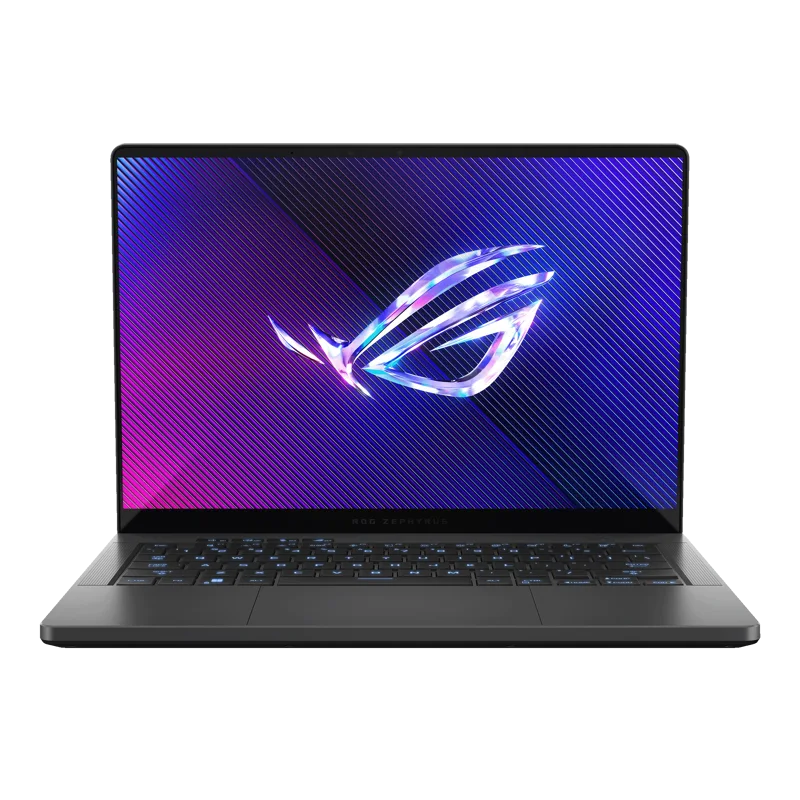
It depends heavily on the platform. AMD's Ryzen laptop and desktop chips are historically more sensitive to memory speed than Intel's, because AMD's Infinity Fabric interconnect that links CPU cores to the rest of the system runs in sync with memory speed on many configurations, so faster RAM can meaningfully improve frame rates on a Ryzen system in ways it won't on every Intel platform. For anyone weighing a Ryzen-based laptop like the ROG Zephyrus G14 or a Ryzen desktop, checking the maximum supported and recommended memory speed is worth the extra few minutes of research, since leaving performance on the table with an unnecessarily slow memory kit is an easy mistake to avoid. It's also worth noting that on laptops, memory speed is usually soldered in place at the factory rather than something you can change after purchase, which is a separate but related consideration we cover in a companion guide on soldered versus upgradeable memory.
Why Timings Get More Complicated Than Just CL
CL is the timing most shoppers see first because it's usually printed largest on the box, but it's actually just one number in a longer string of timings — CL, tRCD, tRP, and tRAS are the four most commonly listed, and all four contribute to how quickly a memory module responds to different kinds of requests. A kit advertised as "CL36" is giving you a partial picture; the full timing string, something like 36-36-36-76, tells a more complete story about how the module behaves under different access patterns. Enthusiast-grade kits sold for manual tuning often list the full string, while pre-installed laptop memory and budget desktop kits tend to only headline the CL number, leaving the rest to be discovered in the module's SPD (Serial Presence Detect) data if you go looking. For the vast majority of buyers, this level of detail isn't worth chasing — but it explains why two kits with the same advertised CL number can still behave slightly differently in practice.
XMP, EXPO, and Why "Rated Speed" Isn't Automatic
A memory kit's advertised MHz and CL figures are typically its rated speed under a manufacturer profile — Intel's XMP or AMD's EXPO — which the motherboard has to be told to apply; out of the box, most systems default to a slower, more conservative JEDEC standard speed until that profile is enabled in the system firmware. This is a common and easy-to-miss step for anyone building or upgrading a desktop: install the RAM, skip enabling the profile, and the system will boot and run stably, just well below the number printed on the box. Laptops don't have this issue since manufacturers configure the memory speed at the factory, but it's one more reason desktop builders should treat quoted memory speeds as a ceiling to enable deliberately, not a number that happens automatically.
Practical Buying Guidance
- For most laptop buyers, the pre-installed memory speed is fixed and not worth agonizing over — focus on capacity instead, since most laptop RAM in 2026 is soldered and not user-upgradeable.
- For desktop builders, buying memory at the motherboard's officially supported speed avoids compatibility headaches that can arise from running well past validated speeds.
- On AMD Ryzen platforms specifically, prioritize memory speed higher than you might on an equivalent Intel build, since the performance payoff tends to be larger.
- When comparing two kits at different speeds, check both the MHz and CL figures together rather than either number alone — a true latency-in-nanoseconds comparison tells you more than either spec in isolation.
Bottom Line
Memory speed is a genuinely two-dimensional spec, and shopping by frequency alone — or by CL number alone — leaves out half the picture. The products in our own catalog span roughly a decade of memory generations, from DDR3-1600 up to LPDDR5X-9600, and that spread is a useful reminder that both bandwidth and latency have improved together, not as a tradeoff against each other, even if the two numbers can seem to pull in opposite directions on a single spec sheet.