60Hz vs. 144Hz vs. 240Hz vs. 360Hz: A Gaming Laptop Refresh Rate Guide for 2026
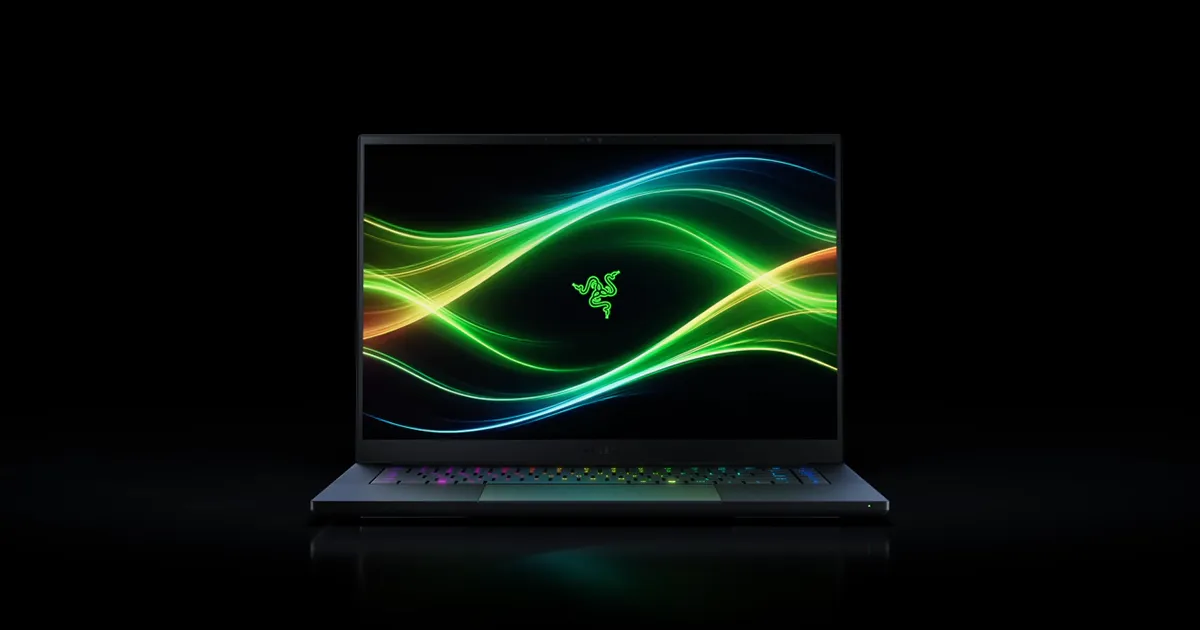
Refresh rate gets less attention than resolution when people shop for a gaming laptop, but for competitive and fast-paced games it often matters more. A display's refresh rate is how many times per second the screen redraws its image, measured in Hertz (Hz). Higher refresh rates show motion more smoothly and reduce the perceived lag between an input and what appears on screen — but they also come with trade-offs in battery life, panel cost, and how much GPU horsepower is needed to actually hit that refresh rate in a real game. This guide breaks down what 60Hz, 120-144Hz, 240Hz, and 360Hz panels each mean in practice, using real gaming laptop displays as reference points.
60Hz: the baseline, and where it's still fine
A standard 60Hz panel redraws 60 times a second. For general productivity, web browsing, and single-player narrative games, 60Hz is genuinely enough — the human eye adapts quickly, and most story-driven or slower-paced titles don't benefit meaningfully from a faster panel. Where 60Hz falls short is fast-paced or competitive gaming: motion between frames looks noticeably less fluid than higher refresh panels, and the extra 16.7 milliseconds between frames (versus roughly 4.2ms at 240Hz) can be felt directly in shooters and other reaction-time-sensitive genres.
120-144Hz: the mainstream gaming standard
This is where most gaming laptops sit today, and for good reason — it's the point where the smoothness improvement over 60Hz is immediately obvious to almost anyone, without demanding the extreme GPU horsepower that 240Hz+ panels need to actually reach their limit. The 14-inch 3K (2880x1800) OLED 120Hz panel on the ROG Zephyrus G14 is a good example of this tier done well: it pairs the smoother motion of 120Hz with OLED's superior contrast and color, at a resolution the laptop's RTX 4060 can realistically push in modern games. For anyone who plays a mix of competitive and single-player titles and doesn't want to compromise on picture quality to get there, 120-144Hz OLED is the best all-around choice on the market right now.
240Hz: built for competitive shooters
240Hz panels exist for one job: minimizing the gap between what happens in-game and what your eyes see, which matters most in fast, competitive titles like arena shooters and battle royales where a fraction of a second genuinely changes outcomes. Both the Razer Blade 14 and the ASUS ROG Strix G16 ship with 240Hz IPS panels for exactly this reason, prioritizing motion clarity for esports-adjacent play. The catch is that reaching 240 frames per second consistently requires either turning down in-game settings significantly or having a genuinely powerful GPU — a 240Hz panel driven at 90fps still looks smooth, but it isn't delivering the actual benefit the panel is built for. Before paying the premium for a 240Hz screen, it's worth being honest about whether your GPU and the games you actually play can sustain frame rates anywhere close to that number.
360Hz and beyond: diminishing returns for most people
Panels beyond 240Hz exist mostly in the competitive esports space, where professional and highly ranked players are trained to notice input latency differences that are imperceptible to the average person. The jump from 240Hz to 360Hz shortens the time between frames by less than two milliseconds — a real but genuinely marginal improvement compared to the 60-to-120Hz or 120-to-240Hz jumps, both of which roughly halve frame time. Unless you play competitive shooters at a serious level and your GPU can consistently push frame rates in that range, the money is better spent on resolution, panel technology (OLED versus IPS), or GPU tier.
Refresh rate versus resolution: you often can't max both
Higher refresh rates and higher resolutions both demand more from a GPU, and laptop-class graphics chips have real limits. This is why the highest refresh rate panels tend to ship at lower resolutions, and the sharpest, highest-resolution panels tend to cap out around 120Hz — driving a 4K panel at 240Hz consistently is well beyond what any current mobile GPU can sustain in demanding games. Matching the panel to the GPU actually inside the laptop, rather than buying the highest number on the spec sheet, is the single most important decision in this category.
Variable refresh rate matters as much as the peak number
A panel's maximum refresh rate is only half the story — what happens when the game's frame rate doesn't match that number is just as important. Variable refresh rate technology, branded as G-Sync on NVIDIA-paired laptops and FreeSync on AMD-paired ones, dynamically syncs the display's refresh rate to whatever frame rate the GPU is actually delivering moment to moment, eliminating the screen tearing and stutter that show up when a fixed-refresh panel and a fluctuating frame rate fall out of step. The ROG Strix G16's 16-inch 2.5K (2560x1600) 240Hz IPS, G-Sync display is a good illustration of why the two features are usually sold together: a 240Hz panel is only smooth at 240Hz, but real games rarely hold a perfectly flat frame rate through every scene, and G-Sync is what keeps the experience feeling fluid during the dips rather than only at the ceiling. When comparing two laptops with similar peak refresh rates, checking whether variable refresh rate support is included — and whether it's rated for the panel's full refresh range — is worth as much attention as the headline Hz number itself.
The bottom line
For most buyers, a 120-144Hz OLED panel is the sweet spot: smooth enough to feel the difference from 60Hz in every game, sharp and vibrant enough for content creation and movies, and realistically drivable by the GPUs paired with it. 240Hz is worth paying for specifically if competitive shooters are the primary use case and the GPU can sustain high frame rates. 360Hz is a niche, professional-tier choice that most buyers will not be able to take advantage of. Whatever the number, always check it against the resolution and the GPU it's paired with — a high refresh rate panel driven by an underpowered GPU delivers none of its intended benefit.
For more display buying advice, see our guides on choosing a gaming laptop resolution and OLED vs. IPS panels, or read our full Razer Blade 16 (2026) review to see a 240Hz OLED panel tested in practice.