ThinkPad X1 Carbon: 2014 vs. 2026 — How Far Has the Business Laptop Actually Come?
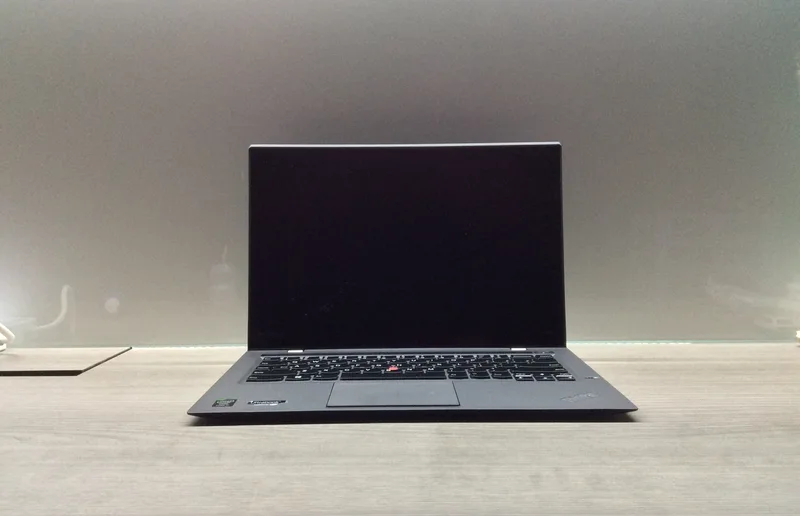
Twelve years is a long time in laptop years, and few categories make that gap as tangible as business ultrabooks. We still have a 2nd-generation Lenovo ThinkPad X1 Carbon from 2014 on file, and comparing its actual spec sheet against a current business machine like the HP EliteBook 840 G8 tells a more interesting story than you might expect — some things changed dramatically, and some barely changed at all.
CPU: the clearest generational leap
The 2014 X1 Carbon ran an Intel Core i7-4600U, a dual-core Haswell-generation chip clocked up to 3.3GHz that was genuinely competitive in its day. A decade-plus later, mainstream business ultrabooks ship quad-core-and-up chips built on process nodes several generations ahead, with per-core performance that dwarfs the 4600U even at similar clock speeds, plus dedicated AI acceleration hardware that simply didn't exist as a category in 2014. This is the single biggest gap in the whole comparison: the old chip still boots a modern OS and handles basic tasks, but it audibly struggles the moment you open more than a handful of browser tabs alongside anything else.
Display: a surprising near-draw
Here's the genuinely surprising part. The 2014 X1 Carbon shipped a WQHD (2560x1440) display at a time when 1080p was still the mainstream default — Lenovo was unusually aggressive on resolution for a business laptop that era. Many current-generation business laptops, including the EliteBook 840 G8's base 1920x1080 configuration, actually ship a lower-resolution panel than that 2014 ThinkPad did. Business laptop displays have improved in brightness, color accuracy, and panel technology options since 2014, but on the single metric of pixel density, the decade-old ThinkPad was ahead of its time and some current business configurations still haven't caught back up to it.
Battery life: modest gains, mostly from efficiency not capacity
The 2014 ThinkPad carried a 45Wh battery; the EliteBook 840 G8 carries a slightly larger 53Wh cell. That's a modest capacity increase, not a dramatic one — battery chemistry hasn't improved as fast as processors have. What has improved significantly is power efficiency per unit of performance, so despite the battery capacity increase being fairly small, real-world unplugged time on a modern business laptop is meaningfully longer than it was in 2014, purely because the chip and display draw less power per unit of work done.
Build quality and weight: remarkably stable
This is the category that changed the least. The 2014 X1 Carbon weighed 1.28kg with a carbon-fiber-reinforced chassis that Lenovo was already marketing hard on durability; the EliteBook 840 G8 weighs 1.32kg. Business laptop manufacturers hit a weight-and-durability sweet spot for this category years before 2014 and have mostly stayed there since — the engineering priority shifted to internals rather than continuing to chase weight reduction, because a business laptop this light was already good enough for daily carry.
Security and manageability: the actual generational leap
The biggest practical change for IT buyers isn't in the spec sheet at all — it's in platform-level security and remote management. The Intel vPro platform in current business laptops gives IT administrators out-of-band remote management, hardware-rooted threat detection, and firmware-level security features that simply didn't exist in anything close to their current form in 2014. A fleet of 2014-era ThinkPads is effectively unmanageable by modern IT security standards regardless of how well the hardware has physically held up, which is the real reason companies retire otherwise-functional decade-old business laptops. Our current business laptop showdown covers how today's models compare to each other on exactly this axis.
Keyboard: still a ThinkPad strength, still divisive
The 2014 X1 Carbon's keyboard used Lenovo's controversial adaptive function-row touch strip, a feature widely criticized at the time and quietly dropped from later ThinkPad generations in favor of physical function keys. Beyond that one misstep, ThinkPad keyboards have remained a genuine competitive advantage across both eras — deep key travel and precise feedback that most competing business laptops, then and now, don't fully match. This is one of the few areas where 2014 ThinkPad engineering held up better than the era's broader industry trends, adaptive strip aside.
Ports and connectivity: a genuine transformation
This is where the twelve-year gap is most visible in daily use. The 2014 X1 Carbon relied on a full-size HDMI port, USB 3.0 Type-A connectors, and a proprietary Lenovo charging connector — a port layout that made perfect sense at the time but is increasingly mismatched with modern peripherals, monitors, and docking stations. Current business laptops have standardized almost entirely around USB-C and Thunderbolt, which means a single cable can now carry power, video, and data simultaneously to a dock, something that required three separate cables and adapters on the 2014 model. For an IT department standardizing a fleet, this alone is a significant simplification of the accessory and docking-station ecosystem they have to support and stock spare parts for.
Price then and now: business laptops haven''t gotten cheaper
The 2014 X1 Carbon launched at roughly $1,399. The EliteBook 840 G8 launched at a broadly similar price point once comparably specced. Unlike consumer electronics categories such as TVs or storage, where prices have fallen sharply over a decade, premium business laptop pricing has stayed remarkably flat in nominal terms even as the underlying hardware improved substantially — the manufacturing cost of a magnesium-and-carbon-fiber chassis, a good keyboard, and enterprise support infrastructure hasn't dropped the way commodity electronics have. Buyers are getting a meaningfully better machine for roughly the same sticker price, rather than a cheaper machine with similar specs.
Should you actually buy a decade-old ThinkPad today?
As a daily driver for modern work, no — the CPU gap alone makes it a frustrating experience for anything beyond the lightest tasks, and it can't be enrolled in a modern vPro-managed fleet. As a study in how business laptop design priorities have and haven't shifted, it's a genuinely useful reference point: display resolution and build quality were largely solved problems by 2014, while CPU performance, security architecture, and battery efficiency kept improving steadily and substantially in the years since, even if the improvements are easy to take for granted today.