Zenbook 14 OLED vs. Vivobook S14 (2026): Is the Extra $200 Worth It?
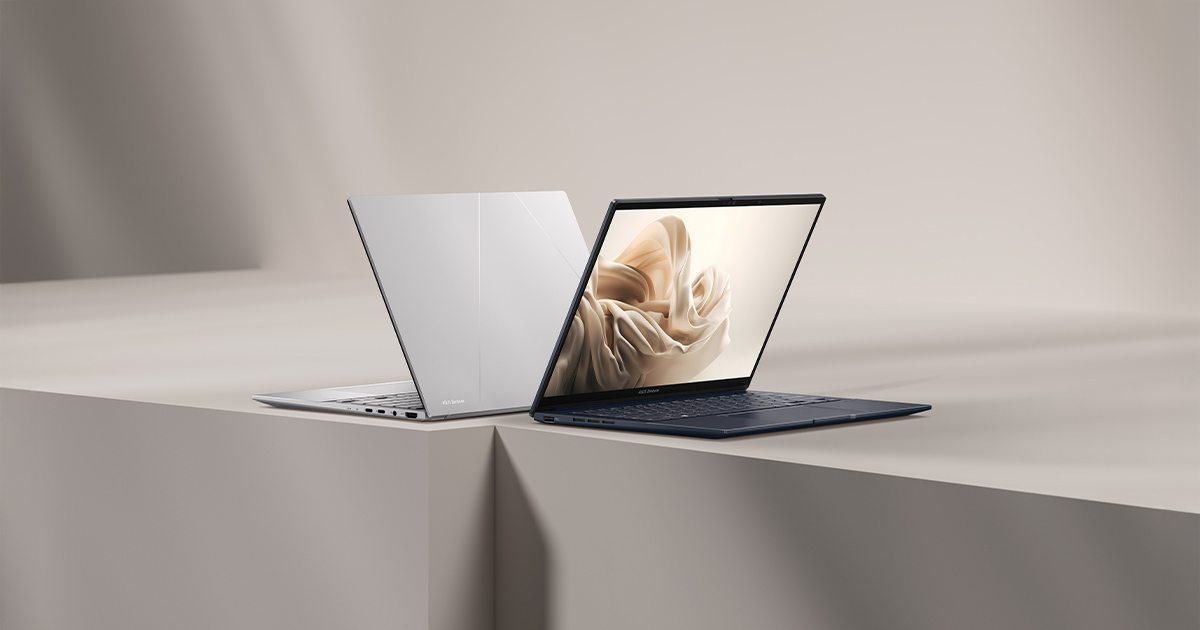
ASUS sells two OLED-equipped 14-inch ultrabooks that look almost identical on a spec sheet, and that's exactly what makes the choice between them confusing. The Zenbook 14 OLED (UX3405) and the Vivobook S14 (M5406) both ship with a 3K 120Hz OLED panel, both weigh right around 1.2-1.3kg, and both can be configured with 32GB of memory — yet one costs roughly $200 more than the other. If you're cross-shopping these two specifically, the honest answer is that the extra money buys chassis materials and a different GPU tradeoff, not a meaningfully different core experience.
The display is a wash — genuinely
Both machines use a 14-inch 3K (2880x1800) OLED panel running at 120Hz, and in practice you will not tell them apart in a blind test. Same resolution, same refresh rate, same true-black OLED contrast, same HDR support. This is the single biggest reason the comparison is confusing in the first place: ASUS didn't reserve its best screen technology for the pricier line, which is unusual in an industry that typically treats OLED as an upsell lever. If display quality alone were your deciding factor, you could flip a coin.
Where the money actually goes: CPU and GPU platform
The real difference is underneath the display. The Zenbook runs an Intel Core Ultra 9 285H with Intel Arc integrated graphics, while the Vivobook runs an AMD Ryzen AI 9 HX 370 paired with AMD's Radeon 890M integrated graphics — currently the stronger integrated GPU of the two, capable of running modern games at 1080p on medium settings in a way Intel's Arc silicon still can't quite match. If occasional light gaming or GPU-accelerated creative work without a discrete card matters to you, the Vivobook's platform choice is the more capable one, which makes its lower price even more of a genuine value proposition rather than a straightforward "you get what you pay for" story.
Build quality: the part that actually costs $200
Where the Zenbook earns its premium is chassis materials and fit-and-finish. ASUS's Zenbook line uses a more rigid aluminum construction with tighter tolerances around the hinge and keyboard deck, while the Vivobook line has historically leaned on more plastic in its construction — less rigid, a keyboard that doesn't feel quite as refined, and a chassis that flexes slightly more under pressure. Neither is fragile, but if you've handled both ASUS lines before, the difference is immediately obvious the moment you pick one up. This is genuinely the deciding factor for most buyers: pay more for materials, or save the money and put up with a slightly less premium feel.
Battery, weight, and everyday portability
Both laptops use a 75Wh battery and land in the same weight class, so neither has a meaningful edge in all-day usability. Where the Vivobook occasionally pulls ahead is thermal headroom for sustained loads — because its Radeon 890M is a stronger integrated GPU, ASUS tuned the Vivobook's fan curve to prioritize sustained performance over silence, which means slightly more audible fan noise under heavy load than the more conservatively tuned Zenbook. For anyone doing occasional gaming or GPU-accelerated exports, that's a reasonable trade for the extra performance; for anyone who wants the quietest possible machine for writing and browsing, the Zenbook's tuning is the better fit.
Connectivity differences worth knowing before you buy
The Zenbook includes Thunderbolt 4 certification on its USB-C ports, while the Vivobook sticks to standard USB-C without Thunderbolt certification — a real differentiator if your workflow depends on Thunderbolt-specific docks, high-bandwidth external displays, or an external GPU enclosure. For most buyers doing everyday charging and peripheral connections, USB-C without Thunderbolt is a non-issue, but it's worth checking against your specific dock or monitor setup before assuming the two are interchangeable on the port side.
Software and out-of-box experience
Both ship with ASUS's MyASUS utility for driver updates and system management, but the Vivobook line has historically included more preinstalled trial software and OEM utilities than the Zenbook line carries. None of it is difficult to remove, but budget a few extra minutes on first setup if a clean desktop matters to you, since this is a real if minor difference in the ownership experience between ASUS's two product tiers.
Who should actually buy the Vivobook instead
If your budget is fixed and you want the strongest integrated graphics ASUS currently offers alongside an identical display to the pricier machine, the Vivobook S14 is the more rational purchase — you're not sacrificing screen quality, and you're arguably gaining GPU headroom. The chassis feels less premium, but "less premium" here means noticeably good rather than actually bad; it's a relative comparison against ASUS's own flagship-tier materials, not against genuinely cheap plastic laptops elsewhere in the market.
Who should pay the Zenbook premium
If you handle the laptop daily in a way where build quality is genuinely noticeable — frequent travel, being tossed in and out of a bag repeatedly, or simply caring about how a laptop feels under your hands — the Zenbook's more rigid aluminum construction and Thunderbolt 4 ports justify the premium for a lot of buyers. It's also the quieter machine under typical productivity workloads, which matters if you regularly work in shared spaces like libraries or open offices where fan noise is more noticeable than it would be at home.
Resale value and long-term ownership
ASUS's premium lines have historically held resale value a little better than its budget-oriented Vivobook range, partly because buyers shopping the secondhand market associate the Zenbook name with more durable materials. Over a three-to-four-year ownership window that difference is modest rather than dramatic, but it's worth factoring in if you tend to sell or trade in a laptop every few years rather than running it until it's no longer usable — the gap in resale value can partially offset the higher purchase price of the Zenbook over time.
The bottom line
Neither ASUS ultrabook is the wrong choice; they're tuned for genuinely different priorities behind an identical screen. For a deeper look at how these two stack up against other compact laptops in the category, our ultraportable laptop buying guide covers a wider field, but if you've already narrowed it down to these two ASUS models specifically, the decision comes down to whether $200 of chassis materials and Thunderbolt 4 matters more to you than AMD's stronger integrated graphics and a genuinely lower price.