Best Laptops for College Students (2026 Buying Guide): Balancing Price, Battery, and Portability
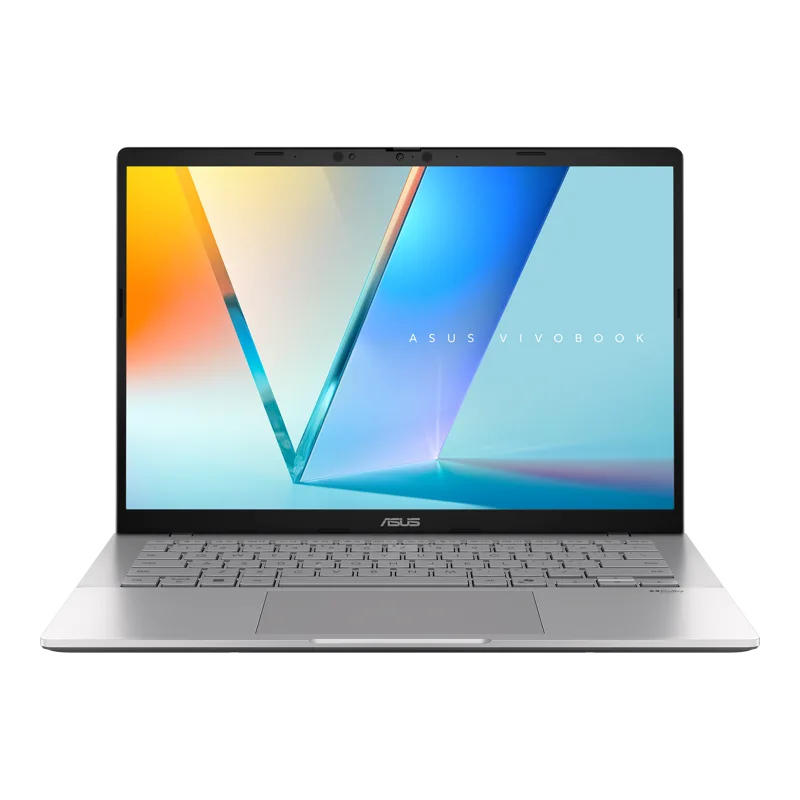
Shopping for a laptop as a college student means balancing priorities that don't always point the same direction: a tight budget, a need for battery life that survives a full day of back-to-back classes, and enough performance to handle everything from note-taking to the occasional heavier workload for a design or engineering course. Three laptops in our catalog map neatly onto different corners of that tradeoff: the ASUS Vivobook S14, the ASUS Zenbook 14 OLED, and the Apple MacBook Air 13 (M2).
ASUS Vivobook S14: the budget-friendly pick that doesn’t feel cheap
At $1,099, the Vivobook S14 is the most accessible of the three, but its spec sheet doesn't read like an entry-level laptop — a Ryzen AI 9 HX 370 processor, up to 32GB of memory, and a 3K OLED display at 120Hz are genuinely strong specs for the price. For students on a tight budget who still want a display good enough for the occasional creative project or media consumption between classes, this is the strongest value play in our catalog.
ASUS Zenbook 14 OLED: more headroom for demanding coursework
Students in more computationally demanding majors — engineering, computer science, data-heavy coursework — will appreciate the Zenbook 14 OLED's 16-core Intel Core Ultra 9 285H, which offers meaningfully more multi-threaded performance than the Vivobook for compiling code, running simulations, or multitasking across a heavier course load. It carries a real price premium over the Vivobook for that extra headroom, but for anyone who knows their coursework will actually use it, it's a reasonable one.
MacBook Air 13 (M2): the pick for maximum uptime
For students who prioritize going an entire day — classes, library sessions, and evening work — without hunting for an outlet, the MacBook Air's up to 18 hours of video playback battery life is hard to match on the Windows side of this comparison. Its silent, fanless design is also a genuine advantage in quiet study spaces like libraries, where a spinning fan on a Windows laptop under load can be a real annoyance to people sitting nearby.
Weight matters more than students expect
All three laptops land in a similar 1.2-1.3kg range, which matters more than it might seem once you factor in textbooks, a water bottle, and everything else that ends up in a backpack alongside the laptop. None of these are the heavy, thick "does everything" laptops built for gaming or workstation use — they're built specifically for being carried across campus multiple times a day without becoming a burden, which is exactly the right design priority for this buyer.
Software and ecosystem considerations
Students already invested in Apple's ecosystem — an iPhone, an iPad, AirPods — will find the MacBook Air's tight integration with those devices (Handoff, unified iMessage, AirDrop) a genuine daily convenience that's hard to replicate on Windows. Conversely, students who need to run Windows-only software required by a specific course or major — certain engineering, CAD, or specialized lab software — should lean toward either ASUS laptop rather than fighting compatibility issues with a Mac partway through a semester.
Budgeting for four years, not just the first semester
A laptop bought at the start of a degree ideally needs to survive to graduation, which is where memory and storage headroom become a real financial consideration, not just a spec-sheet curiosity. The soldered memory on all three of these laptops means the configuration chosen at purchase is the configuration you're stuck with for the whole degree — we cover this tradeoff and how to budget for it properly in our soldered vs. upgradeable RAM guide, which is worth reading before finalizing any of these three purchases.
Durability for the realities of campus life
Laptops bought for college life take more abuse than the ones that stay on a desk at home — dropped in a backpack, carried in the rain, left on a dorm room floor. All three of these laptops use aluminum unibody-style construction that holds up reasonably well to that kind of treatment, though none of them are ruggedized in the way a business laptop built for field work might be. A padded sleeve is a cheap, worthwhile investment regardless of which of the three you choose.
Storage: how much do you actually need?
All three laptops ship with fast NVMe SSD storage, but the amount you'll actually need depends heavily on your major. Students working primarily in cloud-based tools — Google Docs, web-based course platforms, streaming lecture recordings — can comfortably get by with a smaller drive, since little of that workflow lives permanently on local storage. Students working with large local files — video editing projects, CAD assemblies, extensive local datasets for a research project — should budget for the larger storage configuration up front, since none of these three laptops make it easy to add storage after the fact.
Support and warranty considerations away from home
A laptop breaking down during finals week is a genuinely stressful scenario, and warranty support becomes more important once you're away from home and can't easily rely on a local repair shop you already trust. All three manufacturers offer standard one-year warranties with paid extended options, and it's worth checking whether your campus has an authorized repair center for whichever brand you choose — Apple's on-campus or nearby authorized service options are common at larger universities, while ASUS's repair network is more regionally variable and worth checking before you commit.
Our recommendation
For most students on a standard budget, the Vivobook S14 delivers the best value without meaningfully compromising the experience. Students with heavier, more technical coursework should budget for the Zenbook 14 OLED's extra CPU headroom. And students who prioritize all-day battery life, a silent chassis for library studying, and deep integration with other Apple devices should budget for the MacBook Air, understanding that Windows-only software will need a workaround. Whichever you choose, all three are strong enough picks that the decision comes down to your specific coursework and habits rather than any of them being a clear mistake.