Best Laptops for Content Creators & Video Editing in 2026: Three Very Different Approaches
Video editing, photo retouching, and general content creation put very different demands on a laptop than gaming or office work — color-accurate displays matter more than raw frame rates, GPU acceleration matters more than peak clock speed, and sustained performance during a long export matters more than a benchmark spike. Three laptops in our catalog approach that specific job in genuinely different ways: the ASUS Zenbook 14 OLED, the Razer Blade 16, and the Apple MacBook Air (M2).
ASUS Zenbook 14 OLED: the display-first choice for editors on a budget
The Zenbook 14 OLED's 3K OLED panel at 600 nits peak brightness is genuinely excellent for color-critical work — true blacks, wide color coverage, and enough resolution to judge fine detail without constant zooming. Paired with a 16-core Intel Core Ultra 9 285H and 32GB of memory, it handles photo editing and moderate video work comfortably, though its integrated Arc graphics means GPU-accelerated exports in video editing software will lean more heavily on the CPU than a laptop with a discrete GPU.
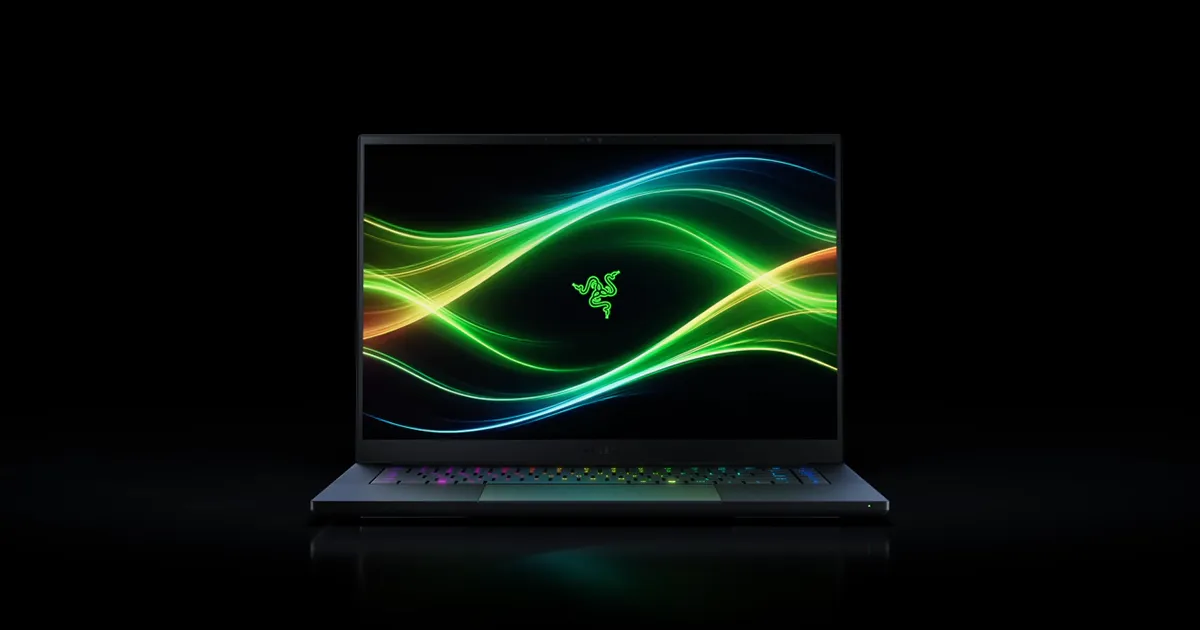
Razer Blade 16: the GPU-accelerated workhorse
The Blade 16 flips the priority order: its RTX 5070 Ti laptop GPU delivers real GPU-accelerated export speed in DaVinci Resolve, Premiere Pro, and similar software, cutting export times meaningfully compared to CPU-only rendering. Its 16-inch QHD+ OLED panel at 240Hz is both fast and color-rich, a genuinely rare combination that serves both the editing work and any gaming you do between projects. The tradeoff is size, weight, and price — this is the most expensive and least portable of the three.
MacBook Air (M2): the quiet, all-day editing companion
The MacBook Air takes a third approach entirely: Apple Silicon's unified memory architecture and hardware media encoders make it surprisingly capable at video editing and export despite lacking a discrete GPU, particularly within Apple's own Final Cut Pro, which is heavily optimized for the platform. Its fanless design means completely silent operation even during export, a genuine advantage for editors who work in shared spaces, though its performance ceiling for the heaviest 4K/8K timelines is lower than the Blade 16's discrete GPU.
Color accuracy: why OLED matters here specifically
All three laptops in this guide use OLED or OLED-class displays, which is not a coincidence — for anyone making color decisions that a client or viewer will eventually see on their own screen, a panel with true blacks and wide color gamut coverage is far more valuable than raw brightness or refresh rate. We go deeper into this exact display tradeoff in our OLED vs. IPS buying guide, which is worth reading alongside this one if display quality is your top priority.
Export speed: CPU, GPU, and dedicated media engines
How a laptop actually exports a finished project depends heavily on which part of the chip does the heavy lifting. The Blade 16's discrete RTX 5070 Ti offloads GPU-accelerated effects and encoding in software built to use it, generally the fastest path for demanding timelines. The MacBook Air's M2 chip includes dedicated hardware media engines for encoding and decoding common video codecs, which is why it often outperforms its raw specs would suggest in Apple-native editing software specifically. The Zenbook 14 OLED leans hardest on its CPU cores, which works fine for lighter projects but shows its limits first when timelines get long and effects-heavy.
Storage and working with large media files
Video and RAW photo files are large, and none of these three laptops make it easy to add storage after purchase, so it's worth configuring generously at checkout if your workflow involves local 4K or RAW footage rather than proxies. All three ship with fast NVMe or equivalent SSD storage capable of sustaining the read/write speeds modern editing software expects, though external SSDs over Thunderbolt or USB4 remain a practical way to extend working storage on any of the three without paying a steep premium for a larger built-in drive.
Portability for on-location work
Creators who shoot and edit on location — event videographers, traveling photographers, documentary work — will find the Zenbook 14 OLED and MacBook Air far more practical travel companions than the Blade 16, whose larger chassis and shorter battery life under sustained GPU load make it better suited to a fixed desk setup. If your work involves editing in the field between shoots rather than at a home studio, that portability difference should weigh as heavily as raw export speed.
Software and platform considerations
Your choice of editing software matters as much as the hardware itself. Final Cut Pro is Mac-exclusive and specifically tuned for Apple Silicon, making the MacBook Air a strong pick if you're already committed to that ecosystem. DaVinci Resolve and Adobe's Creative Cloud apps run well across all three platforms, but their GPU-accelerated features scale most predictably with a discrete GPU like the Blade 16's RTX 5070 Ti, which is worth factoring in if your specific plugins or effects lean heavily on GPU acceleration.
Multitasking during a real editing session
Editing rarely happens in a single application — a real session usually means a timeline editor open alongside a browser for reference footage, a color-grading panel, and often a cloud-sync client running in the background. The Zenbook 14 OLED's 32GB of memory and the Blade 16's equally generous allotment both handle that kind of multitasking without stutter, while the MacBook Air's unified memory architecture tends to punch above its nominal capacity thanks to how efficiently macOS and Apple Silicon share memory between the CPU and GPU. Where you'll notice a difference is background rendering: exporting a clip while continuing to scrub through footage elsewhere in the timeline is smoother on the Blade 16's discrete GPU than on either of the other two.
Audio work alongside video
Content creation increasingly means podcasting and voiceover work alongside video, and all three laptops handle basic audio editing without issue, but the differences show up in the details. The MacBook Air's built-in microphone array is noticeably better than either Windows laptop's, useful for quick voice memos or rough voiceover scratch tracks without reaching for external gear. For serious audio work, all three benefit from an external audio interface over USB-C, which sidesteps the built-in hardware differences entirely and puts the laptops on more even footing.
Our recommendation
For editors on a tighter budget who prioritize display quality and portability, the Zenbook 14 OLED delivers the best value. For professionals who need the fastest possible export times and don't mind the extra size and cost, the Blade 16 is the strongest performer of the three. And for creators who value silent, all-day operation and are already invested in Apple's software ecosystem, the MacBook Air remains a genuinely capable and quiet choice, even without a discrete GPU. None of the three is a wrong pick — the right one depends on which part of the editing workflow matters most to you.