ASUS ROG Strix G18 (2025)
An 18-inch desktop-replacement gaming laptop with a 240Hz QHD+ panel, up to a Core Ultra 9 275HX and RTX 5080, and memory and storage you can upgrade yourself.
Specifications
| CPU | Intel Core i7-14650HX, Core i9-14900HX or Core Ultra 9 275HX |
|---|---|
| GPU | NVIDIA GeForce RTX 5050 up to RTX 5080 Laptop GPU (up to 175W) |
| RAM | 16GB or 32GB DDR5-5600 SO-DIMM (2 slots, max 64GB) |
| Storage | 2TB PCIe 4.0 NVMe SSD, 2x M.2 slots |
| Display | 18-inch 2.5K (2560x1600) IPS-level, 240Hz, G-Sync, 100% DCI-P3 |
| Battery | 90Wh |
| Weight | 3.20 kg |
| Ports | Thunderbolt 4 or 2x Thunderbolt 5 (by version), USB-C, 3-4x USB-A, HDMI 2.1, Ethernet, 3.5mm combo jack |
| Wireless | Wi-Fi 7, Bluetooth 5.4 |
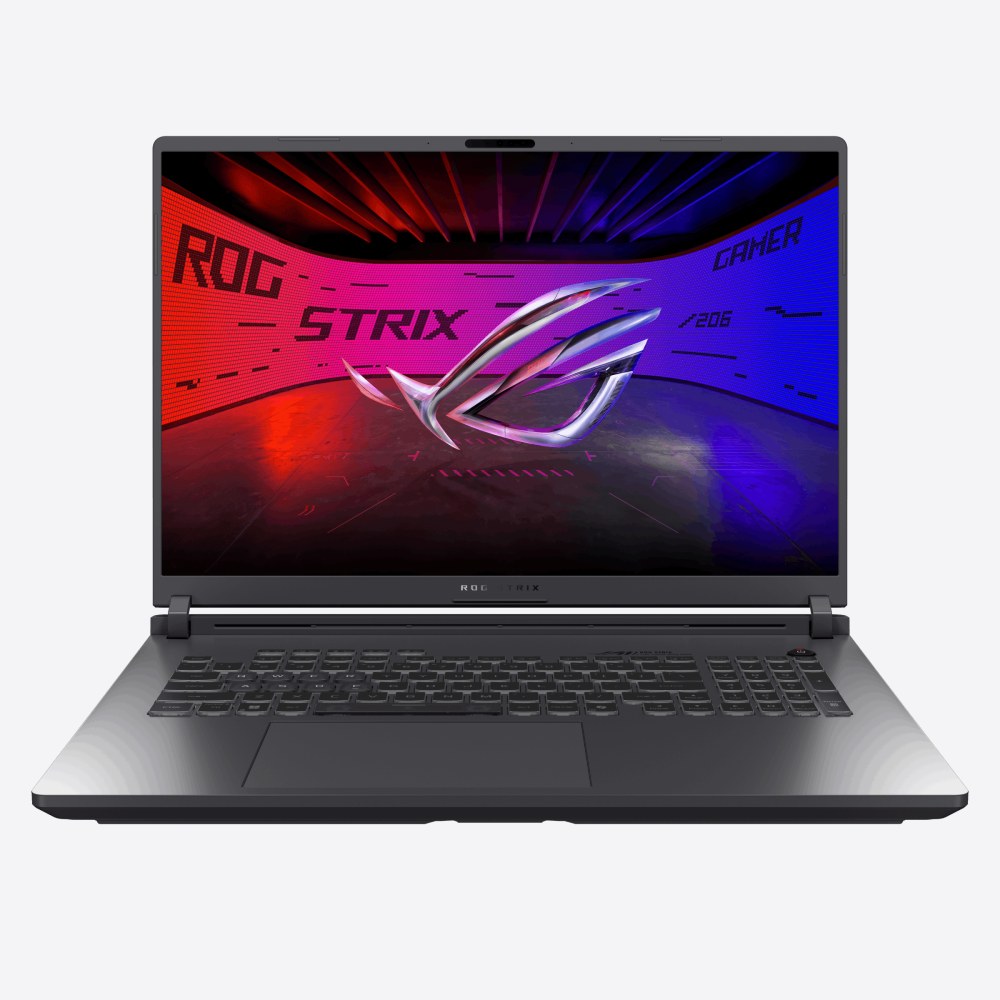
The ROG Strix G18 (2025), model family G815, is the practical end of ASUS's 18-inch gaming range. It offers a large 240Hz screen, high-power Intel processors, NVIDIA GeForce RTX 50 series graphics up to the RTX 5080 at 175 W, and a chassis designed so that memory and storage can be swapped by the owner. It does not carry the Mini LED panel or the very top RTX 5090 option of the SCAR 18, and in exchange it gives buyers a broader spread of processor and graphics tiers, which usually means a wider spread of prices too. This page sets out what ASUS publishes about the machine and discusses who it fits.
A big screen for a big machine
The display is an 18-inch ROG Nebula Display with a 2560 by 1600 resolution (ASUS calls it 2.5K or WQXGA), a 16:10 aspect ratio, a 240Hz refresh rate and a stated response time of 3 ms. The panel is IPS-level with an anti-glare surface, covers 100 percent of the DCI-P3 colour space and is Pantone validated. It supports G-SYNC and Adaptive-Sync, and a MUX switch with NVIDIA Advanced Optimus lets the machine send the image directly from the discrete GPU when you play and fall back to the integrated graphics when you do not. NVIDIA's Reflex 2 with Frame Warp is also listed as supported on the RTX 50 series, which targets input latency in competitive games.
Sixteen by ten is a taller aspect than the 16:9 of older gaming laptops, and on an 18-inch diagonal it gives a noticeably roomy workspace for editing timelines or browsing documents beside a game. The trade-off, as with every IPS-level panel, is that black levels and HDR are less dramatic than OLED or Mini LED. If you are still deciding how fast a screen you need, our guide to refresh rates from 60Hz to 360Hz explains where 240Hz makes a difference.
Three processors, five graphics tiers
ASUS lists three processor options: the Intel Core i7-14650HX with 16 cores and 24 threads and a boost up to 5.2 GHz, the Core i9-14900HX with 24 cores and 32 threads and a boost up to 5.8 GHz, and the newer Core Ultra 9 275HX with 24 cores and 24 threads and a boost up to 5.4 GHz together with an NPU rated at up to 13 TOPS. ASUS says the 275HX can draw up to 80 W when needed. Graphics options include the RTX 5050 with 8 GB of GDDR7 at 115 W, the RTX 5060 and RTX 5070 at 115 W, the RTX 5070 Ti with 12 GB at 140 W and the RTX 5080 with 16 GB at 175 W, in each case including Dynamic Boost.
Which combination you receive depends on the region and the exact model number, so read the listing carefully. ASUS also states that in Turbo mode the total system power can reach 230 W and that in Manual mode, with limits removed, up to 255 W of total system power is available. The reason to buy a machine this size is that it can sustain those numbers, and the explainer on laptop versus desktop GPUs shows why power limits matter more than model names. For choosing a graphics tier with enough video memory for your games or projects, see how much VRAM you need.
Cooling and design
The thermal design uses an end-to-end vapor chamber with a sandwiched heatsink, Tri-Fan technology in which a third auxiliary fan sends GPU and video memory heat toward the heatsinks, and Conductonaut Extreme liquid metal on the CPU and GPU. ASUS says the G18 has the largest airflow cutouts it has ever added to a laptop, allowing fans to draw air from above and through the keyboard deck, which keeps the keys cooler. Armoury Crate provides Silent, Performance, Turbo and Manual modes, with scenario profiles that can change modes automatically according to the running application.
For 2025 the corners of the chassis are chamfered and the surface has a smoother texture, giving what ASUS describes as a more elegant and contemporary look, with fewer seams. The lid has an Aura Sync logo, and there is a light bar along the front. The keyboard has per-key RGB lighting, ROG Overstroke technology for earlier keypress registration and dedicated hotkeys for volume, microphone, performance mode and Armoury Crate. Overall dimensions are 39.9 by 29.9 cm with a height of 2.35 to 3.20 cm, and the weight is 3.20 kg, so this is a machine to keep on a desk and carry occasionally. If you are unsure whether that suits your routine, the comparison of gaming laptops and ultrabooks will help.
Upgradeable memory and storage
One of the best reasons to choose a Strix over a thin Zephyrus is the ability to upgrade. The G18 has two DDR5-5600 SO-DIMM slots with a maximum capacity of 64 GB and dual-channel support, with configurations listed at 16 GB (as two modules) and 32 GB. There are two M.2 PCIe slots, and the listed storage is a 2 TB PCIe 4.0 NVMe SSD. ASUS highlights Q-Latch, a tool-less plastic hinge that holds M.2 SSDs without tiny screws, first introduced on its motherboards, and points to an official tutorial video for upgrades. Our article on how much RAM you need helps you decide whether to buy more capacity up front or add it later at a lower cost.
Ports and connectivity
The right side has two USB-A ports. The left side and back carry the bulk of the connections: a 3.5 mm audio jack, a USB-A port, an HDMI 2.1 FRL output, an RJ45 Ethernet port (listed as 2.5G on some versions) and two Thunderbolt 5 ports on the versions that have them, otherwise Thunderbolt 4 and a USB-C with DisplayPort and power delivery. The exact set differs by model, so check the specific listing. Wi-Fi 7 with Bluetooth 5.4 handles wireless networking, and a 1080p infrared camera supports Windows Hello. Audio comes from Dolby Atmos speakers, with Hi-Res headphone certification and two-way AI noise cancelling that runs on the CPU to leave the GPU free for frame rates.
The battery is 90 Wh, and power adapters of 280 W or 380 W are listed, depending on the configuration, with a 100 W USB-C adapter also shown. ASUS gives no battery runtime, and with hardware of this class you should assume it is a mains-first machine.
Who should buy it, and the alternatives
The Strix G18 suits players who want a large screen and strong sustained performance at a lower step than the flagship, students or professionals who will keep a desk machine for years and upgrade it, and anyone replacing an old desktop who wants to keep a big display and full-size keyboard with number pad. It is less suited to travel, quiet use on battery or anyone wanting the deepest black levels. If you want more ports and the very best display, look at the ROG Strix SCAR 18 (2025); if 16 inches is enough and you prefer a lighter build, the ROG Strix G16 (2025) is a natural neighbour. The two 18-inch models can be compared directly on ROG Strix G18 (2025) versus ROG Strix SCAR 18 (2025), and every laptop we list is in the laptops category.