Apple Mac Studio (M4 Max / M3 Ultra, 2025)
A compact, quiet workstation that scales from a creator's desk to a machine with half a terabyte of memory.
Specifications
| CPU | Apple M4 Max (up to 16-core) or M3 Ultra (up to 32-core) |
|---|---|
| GPU | Up to 40-core (M4 Max) or up to 80-core (M3 Ultra) Apple GPU |
| RAM | 36GB (M4 Max, up to 128GB) or 96GB (M3 Ultra, up to 512GB) unified memory |
| Storage | Up to 16TB SSD |
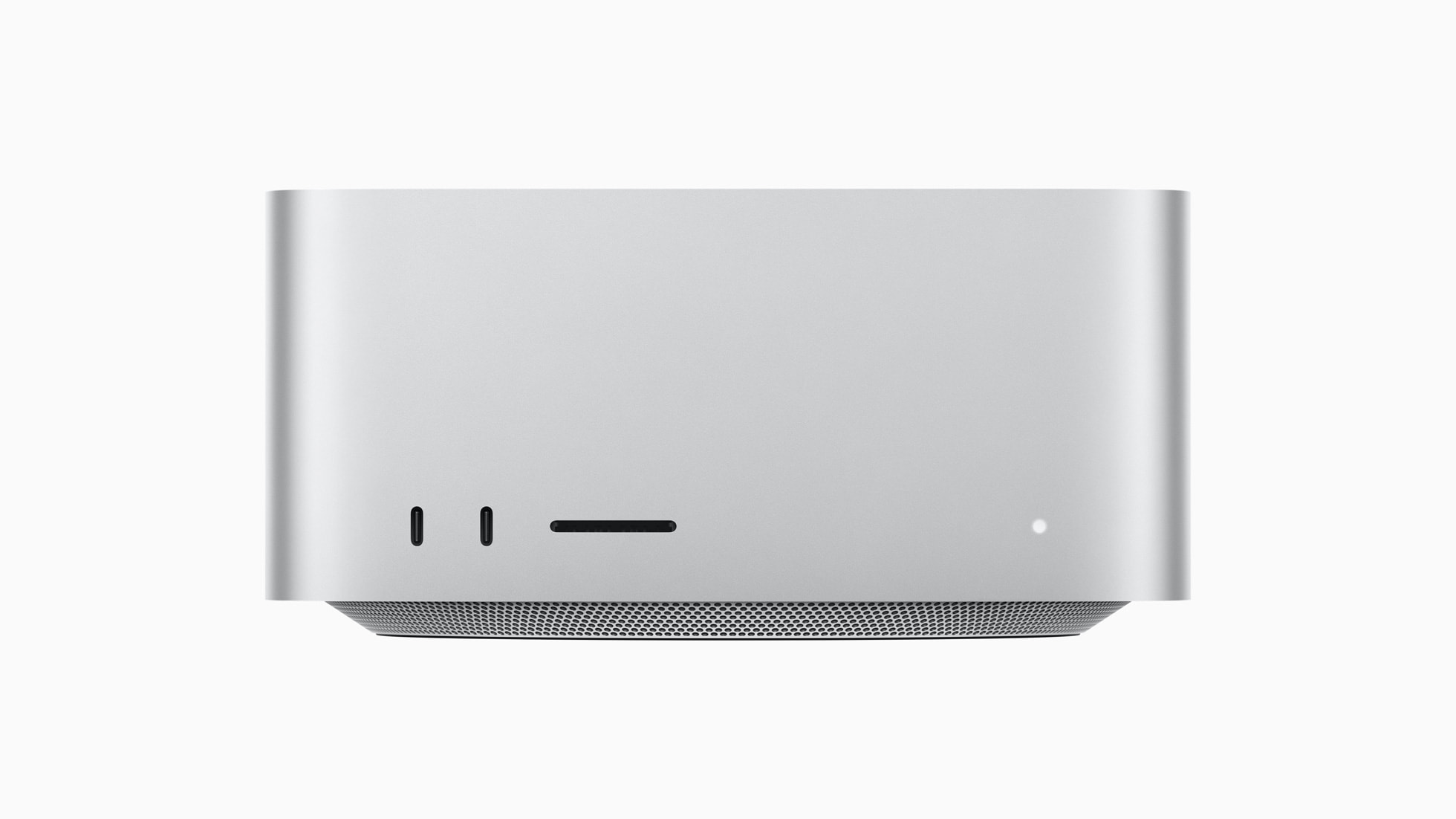
| Ports | Thunderbolt 5, HDMI, 10Gb Ethernet, front SDXC card slot |
The Mac Studio announced in March 2025 sits in an unusual place in the desktop market. It is small enough to live on a desk beside a monitor, quiet enough for a recording room, and yet it is configured with chips and memory sizes that would have been the domain of large towers not long ago. This page explains the two chip options, the memory and storage ceilings, the connectivity and the kinds of professional work the machine is designed to serve.
A workstation without the tower
Traditional workstations are large because they need space for a processor cooler, several fans, a big graphics card and expansion cards. The Mac Studio takes another approach. The processor, graphics, memory controller and neural engine share one chip package, so the machine can stay compact while offering serious throughput. Apple positions it as a desktop that lives right on a desk, and it pairs naturally with a large display. In practice that means video editors, colourists, photographers, developers and audio producers can put a professional machine in a spare room, a living space or a small studio without dedicating floor space to it.
If you are weighing this design against a conventional tower, our overview of prebuilt versus custom desktop PCs describes the trade-offs, and our discussion of building a quiet PC explains why an efficient chip design helps when noise matters.
Two chips: M4 Max and M3 Ultra
The 2025 refresh offers two options. The first is the M4 Max. Apple lists up to a 16-core CPU, up to a 40-core GPU, more than half a terabyte per second of unified memory bandwidth and a neural engine that is more than three times faster than the one in the M1 Max. It starts with 36GB of unified memory and can be configured up to 128GB. This chip brings the company's newer graphics architecture to the Mac Studio for the first time, including dynamic caching, hardware-accelerated mesh shading and a second-generation ray-tracing engine. Apple says the M4 Max version is up to 3.5 times faster than the M1 Max Mac Studio, and it names video editors, colourists, developers, engineers and photographers as the intended audience.
The second option is the M3 Ultra. It is a much larger configuration, with up to a 32-core CPU, of which 24 cores are performance cores, up to an 80-core GPU and a 32-core neural engine. Memory bandwidth exceeds 800GB/s. It starts with 96GB of unified memory and can be configured to 512GB, which Apple describes as the most ever offered in a personal computer, and storage can reach 16TB. Apple says the M3 Ultra can run large language models with more than 600 billion parameters entirely in memory. These are manufacturer statements, and real-world results depend heavily on the software you run, but the direction is clear: this configuration is for workloads limited by memory capacity rather than by clock speed.
A useful way to think about the choice is that the M4 Max is the better single-task performer for many everyday professional applications, while the M3 Ultra is the option when a project needs many cores, a very large memory pool or both. Apple itself notes that the Ultra offers nearly twice the performance of the M4 Max in workloads that use high CPU and GPU core counts and huge memory, so the gap appears in specific kinds of work rather than everywhere.
Memory and storage are decisions you make once
Because memory is part of the chip package, the amount you order is the amount the machine keeps. There is no slot for a later upgrade. For a professional machine this deserves thought. A large photo library, a film timeline with many tracks or a local machine-learning project can consume memory quickly, and it is cheaper to plan ahead than to replace a machine. Our guides on how much RAM you need and on how much video memory you need explain how to estimate requirements. Because the Mac Studio shares one pool between processor and graphics, the memory figure covers both roles.
Storage follows the same logic. Apple says solid-state storage can be configured up to 16TB and points out that this is enough for more than twelve hours of 8K ProRes video. If you work with large media files, you may prefer a modest internal drive plus fast external storage, and that leads us to the connectivity.
Thunderbolt 5 and the rest of the ports
The new Mac Studio moves to Thunderbolt 5, with transfer speeds up to 120Gb/s, which Apple describes as up to three times faster than the previous generation. This is designed for fast external storage, expansion chassis and hubs. Apple specifically mentions that users who depend on PCIe cards can connect an external expansion chassis with more bandwidth and lower latency than before. The machine also includes a 10Gb Ethernet port, an HDMI port and an SDXC card slot on the front, so photographers and videographers can import files directly from cards without reaching for an adapter. Wi-Fi and Bluetooth are built in.
On the display side, Apple says the M3 Ultra version can drive up to eight Pro Display XDR screens at full 6K resolution. Very few people will need a wall of screens, but it demonstrates the headroom in the graphics engine. For a more typical setup, one or two high-resolution monitors are all that is required, and our article on refresh rates can help with choosing them.
Who should buy a Mac Studio
Video editors and colourists. Both chips include a media engine with dedicated ProRes hardware, and Apple emphasises multiple streams of 4K ProRes and heavy timelines. The large memory pool and fast storage suit long-form projects.
3D artists and visual effects specialists. GPU rendering, simulation and animation benefit from the graphics architecture and the memory capacity. Apple cites scene-rendering and 3D application speedups over earlier Mac Studio models.
Software developers. Code compilation is a task Apple highlights, with faster build times over the earlier generation. A compact machine that stays quiet under sustained builds is appealing for home offices.
Audio producers and composers. Projects with hundreds of tracks, plug-ins and virtual instruments can be tackled comfortably by the higher-memory configurations, and the low noise matters in a recording space.
AI and data practitioners. The large unified memory allows models to be loaded that would not fit into the memory of most consumer graphics cards. Apple reports substantial gains in local language-model speed over the M1 Ultra version when large models are used. If you follow the topic, our comparison of laptop and desktop GPUs provides context on how memory-limited workloads differ from raw-speed workloads.
Who should look elsewhere
If your work is mostly web browsing, email and office software, this machine is more than you need, and the smaller Mac mini or an all-in-one such as the iMac with M4 will serve you at a fraction of the cost. If you want a tower whose graphics card you can replace next year, a modular PC is a better match. And if your software relies on a specific discrete graphics vendor, confirm compatibility before committing.
Do not forget the monitor. The Mac Studio does not include a display, keyboard or mouse. Apple suggests pairing it with its 27-inch 5K Studio Display or the 32-inch Pro Display XDR, and adding Magic accessories, but any compatible monitor will work, so budget for the whole desk rather than just the box.
Software and Apple Intelligence
The machine is built to run the company's on-device intelligence features, including writing tools, an improved Siri and image generation, with heavier requests handled by a private cloud service. Language availability varies, so check the current state for your region. For professional users, the more relevant fact is that the same hardware that accelerates these features also accelerates third-party machine-learning applications.
Environment
Apple reports that the enclosure uses 100 percent recycled aluminium, all magnets use recycled rare earth elements and the machine contains over 30 percent recycled content overall. It is free of mercury, brominated flame retardants and PVC, and the packaging is entirely fibre based. Apple says the machine uses far less energy and material than desktops in its class. These are manufacturer claims about the design.
Price and availability
Apple announced the new Mac Studio on 5 March 2025 and began deliveries on 12 March 2025. It started at $1,999 in the United States, or $1,799 for education, with configure-to-order options above that. Higher chip and memory choices raise the price substantially. Prices vary by region and change over time, so treat the figure as a launch reference.
Related reading and comparisons
For a look at how Apple silicon compares with the alternatives on the market, see our overview of Intel, AMD and Apple silicon. To see how the machine stacks up spec by spec against a compact all-in-one, try the Mac Studio versus iMac comparison, or browse the full desktop PC category.