Apple MacBook Pro 14/16-inch (M5 Pro / M5 Max, 2026)
Apple's 14- and 16-inch MacBook Pro with the M5 Pro and M5 Max: an 18-core CPU, GPU Neural Accelerators, up to 128GB of memory, Thunderbolt 5 and Wi-Fi 7.
Specifications
| CPU | Apple M5 Pro (15 or 18-core) or M5 Max (18-core), super + performance cores |
|---|---|
| GPU | 16/20-core (M5 Pro); 32/40-core (M5 Max) with Neural Accelerators |
| Neural Engine | 16-core |
| RAM | 24GB (M5 Pro) / 36GB (M5 Max) unified, up to 64GB / 128GB (soldered) |
| Storage | 1TB (M5 Pro) / 2TB (M5 Max) standard; up to 4TB / 8TB |
| Display | 14.2-inch 3024x1964 or 16.2-inch 3456x2234 Liquid Retina XDR, 120Hz, 1600 nits HDR peak |
| Battery | 72.4Wh (14-inch) / 100Wh (16-inch) |
| Weight | 1.60-1.62 kg (14-inch) / 2.14-2.15 kg (16-inch) |
| Ports | 3x Thunderbolt 5, HDMI, SDXC, MagSafe 3, 3.5mm jack |
| Wireless | Wi-Fi 7, Bluetooth 6 (Apple N1) |
On 3 March 2026 Apple announced updated 14-inch and 16-inch MacBook Pro laptops built around two new chips, the M5 Pro and the M5 Max. Pre-orders opened on 4 March and the machines reached customers on 11 March. They keep the pro-oriented chassis and Liquid Retina XDR display of the previous generation and change the processor, the storage, the wireless chip and the memory ceiling. This page covers both sizes together, because Apple's documentation treats them as one family with different screens, batteries and weights. It sticks to what Apple has published and flags where its own documents disagree.
Fusion Architecture and the new CPU
Apple says the M5 Pro and M5 Max use a new design called Fusion Architecture, which combines two dies into a single system on a chip. The CPU is described as an up-to-18-core design made of 6 super cores, which Apple calls the world's fastest CPU core, and 12 performance cores tuned for power-efficient multithreaded work. Apple claims up to 30 percent faster performance than the previous generation for this CPU.
The specification sheets add detail that the launch release skips. The 14-inch M5 Pro is offered with a 15-core CPU (5 super and 10 performance cores) or the 18-core CPU (6 and 12), with a 16-core or 20-core GPU. The 16-inch M5 Pro is listed with the 18-core CPU and 20-core GPU. The M5 Max uses the 18-core CPU with a 32-core or 40-core GPU. All have a 16-core Neural Engine. Memory bandwidth is 307GB/s for the M5 Pro, 460GB/s for the M5 Max with 32 GPU cores and 614GB/s for the M5 Max with 40 GPU cores.
GPU with Neural Accelerators and the AI claims
As on the M5 laptop, each GPU core carries a Neural Accelerator. Apple's headline claim is up to 4 times the AI performance of the previous generation and up to 8 times that of M1-generation models. The specific examples in the release are worth quoting carefully because they are all Apple-measured comparisons.
For the M5 Pro, Apple states up to 3.9 times faster language-model prompt processing than the M4 Pro in LM Studio, up to 3.7 times faster AI image generation than the M4 Pro, up to 1.4 times faster Maxon Redshift rendering than the M4 Pro and up to 1.6 times faster ray-traced gaming performance in Cyberpunk 2077 than the M4 Pro. For the M5 Max, it states up to 4 times faster prompt processing than the M4 Max, up to 3.8 times faster image generation, up to 3 times faster video-effects rendering in DaVinci Resolve Studio and up to 3.5 times faster AI video enhancement in Topaz Video. Apple also claims graphics performance up to 50 percent higher than the M4 Pro and M4 Max.
Notice the pattern: the largest gains are in tasks that use the new matrix hardware, such as prompt processing and image generation, while the gains in ordinary rendering are more moderate. If your daily work does not involve local AI models, expect the smaller figures.
Memory, storage and the drive speed claim
The M5 Pro supports up to 64GB of unified memory and the M5 Max up to 128GB. Both start higher than before: the M5 Pro laptops come with 1TB of storage as standard and the M5 Max laptops with 2TB. Apple says read and write performance is up to twice as fast as the previous generation, reaching speeds of up to 14.5GB/s, and it points to 4K and 8K video projects, language models and large datasets as beneficiaries. Storage is configurable to 4TB for the M5 Pro and 8TB for the M5 Max. As with every current MacBook Pro, memory and storage are part of the machine and cannot be upgraded later.
Display, camera and sound
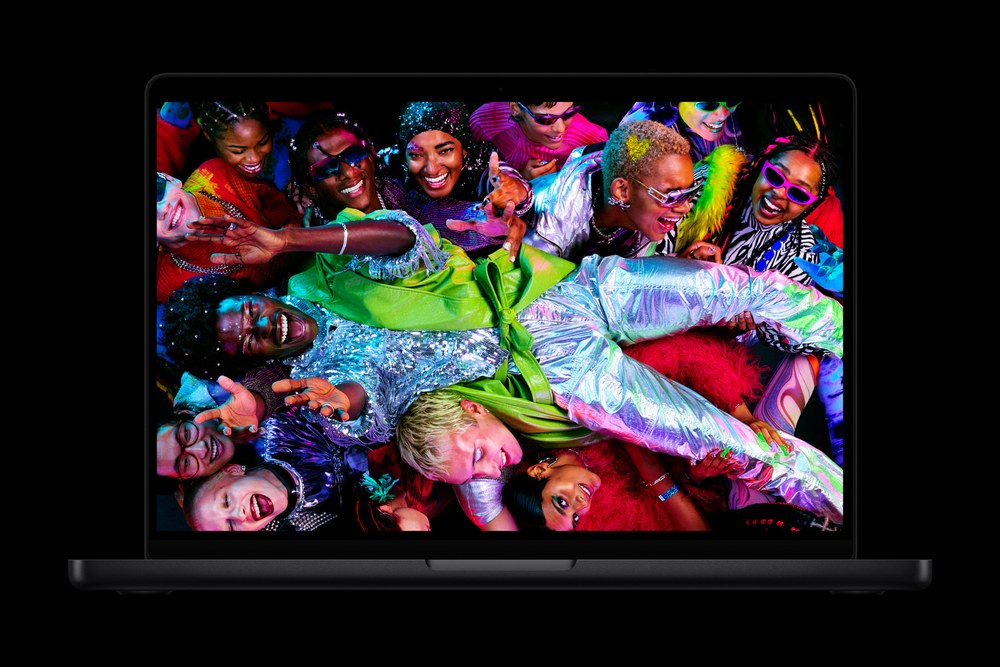
The screens are unchanged in specification. The 14.2-inch panel resolves 3024 by 1964 pixels and the 16.2-inch panel 3456 by 2234 pixels, both at 254 pixels per inch. Apple lists 1000 nits sustained full-screen brightness, 1600 nits peak for HDR content, up to 1000 nits for SDR content, ProMotion up to 120Hz and an optional nano-texture finish. A 12-megapixel Center Stage camera with Desk View, studio-quality microphones and a six-speaker system carry over.
Connectivity: Thunderbolt 5 and the N1 chip
Every model has three Thunderbolt 5 ports rated at up to 120Gb/s, an HDMI port that supports up to 8K, an SDXC card slot, a headphone jack and MagSafe 3. A new element is the Apple-designed N1 wireless chip, which enables Wi-Fi 7 and Bluetooth 6. That is a step up from the Wi-Fi 6E and Bluetooth 5.3 in the previous 16-inch model, and it gives the laptop parity with current wireless routers, although you need a Wi-Fi 7 access point to benefit.
The specifications disagree on displays, so it is worth resolving. The launch release says the machines can drive up to two high-resolution external displays with the M5 Pro and up to four with the M5 Max. The technical specification pages list up to three external displays for the M5 Pro, either three at up to 6K and 60Hz or 4K at 144Hz, or one at 8K60 alongside a second at 5K at 120Hz. Because the specification sheets give exact resolutions and refresh rates, I would trust them over the shorter press summary, but confirm the exact combination you need before buying a multi-monitor setup.
Battery and size
Both sizes claim up to 24 hours of battery life in the launch release, but the specification sheets give per-model figures that are lower in most cases. The 16-inch model has a 100Wh battery, rated at up to 24 hours of video streaming and 17 hours of web browsing with the M5 Pro, and up to 22 hours and 16 hours with the M5 Max. The 14-inch model has a 72.4Wh battery, rated at up to 22 hours of streaming and 14 hours of web use with the M5 Pro and up to 20 hours and 13 hours with the M5 Max. Apple's release also says the machines fast-charge to 50 percent in 30 minutes with a 96W or higher adapter, and that they perform the same on battery as when plugged in.
The 14-inch model measures 1.55 cm by 31.26 cm by 22.12 cm and weighs 1.60 kg with the M5 Pro and 1.62 kg with the M5 Max. The 16-inch model measures 1.68 cm by 35.57 cm by 24.81 cm and weighs 2.14 kg and 2.15 kg respectively. Both come in space black and silver.
Pricing
Apple's US starting prices are 2,199 dollars for the 14-inch M5 Pro, 2,699 dollars for the 16-inch M5 Pro, 3,599 dollars for the 14-inch M5 Max and 3,899 dollars for the 16-inch M5 Max, with lower education prices. The jump from M5 Pro to M5 Max is large, so the question to ask is whether your work needs more than 64GB of memory, four external displays or the extra GPU cores.
How to decide
Pick the M5 Pro if your workload is mixed: coding, photo and video editing, 3D at moderate complexity, occasional local models. Pick the M5 Max if you routinely handle very large scenes, high-bitrate multi-stream video, heavy visual effects or language models that need more than 64GB of memory. Choose the 14-inch body for portability and the 16-inch body for the bigger screen, the larger battery and, in Apple's own figures, the longer runtime.
If you own the previous model, the case for upgrading rests mainly on AI performance, Wi-Fi 7 and faster storage; Apple compares mostly with M1 and Intel generations, which is where the biggest jumps sit. Our page on the 16-inch MacBook Pro with M4 Pro and M4 Max carries the earlier specifications, and the direct comparison with the previous 16-inch model shows what changed. The base 14-inch MacBook Pro with M5 is the cheaper route if you do not need Pro-class memory bandwidth.
Three guides help you weigh the trade-offs. Our roundup of the best laptops for content creators covers what matters in displays, ports and sustained performance. The article on how much video memory you need is relevant here because on these machines graphics memory is the unified pool, and the guide to laptop ports, Thunderbolt and USB4 explains why Thunderbolt 5 matters for fast external drives and docks.
Bottom line
The M5 Pro and M5 Max MacBook Pro laptops are a targeted upgrade rather than a redesign. You get more CPU cores, a GPU built for AI workloads, faster storage, a higher storage baseline, Wi-Fi 7 and the same excellent screen. The costs are high starting prices and hardware that cannot be expanded after purchase. Read Apple's multipliers as best-case comparisons with older Apple machines, and choose between the M5 Pro and the M5 Max by the memory and display count you actually need.