Microsoft Surface Laptop (8th Edition)
Microsoft's aluminium Windows laptop in 13, 13.8 and 15 inch sizes, with Snapdragon X2 processors, 3:2 PixelSense touchscreens and a rated battery life of up to 22.5 hours.
Specifications
| CPU | Qualcomm Snapdragon X2 Plus (6-core or 10-core) or Snapdragon X2 Elite (12-core) |
|---|---|
| Display | 13-inch 1920x1280 60Hz, 13.8-inch 2304x1536 120Hz HDR or 15-inch 3270x2180 120Hz HDR PixelSense touchscreen (3:2) |
| Battery | Up to 22.5h / 20h / 19h video playback (13 / 13.8 / 15-inch, Microsoft rating) |
| Weight | 1,225 g / 1,342 g / 1,664 g (13 / 13.8 / 15-inch) |
| Ports | 2x USB-C (USB 3.2 or USB4), USB-A 3.2, 3.5mm jack; Surface Connect on 13.8 and 15-inch; microSD on 15-inch |
| Body | Aluminium |
| Price note | Starts at US$1,199.99 (13-inch), US$1,399.99 (13.8-inch), US$1,649.99 (15-inch) on Microsoft's site |
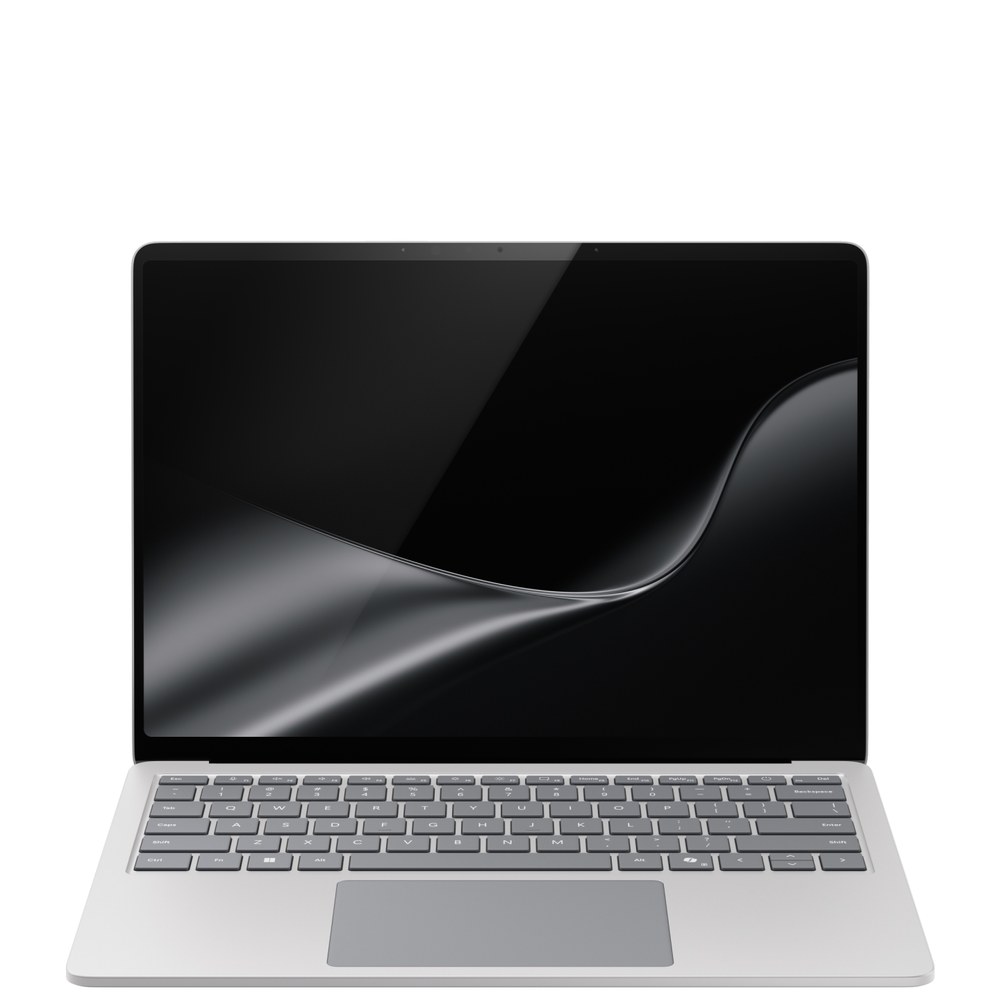
The Surface Laptop 8th Edition is Microsoft's own take on the everyday premium Windows laptop. It comes in three sizes, 13-inch, 13.8-inch and 15-inch, all built around Qualcomm's Snapdragon X2 processors, all with a touchscreen in Microsoft's taller 3:2 aspect ratio, and all built in aluminium with a clean, notchless lid. It is aimed at students, professionals and travellers who want a light machine with a comfortable keyboard and long battery life, rather than gamers or people who need a discrete graphics card. This page draws on the specifications and claims Microsoft publishes for the range, explains what they mean in practice and points out where the limits are.
Three sizes, one design
The three versions share a design and differ in size, screen and ports. The 13-inch model is the new entry point and is listed as available in black. It weighs 1,225 g (2.7 lb) according to Microsoft. The 13.8-inch model weighs 1,342 g (2.96 lb), and the 15-inch model weighs 1,664 g (3.67 lb). Microsoft describes a precision-crafted aluminium body that balances durability and portability, a colour-matched keyboard and a lid that lifts smoothly with one finger, without a notch cut into the edge. The company also states that the top cover and base contain 64 percent recycled aluminium alloy, and that replacement components are available for out-of-warranty self-repair.
Colours vary by model and market; the site shows options including platinum, black, dune, jade and violet, with availability differing by size and store. The size choice is the main decision: our guide to 13, 14 and 16 inch laptops explains how each size changes weight, screen space and battery life in daily use.
PixelSense touchscreens
Every Surface Laptop has a touchscreen, and all use Microsoft's PixelSense display with a 3:2 aspect ratio. That shape is taller than the 16:9 of many older laptops and shows more of a document, spreadsheet or web page before you have to scroll. The three sizes differ substantially. The 13-inch model has a 1920 by 1280 LCD refreshing at 60 Hz, and Microsoft says the new 13-inch panel is brighter than before for easier viewing across more environments. The 13.8-inch model has a 2304 by 1536 HDR PixelSense display at 120 Hz, and the 15-inch model has a 3270 by 2180 HDR display, also at 120 Hz.
That makes the 13-inch model the value option and the two larger ones the more premium screens, with higher resolution and a smoother 120 Hz refresh. HDR requires HDR content and enabling the feature in Windows. Microsoft notes that touch is supported but pen input is not: the page states the screen is optimised for touch only and that Surface Pen and Slim Pen compatibility is not supported. If you plan to sketch or handwrite notes, this is important to know.
Snapdragon X2 processors and Copilot+ features
The processors are Qualcomm's Snapdragon X2 family. The 13-inch model uses the Snapdragon X2 Plus with six cores, while the 13.8-inch and 15-inch models offer the Snapdragon X2 Plus with 10 cores or the Snapdragon X2 Elite with 12 cores. These are Arm-based chips rather than Intel or AMD designs, a design associated with power efficiency and the long battery ratings, and they include an NPU that supports Microsoft's Copilot+ PC features such as improved Windows search that finds files by describing them. Microsoft states that Copilot+ features are only available on selected configurations with at least 16 GB of RAM. For a straightforward explanation of what an NPU adds and what it does not, see our article on NPUs and AI acceleration in laptops, and for how Arm, Intel and AMD approaches compare, read Intel versus AMD versus Apple silicon in laptops.
Because these processors are Arm-based, it is wise to check that the specialist software you rely on runs well on Windows for Arm, particularly older programs, drivers and some professional or gaming tools. Everyday applications such as browsers, Microsoft 365 and video calls are the strength of this platform. The Surface page does not list a dedicated graphics card option, so this is not a machine for demanding 3D work or modern AAA gaming.
Battery life and charging
Microsoft's rated battery life, based on its own testing with preproduction devices in May 2026, is up to 22.5 hours of local video playback for the 13-inch model, 20 hours for the 13.8-inch and 19 hours for the 15-inch. For active web browsing the figures are up to 18, 16 and 14 hours. Like all such figures, they depend on the configuration, brightness and usage, and Microsoft says so in its own footnotes, so treat them as a way to compare the three sizes with each other rather than as a promise. Our article on battery life and thermal throttling explains what changes those results in the real world.
Charging is over USB-C, and fast charging is supported with a USB-C power adapter of at least 60 W or the 65 W Surface Power Supply, sold separately in some markets. In selected markets only specific configurations include a wall charger, so check what comes in the box.
Ports, camera and keyboard
The 13-inch model has two USB-C ports at USB 3.2 speed, a USB-A 3.2 port and a headphone jack. The 13.8-inch model has two USB-C ports with USB4, a USB-A 3.2 port, a 3.5 mm audio jack and a Surface Connect port for the Surface charger and docks. The 15-inch model has the same plus a microSD card slot. The USB4 ports on the larger models give faster data and better external display support, and you can learn what the labels mean in our guide to port selection.
Microsoft highlights the camera, which it says adjusts lighting and framing, and cites a ranking by DXOMARK based on commissioned testing. That ranking is a manufacturer-supplied claim and applies only to devices with the same camera hardware and firmware as tested. Windows Hello sign-in is by fingerprint on the 13-inch model and by facial recognition on the larger two. The 13.8-inch and 15-inch models can be specified with a next-generation haptic touchpad, and there is a dedicated Copilot key on the keyboard, with availability varying by market.
Who should buy it
The Surface Laptop suits anyone whose life is spent in browsers, documents, video calls and light creative work, and who values weight, screen shape and battery over raw speed. Students will appreciate the 13-inch model for its price and weight, while professionals may prefer the sharper 120 Hz screens of the larger versions; our roundup of the best ultraportable laptops lists other choices. If you want a similar ultraportable philosophy in macOS, look at the MacBook Air 13-inch (M4, 2025), and if you prefer a Windows OLED laptop from another brand, the ASUS Zenbook 14 OLED (UX3405) is worth a look. You can view the Microsoft and Apple machines together on Surface Laptop (8th Edition) versus MacBook Air 13-inch (M4, 2025), and see everything we list in the laptops category. Anyone who needs a pen, a discrete GPU or the widest possible software compatibility should look elsewhere.